Describing the exact target of an edit is slower than pointing at it.
← Back to patterns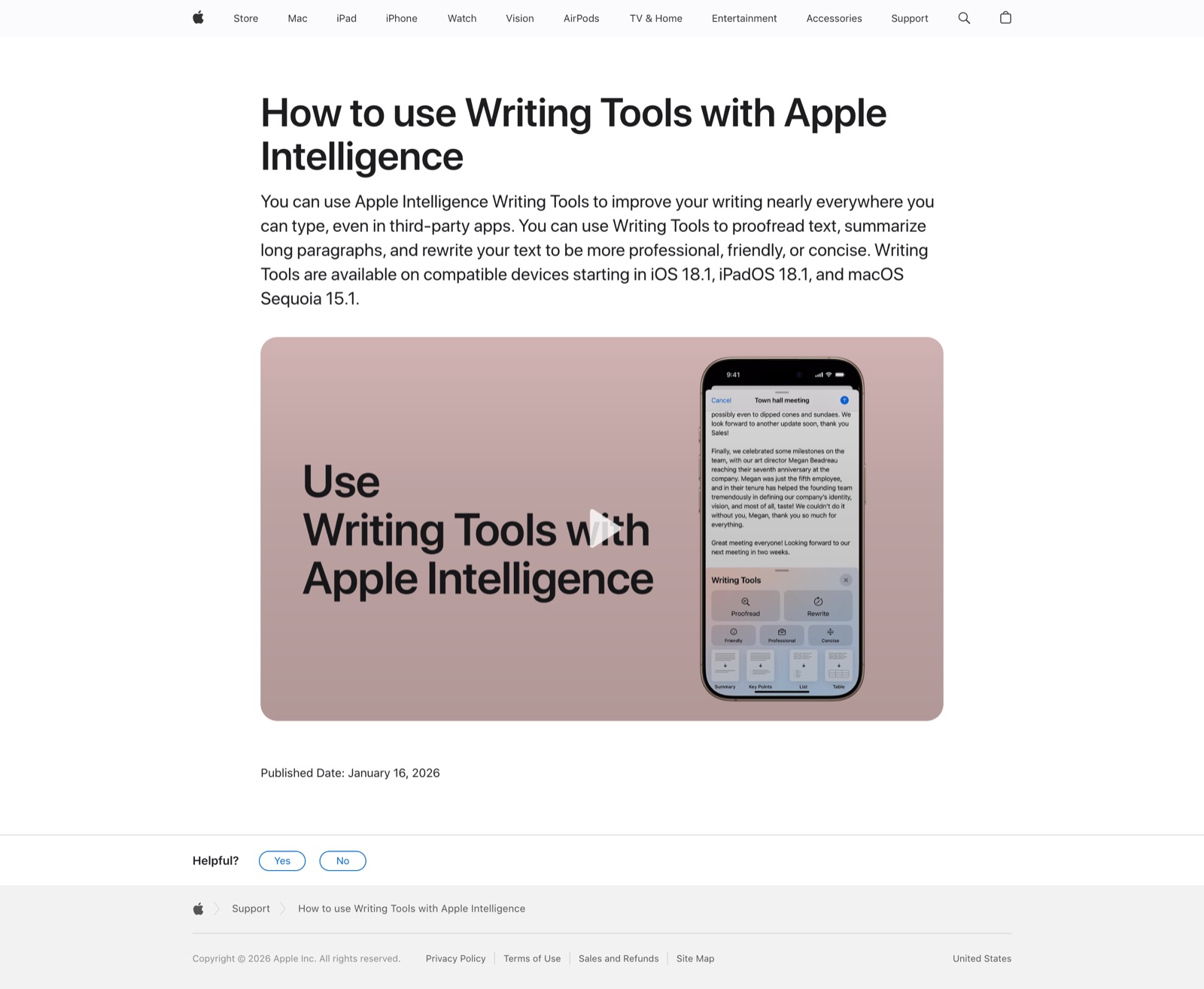
Direct Manipulation: A Step Beyond Programming Languages Guidelines for Human-AI Interaction (HAX Toolkit, G1-G18) Accordion Editing and Apple Picking: Early UX Patterns of AI
Inline & Contextual
Select & Transform
Point at It, Don't Describe It
Select text, pick an action from the floating toolbar, see changes as inline diffs with accept/reject. No need to describe which text to change — just point at it.
Metaphor
Highlighter
Interaction
Selection, Inline Diff
Use case
Text Editing, Content Rewriting, Translation
Failure mode
Linear History
Control mechanisms
Text Selection · Floating Toolbar · Accept/Reject Diffs
Reference examples
Apple Intelligence Writing Tools · Notion AI · Cursor Cmd+K
Interactive Example
The live side-by-side is the comparison.
This prototype already contains the contrast between chat and the pattern response. It stands as the primary comparison surface for this page.
Pointing is faster than describing.
To edit one clause in chat, the user has to narrate its location, its boundaries, and the change they want in prose — "the second sentence in the third paragraph, make it more formal but keep the part about pricing." Most of that effort is spent reconstructing in words what the cursor already knows, and the model still has to guess the scope.
Select & Transform turns the selection itself into the AI's scope: highlight the text, pick an action from a floating toolbar, and review the result as an inline diff with accept or reject. The transformation is bounded to exactly what was pointed at, and the change is visible before it is committed, old text beside new, nothing applied on faith.
The shortest path from intent to edit is a cursor, not a sentence.
DOPE Lens
How this pattern improves AI interaction quality.
Observability
Every transform renders as an inline diff — struck-through original above the replacement — so the change is visible before it becomes the text
Directability
Selection sets the scope, the floating toolbar names the verbs, and each diff carries its own accept/reject — edits are approved one at a time, not as a bundle
Predictability
The blast radius is the selection: "Simplify" touches the highlighted sentence and nothing outside it, unlike a chat rewrite that reflows the whole paragraph
Explainability
Each pending diff is tagged with the action that produced it, so "why did this sentence change" is answered by a label, not reconstruction
Fit
Where it earns its place.
Use it
when
when
Edits target a specific span and naming the location verbally would be slower than pointing.
Avoid
when
when
The task requires holistic rewriting rather than scoped changes.
In the wild
Where this pattern already ships.
Real implementations from products users already know. Each entry shows how the pattern got applied — what shipped, where it sits in the product, what it traded off.
Apple Intelligence Writing Tools
Apple
Select text → Writing Tools → Rewrite / Friendly / Professional / Concise / custom description, with original-version toggle as the diff-style review.
Visit Apple ↗
Notion AI
Notion
Select text → "Ask AI to edit" → in-place edit with diff confirmation. The agent edits in the doc on selection, not in a side panel.
Visit Notion ↗
Cursor Cmd+K
Cursor
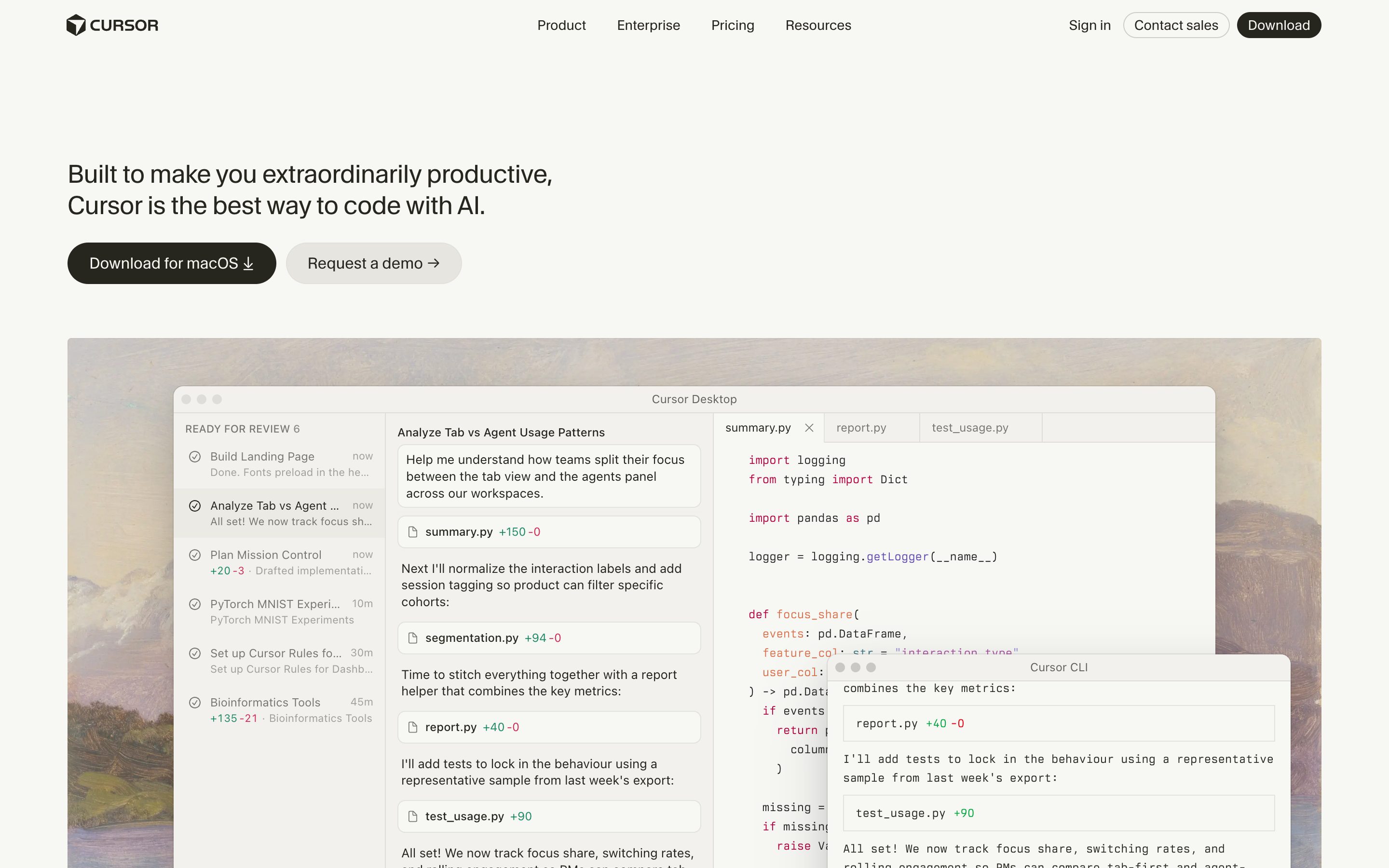
Inline editing — select code, press Cmd+K, describe the change, see red/green inline diff with accept/reject. Hero example for code.
Visit Cursor ↗
Research Frame
Why this pattern exists, and where it breaks.
Turn selection into AI scope and render changes as reviewable diffs.
Users must verbally restate location, boundaries, and transformation intent.
Local transforms can distract from structural problems that need broader revision.
Common questions
What people ask about this pattern.
When should I use the Select & Transform pattern?
+
Edits target a specific span and naming the location verbally would be slower than pointing.
When should I avoid the Select & Transform pattern?
+
The task requires holistic rewriting rather than scoped changes.
What problem does Select & Transform solve?
+
Describing the exact target of an edit is slower than pointing at it.
Why is chat the wrong fit for this?
+
Users must verbally restate location, boundaries, and transformation intent.
Grounded in Research
Not just opinion.
The papers, guidelines, and usability studies this pattern rests on.
Ben Shneiderman
IEEE Computer · Vol. 16, Iss. 8 · 1983
The original case for visible, continuous, reversible direct manipulation over command-line abstraction. The patterns that move from prose-prompt to controllable surface are this argument applied to LLM I/O.
Saleema Amershi et al.
Microsoft Research · 2019 · refreshed 2026-07
The canonical 18-guideline taxonomy for human-AI interaction. Strongest anchors: G9 efficient correction, G11 why-did-it-do-that, G17 global controls. Its three zero-coverage guidelines — G6 bias mitigation, G14 cautious updates, G18 change notification — became this library's Bias Flag and Model Changelog patterns in July 2026. Nearly the whole Agent Workflow category sits outside its 2019 single-assistant frame.
Sarah Gibbons, Tarun Mugunthan, Jakob Nielsen
Nielsen Norman Group · 2023
Empirical usability study naming the exact chat failure modes — expanding/condensing whole answers when only a span needs work, manually harvesting fragments across regenerations — that selection-scoped transforms and single-axis depth controls exist to fix.
Related Patterns
Curated connections, not just neighbors.
Hand-picked relationships — what this pattern pairs with in practice, what it replaces, what it builds on, and what builds on it.
Often paired with
Ghost Text Editor
Ghost Text Editor predicts the next sentence, then you point at any text to reshape it precisely.
Often paired with
Parallel Alternatives
Transform a selection into three variants you can compare or blend.
Often paired with
Tone of Voice
Select & Transform scopes the change to one span; the Tone of Voice pad sets how that span should sound.