Linear chat hides parallel context, branches, and relationships.
← Back to patterns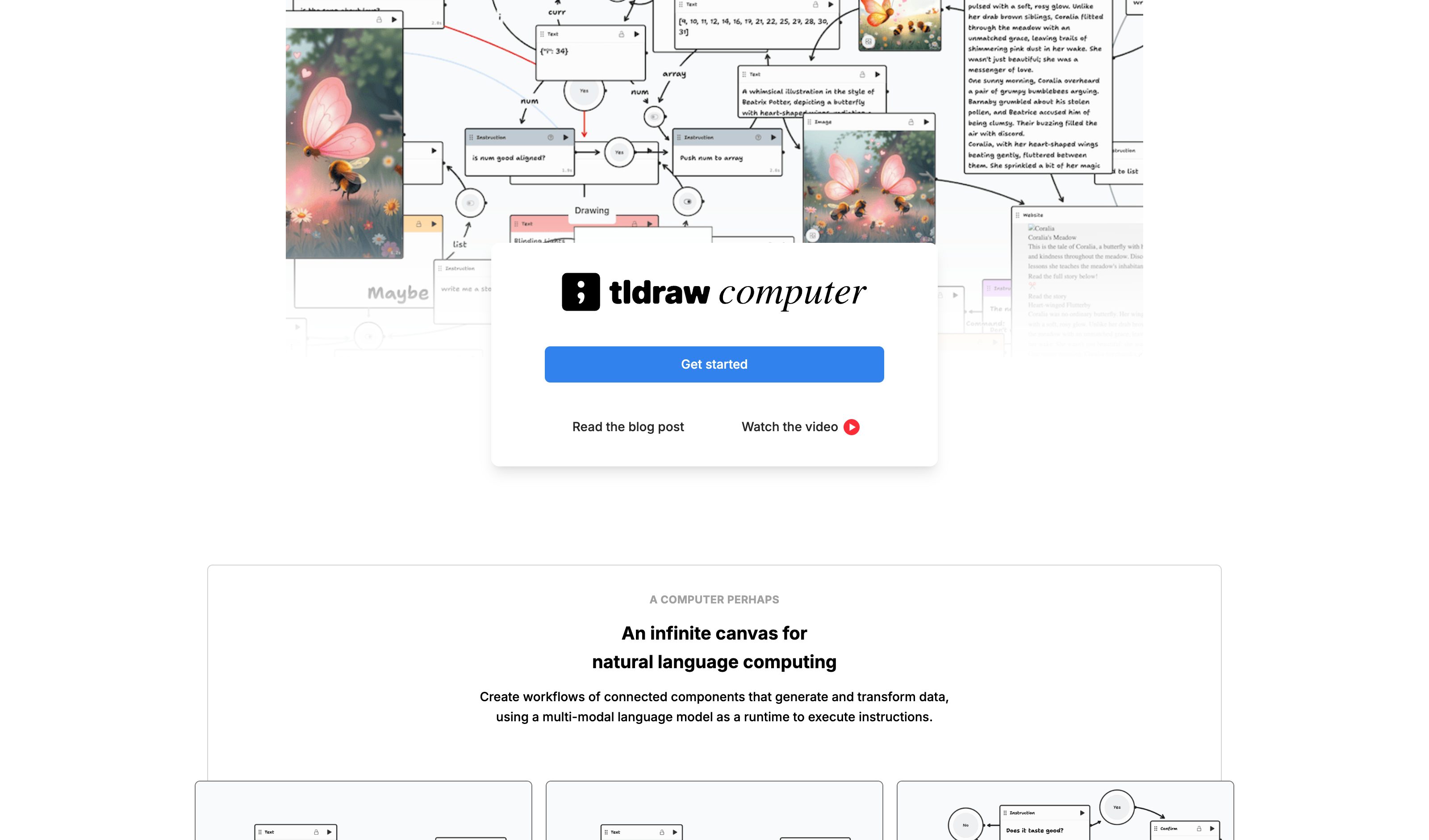

Magic Ink: Information Software and the Graphical Interface Squish Meets Structure: Designing with Language Models Malleable Software: Restoring User Agency in a World of Locked-Down Apps
Visual & Generative
Spatial Canvas
Thinking in Infinite Space
Chat flattens parallel work into one scrolling timeline: variants, branches, and sub-tasks compete for the same column, and moving context between them means copy-paste. Spatial Canvas externalizes each AI context as a node on an infinite canvas — drag to arrange, draw an edge to pipe one node's output into another's context — so the structure of the work is the picture in front of you, not a memory of where things sat in the scroll.
Metaphor
Whiteboard
Interaction
Spatial, Drag & Drop
Use case
Ideation, Planning, Multi-Agent Workflows
Failure mode
Hidden State
Control mechanisms
Draggable Nodes · Connections · Context Flow
Reference examples
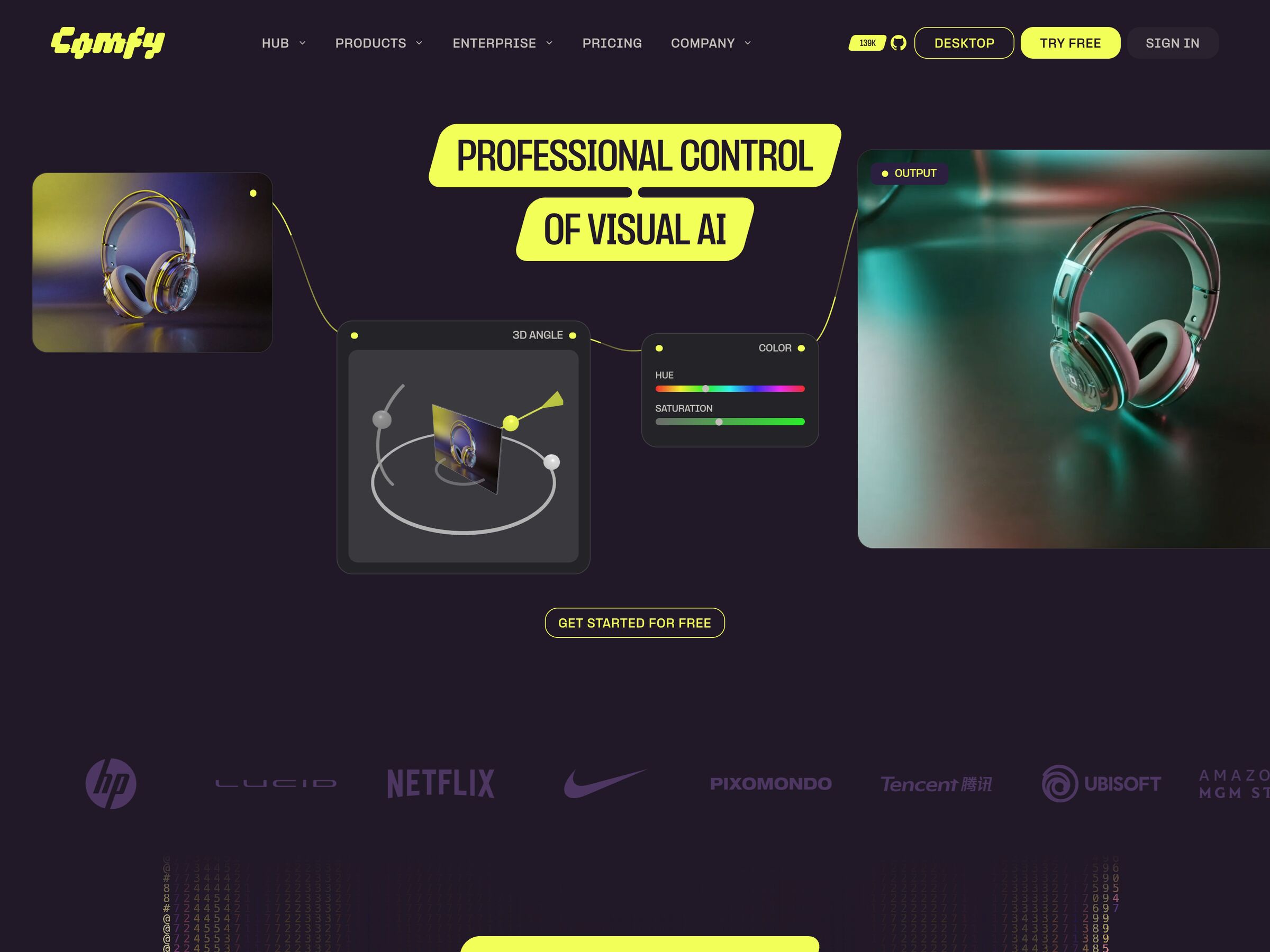
tldraw computer · Miro Intelligent Canvas · ComfyUI
Interactive Example
The live side-by-side is the comparison.
This prototype already contains the contrast between chat and the pattern response. It stands as the primary comparison surface for this page.
A conversation is a line. Thinking is not.
Linear chat forces every parallel thread, branch, and tangent into a single scrolling timeline. Related contexts that should sit side by side end up stacked hundreds of messages apart, so the structure of the work is destroyed by the medium that holds it — you can only ever see the bottom of the stack.
Spatial Canvas externalizes each AI context as a node on an infinite surface: drag to arrange, connect to share context, and read the relationships off the layout itself. Because every context is visible at once instead of scrolled past, spatial position becomes a stable memory aid and the branches of your thinking stay legible as a map rather than a transcript.
Give ideas a place and the space remembers them for you — recognition beats scrolling back.
DOPE Lens
How this pattern improves AI interaction quality.
Observability
Every context is a node on one surface and every dependency is a drawn edge — the shape of the work is read off the canvas, not remembered from the scroll
Directability
Drag nodes to restructure, draw or delete an edge to change what flows where — context routing is direct manipulation, not prompt engineering
Predictability
An edge is a contract: connect Research to Review and Review consumes exactly that context; disconnect it and the contribution disappears from the output
Explainability
A downstream node names the inputs it consumed ("Review based on: research + brief"), so its output is traceable to specific upstream contexts
Fit
Where it earns its place.
Use it
when
when
Users hold many parallel threads — variants, branches, sub-tasks — that chat history flattens.
Avoid
when
when
The task is simple and spatial organization would just add overhead.
In the wild
Where this pattern already ships.
Real implementations from products users already know. Each entry shows how the pattern got applied — what shipped, where it sits in the product, what it traded off.
tldraw computer
tldraw
Text, image, and audio components flow through draggable arrows on an infinite canvas. AI work as a node graph rather than a transcript.
Visit tldraw ↗
Miro Intelligent Canvas
Miro
AI Sidekicks live directly on the canvas; Flows are drag-and-drop AI building blocks connected with arrows. Apr 2026 added PDF/Markdown drop-in.
Visit Miro ↗
ComfyUI
Comfy.org
Node graph as the entire product surface — every step of an image generation pipeline is a connected node. Mar 2026 added App Mode for shipping workflows as apps.
Visit Comfy.org ↗
Research Frame
Why this pattern exists, and where it breaks.
Externalize AI work as spatial nodes on a shared canvas.
Scrolling transcripts collapse many threads into one timeline.
Spatial systems can become visually chaotic without hierarchy and pruning.
Common questions
What people ask about this pattern.
When should I use the Spatial Canvas pattern?
+
Users hold many parallel threads — variants, branches, sub-tasks — that chat history flattens.
When should I avoid the Spatial Canvas pattern?
+
The task is simple and spatial organization would just add overhead.
What problem does Spatial Canvas solve?
+
Linear chat hides parallel context, branches, and relationships.
Why is chat the wrong fit for this?
+
Scrolling transcripts collapse many threads into one timeline.
Grounded in Research
Not just opinion.
The papers, guidelines, and usability studies this pattern rests on.
Bret Victor
worrydream.com · long-form essay · 2006
Distinguishes information software (you read) from manipulation software (you operate) and argues most products misclassify themselves. The case for generated answers that are interfaces, not paragraphs.
Maggie Appleton
maggieappleton.com · talk + essay · 2024
Argues for structured surfaces that contain the "squish" of probabilistic generation. The practitioner-side companion to the academic patterns in this archive.
Geoffrey Litt, Paul Sonnentag, Peter van Hardenberg, Alexander Obenauer
Ink & Switch · 2024
Argues software should be end-user-modifiable as a default, with LLMs as the editing surface. The frame behind Generative UI, Smart Document, and the broader post-chat document model.
Related Patterns
Curated connections, not just neighbors.
Hand-picked relationships — what this pattern pairs with in practice, what it replaces, what it builds on, and what builds on it.
Often paired with
Parallel Alternatives
Give each Parallel Alternatives candidate its own node, then draw an edge to feed the one you pick into the next step.
Often paired with
Editable Plan
Edit and sign off an Editable Plan, then run its steps as canvas nodes, with edges piping each step's output into the next.
Often paired with
Generative UI
Render a node's output as Generative UI, so the canvas holds sortable tables and charts, not only text.