Vague prompts produce generic answers — but most users do not know what shape a good prompt should have.
← Back to patterns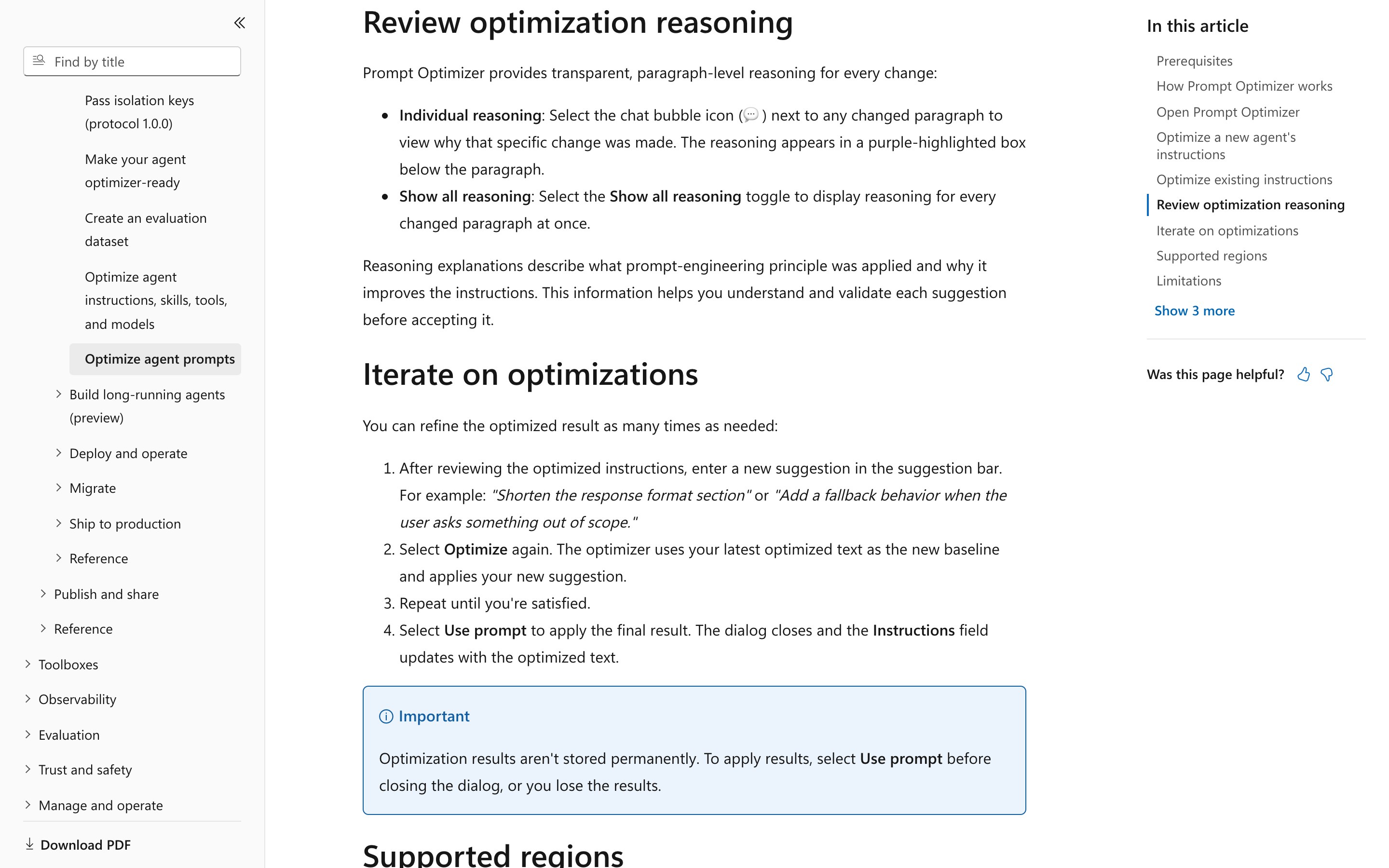
Inline & Contextual
EmergingPrompt Enhancer
Rewrite the prompt — visibly — before it runs
Instead of running a vague prompt and producing a generic answer, the system rewrites the prompt first — adding structure, scope, and constraints — and shows the rewrite as a diff. The user accepts, edits, or rejects each augmentation before the run starts. No magic prompts behind the curtain.
Metaphor
Editor
Interaction
Pre-flight Rewrite, Diff Review
Use case
Vague Prompts, Repeated Misreads, Onboarding to a New Tool
Failure mode
Hidden Rewriting
Control mechanisms
Suggested Edits · Per-Change Accept/Reject · Final Prompt Preview
Reference examples
Microsoft Foundry Prompt Optimizer · OpenAI Playground Optimize
Interactive Example
The live side-by-side is the comparison.
This prototype already contains the contrast between chat and the pattern response. It stands as the primary comparison surface for this page.
The prompt gets rewritten either way. The only question is whether you see it.
Vague prompts produce generic answers, and most users genuinely don't know what shape a good prompt should have. Chat's answer is to rewrite the prompt anyway — silently, inside the system prompt — so the augmentation happens but the user never sees what was added or chooses what to keep. The fix is real; the consent is missing.
Prompt Enhancer surfaces the rewrite as a diff over the original, with per-change accept, edit, or reject and a full preview before a single token is spent. Each augmentation is labelled by the clarity it adds — scope, format, tone, constraint — so the user is editing structure, not trusting magic. Nothing enters the run that the user hasn't seen.
"If the system is going to rewrite your intent, the least it can do is show you the redline first."
DOPE Lens
How this pattern improves AI interaction quality.
Observability
The rewrite is visible as a diff over the original — nothing is added invisibly
Directability
Accept, edit, or reject each suggested augmentation independently
Predictability
The final prompt is shown in full before any tokens are spent
Explainability
Each augmentation is labeled with the kind of clarity it adds (scope, format, tone, constraint)
Fit
Where it earns its place.
Use it
when
when
Many users are not fluent prompters and a transparent rewrite teaches them what good prompts look like.
Avoid
when
when
The user is already a fluent prompter and the rewriting layer adds friction without value.
In the wild
Where this pattern already ships.
The pattern is shipping but still maturing across products. Entries below show how different teams have approached it; expect variation as the space settles.
Microsoft Foundry · Prompt Optimizer
Microsoft
Foundry portal, agent Instructions field, public preview and region-gated. Changed paragraphs are highlighted, a chat-bubble icon on each opens the reasoning for that specific change, and "Show all reasoning" expands every one at once. The apply path is still one "Use prompt" on the whole revision — no per-change accept or reject, and the result is gone if you close the dialog.
Visit Microsoft ↗
Screenshot pending
OpenAI Playground Optimize
OpenAI
OpenAI’s help centre (Oct 2026) still lists Optimize in the Playground and Logs pages: it fixes contradictions, unclear instructions and missing output formats, and returns a revised prompt or suggestions with a summary of the changes. You preview the revision and apply it with one click on the whole thing; no first-party doc says a single change can be accepted or dismissed on its own. The ground under it is going: the dataset-backed optimizer goes with the Evals platform, and the Playground’s reusable prompts shut down, both on 2026-11-30.
Visit OpenAI ↗
Research Frame
Why this pattern exists, and where it breaks.
Rewrite the prompt as a transparent diff before running, with per-change accept/reject and a final prompt preview.
Chat hides any prompt rewriting inside the system prompt; users cannot see what was added or chose what to keep.
Aggressive rewrites can change the meaning of the original prompt; users may rubber-stamp without reading.
Common questions
What people ask about this pattern.
When should I use the Prompt Enhancer pattern?
+
Many users are not fluent prompters and a transparent rewrite teaches them what good prompts look like.
When should I avoid the Prompt Enhancer pattern?
+
The user is already a fluent prompter and the rewriting layer adds friction without value.
What problem does Prompt Enhancer solve?
+
Vague prompts produce generic answers — but most users do not know what shape a good prompt should have.
Why is chat the wrong fit for this?
+
Chat hides any prompt rewriting inside the system prompt; users cannot see what was added or chose what to keep.
Related Patterns
Curated connections, not just neighbors.
Hand-picked relationships — what this pattern pairs with in practice, what it replaces, what it builds on, and what builds on it.
Often paired with
Disambiguation Branch
Prompt Enhancer sharpens a vague prompt whose intent is clear; Disambiguation Branch takes over when the prompt has several readings.
Often paired with
Sample Response
Sample Response shows what a typical answer looks like before you ask; Prompt Enhancer then sharpens the prompt you write.
Alternative to
Inline Prompt Controls
Prompt Enhancer rewrites the prompt as a diff you review; Inline Prompt Controls keeps your wording and makes each variable clickable.