AI tools often overwhelm novices or frustrate experts when shown the same interface.
← Back to patterns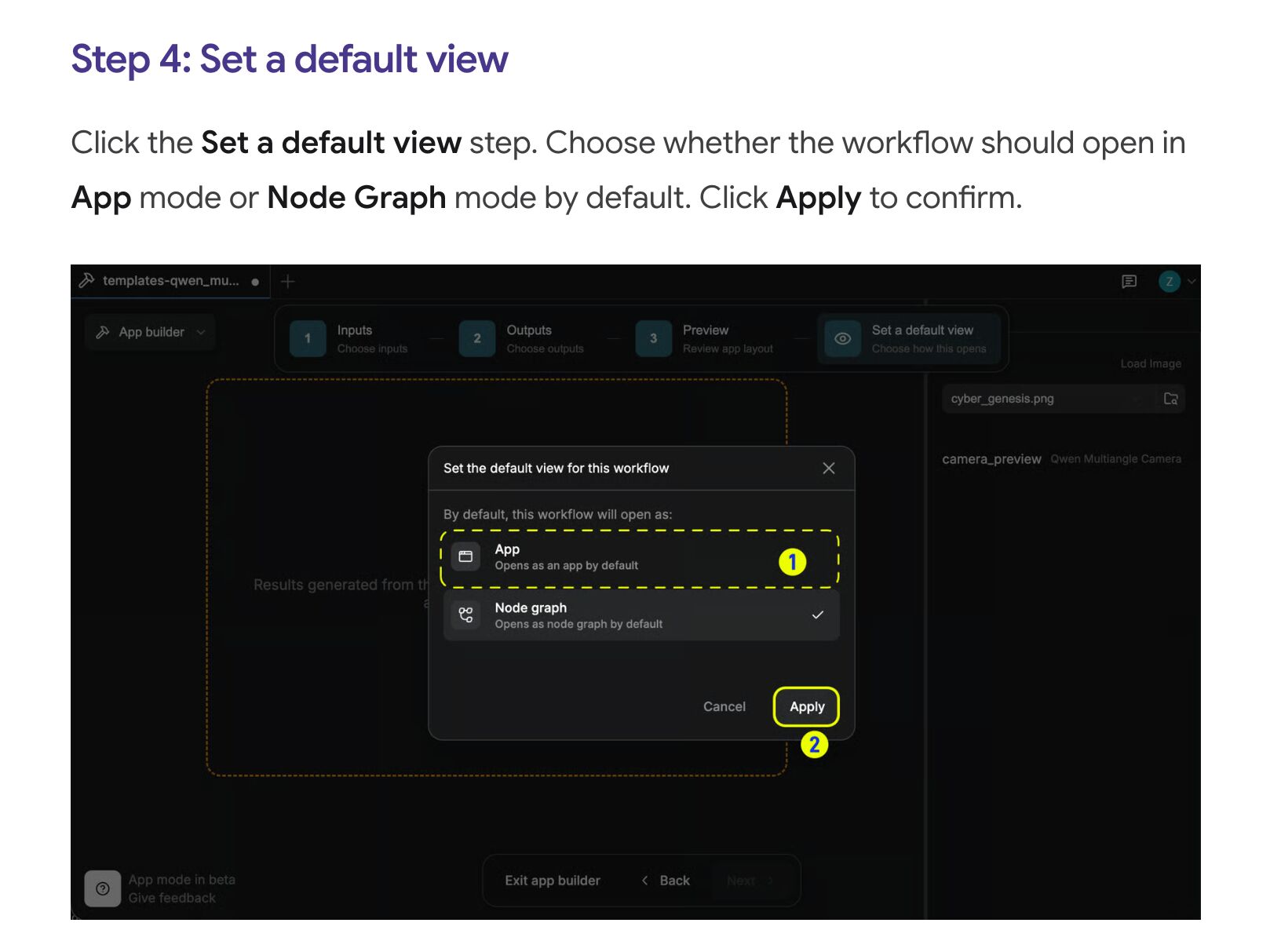

Inline & Contextual
EmergingProgressive Disclosure
Complexity on Demand
Instead of overwhelming all options upfront or hiding them behind chat syntax, the UI reveals advanced controls behind expansion — beginner mode, advanced mode, or layered accordions. Depth stays available without being default.
Metaphor
Telescope
Interaction
Layered, Expandable
Use case
Image Generation, Complex Tools, Parameter-Heavy Workflows
Failure mode
Hidden State
Control mechanisms
Disclosure Levels · Expand/Collapse · Complexity Indicator
Reference examples
ComfyUI · Krea AI · Stable Diffusion WebUI (Auto1111) · LM Studio User / Developer modes
Interactive Example
The live side-by-side is the comparison.
This prototype already contains the contrast between chat and the pattern response. It stands as the primary comparison surface for this page.
Every option upfront overwhelms. Every option hidden traps.
Most AI tools pick one of two losing extremes. They either dump every control on the novice and induce paralysis, or they bury depth behind chat syntax the beginner never knew to ask for. Chat is the worst version of the second: advanced capability is gated by exact wording, with no visible path from beginner to expert.
Progressive Disclosure makes complexity a layer you choose, not a wall you hit. Each tier is labeled with what it unlocks and is always one click from expanding or collapsing, so depth stays available without being the default. The novice sees a calm surface; the expert is never more than a click from full power.
The right amount of complexity is the amount the user has asked to see.
DOPE Lens
How this pattern improves AI interaction quality.
Observability
Current complexity level and available controls are always visible
Directability
Expand or collapse complexity with one click
Predictability
Each level has a defined, stable set of controls
Explainability
Each complexity level is labeled with what capabilities it unlocks
Fit
Where it earns its place.
Use it
when
when
Novices and experts share the same tool and full visibility would overwhelm one of them.
Avoid
when
when
The tool is simple enough that full visibility is clearer than layered concealment.
In the wild
Where this pattern already ships.
The pattern is shipping but still maturing across products. Entries below show how different teams have approached it; expect variation as the space settles.
ComfyUI
Comfy.org
Three real rungs, and the bottom one is now named: Workflow → Browse Workflow Templates, the node canvas, and App Mode (March 2026) — a one-click simplified view you can flip back out of at any time. The author also sets whether the workflow opens as App or Node Graph by default. Caveat: App Builder lets the workflow author pick which inputs App Mode shows, so the simple tier is curated, not self-service.
Visit Comfy.org ↗
Krea AI
Krea
No easy/advanced toggle in the current product: after the March 2026 redesign, image settings sit beneath the prompt box and vary by model — Krea's own framing is controls that stay hidden until you need them. The step up in depth is a separate surface, the Nodes canvas at krea.ai/nodes, not a mode switch inside the generator.
Visit Krea ↗
Stable Diffusion WebUI (Auto1111)
AUTOMATIC1111
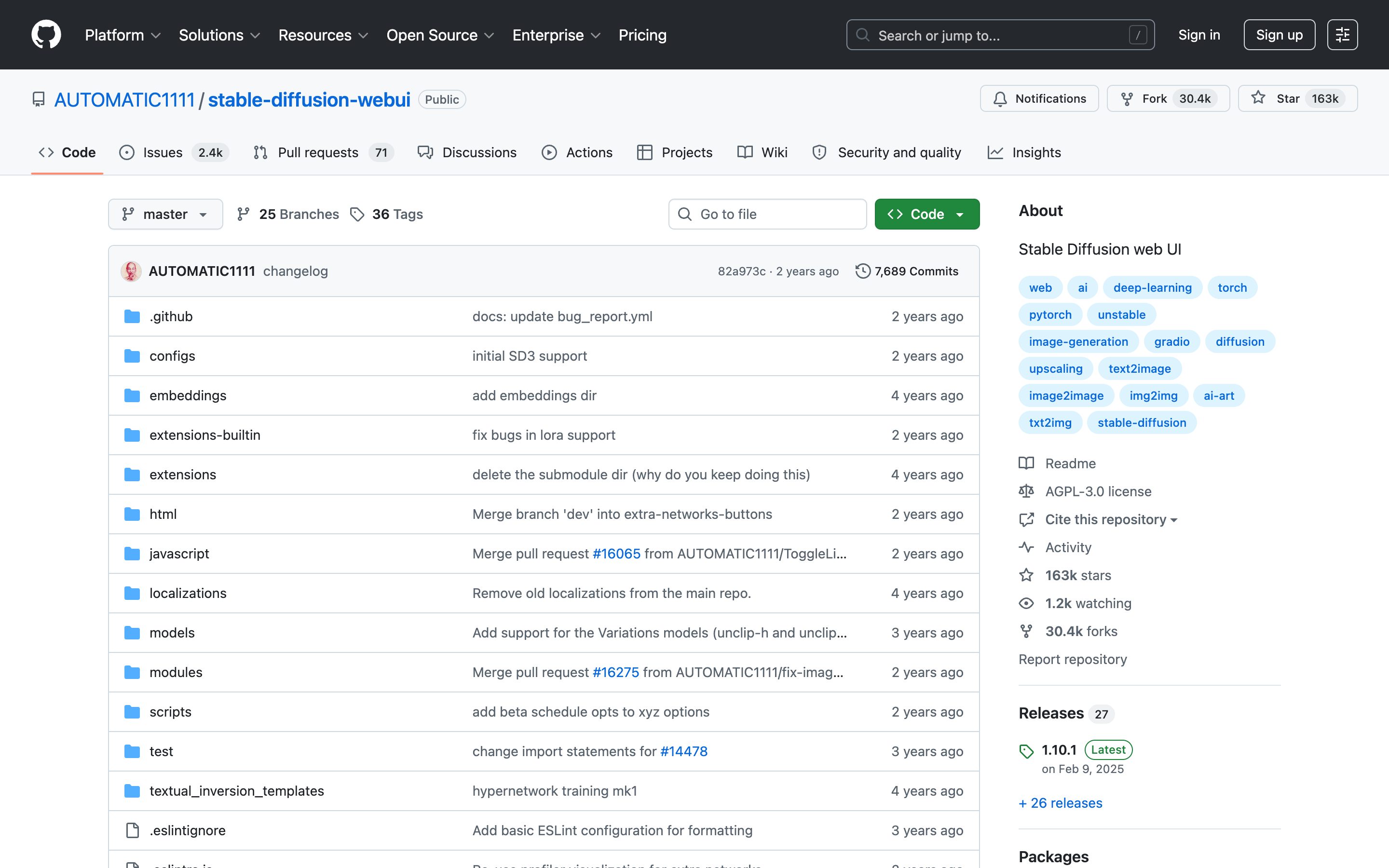
Top-level prompt + collapsible sections (Sampling, Hires.fix, ADetailer extensions). Accordion-style progressive disclosure as a power-user norm.
Visit AUTOMATIC1111 ↗
LM Studio · User / Developer modes
LM Studio
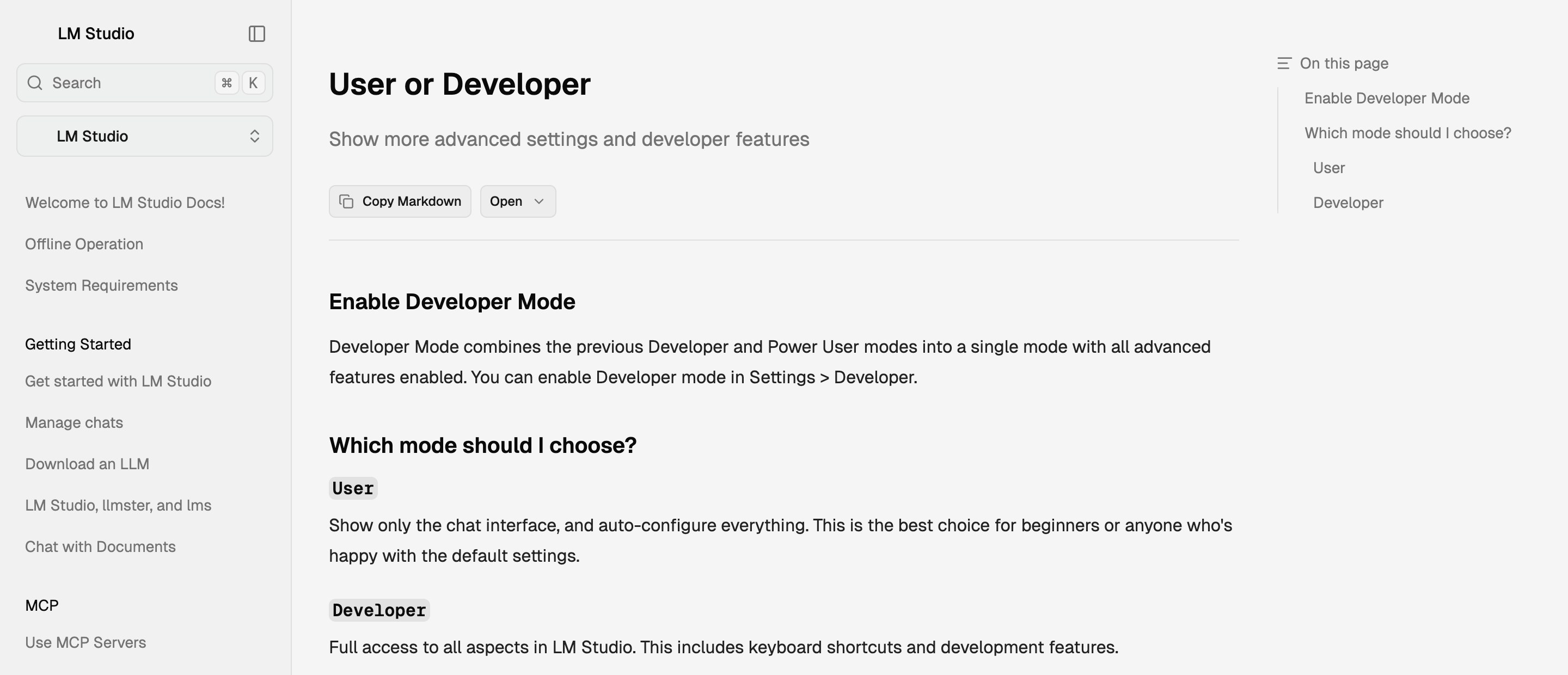
A named complexity mode, set once and applied app-wide: User hides everything but chat and auto-configures; Developer exposes load and inference parameters. Also the clearest evidence against a three-rung ladder — 0.4.0 (Jan 2026) called merging Power User into Developer a simplification of the previous three-mode switch.
Visit LM Studio ↗
Research Frame
Why this pattern exists, and where it breaks.
Reveal advanced controls behind expansion — beginner mode, advanced mode, or layered accordions — so depth is available without being default.
Chat hides advanced capability behind exact wording and prior knowledge — there is no visible path from beginner to expert.
Important capabilities may remain undiscovered if disclosure is too timid; overly tiered framings rarely match how products actually ship — and the opposite failure goes unaudited, because a tier nobody ever expands was hidden correctly, while the affordance offering it still costs attention on every visit.
Common questions
What people ask about this pattern.
When should I use the Progressive Disclosure pattern?
+
Novices and experts share the same tool and full visibility would overwhelm one of them.
When should I avoid the Progressive Disclosure pattern?
+
The tool is simple enough that full visibility is clearer than layered concealment.
What problem does Progressive Disclosure solve?
+
AI tools often overwhelm novices or frustrate experts when shown the same interface.
Why is chat the wrong fit for this?
+
Chat hides advanced capability behind exact wording and prior knowledge — there is no visible path from beginner to expert.
Related Patterns
Curated connections, not just neighbors.
Hand-picked relationships — what this pattern pairs with in practice, what it replaces, what it builds on, and what builds on it.
Often paired with
Property Panel
Layer a Property Panel so everyday controls stay in view and advanced ones wait one expansion away.
Often paired with
Semantic Zoom
Progressive Disclosure layers the controls; Semantic Zoom re-renders the answer at three depths, from headline to full detail.
Often paired with
Inline Prompt Controls
Inline Prompt Controls surface the settings a prompt names; Progressive Disclosure folds the ones it never mentions behind expansion.