Users often know something visually before they can phrase it.
← Back to patterns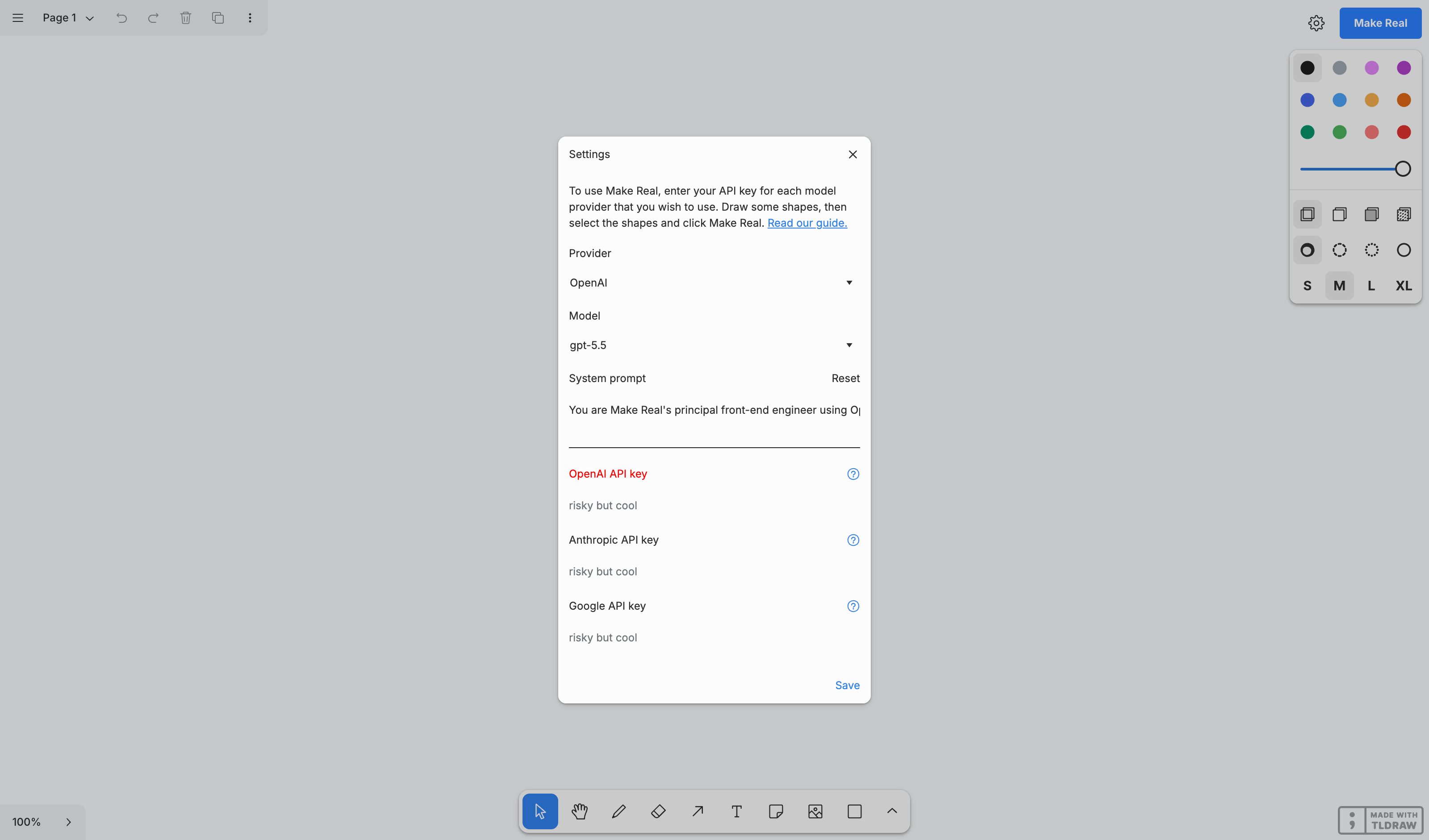
Google

Visual & Generative
EmergingMulti-Modal Input
Combine Sketch, References, and Text
Instead of forcing users to describe visual layouts purely through text, let them combine modalities — sketch a rough layout, point to reference examples, and add text annotations. The AI interprets each signal and shows how it weighs them.
Metaphor
Director's Storyboard
Interaction
Multi-Modal, Weighted
Use case
UI Layout Design, Wireframing, Visual Communication
Failure mode
Hidden State
Control mechanisms
Sketch Canvas · Reference Grid · Text Input · Modality Weights
Reference examples
tldraw Make Real · Google Stitch · Leonardo.Ai Image Guidance
Interactive Example
The live side-by-side is the comparison.
This prototype already contains the contrast between chat and the pattern response. It stands as the primary comparison surface for this page.
You see it before you can say it. Let the interface take all of it.
A single text channel forces a premature translation of visual intent — you sketch a layout in your head, then flatten it into a paragraph before the model ever gets it. The rough arrangement, the reference you'd point to, the spatial relationships: all of it gets squeezed through one narrow input that was never meant to carry shape.
This pattern lets sketch, references, and text arrive together as weighted, attributable signals, with each modality's contribution shown and its influence adjustable. Because the system surfaces how it weighs each input, ambiguity becomes a dial you can turn rather than a guess you have to live with — you direct the blend instead of rewording the prompt.
When the idea is born visual, making the user speak it first throws away the part that mattered most.
DOPE Lens
How this pattern improves AI interaction quality.
Observability
Sketch, references, and text each carry a visible weight readout, so how much each channel steers the result is displayed, not inferred from the output
Directability
Each modality is a separate input revised independently — redraw the sketch, swap a reference, set a reference's influence to subtle or strong — without disturbing the others
Predictability
Weights behave like a mixing desk: raise the sketch channel and the layout tracks the drawing more, lower it and the references take over — the preview moves with the fader
Explainability
The preview updates against the weight mix in real time, so which input drove which aspect of the layout is demonstrated live, not asserted afterwards
Fit
Where it earns its place.
Use it
when
when
Users have visual or audio context that text alone forces them to translate prematurely.
Avoid
when
when
The task is purely textual and extra modalities add noise.
In the wild
Where this pattern already ships.
The pattern is shipping but still maturing across products. Entries below show how different teams have approached it; expect variation as the space settles.
tldraw Make Real
tldraw
Sketch a UI, add sticky-note annotations, click Make Real — HTML/CSS comes back. Still the cleanest sketch+text→working-output example, and still hosted at makereal.tldraw.com. But tldraw archived the repo on 18 Feb 2026, so read it as a frozen research demo rather than a maintained product.
Visit tldraw ↗
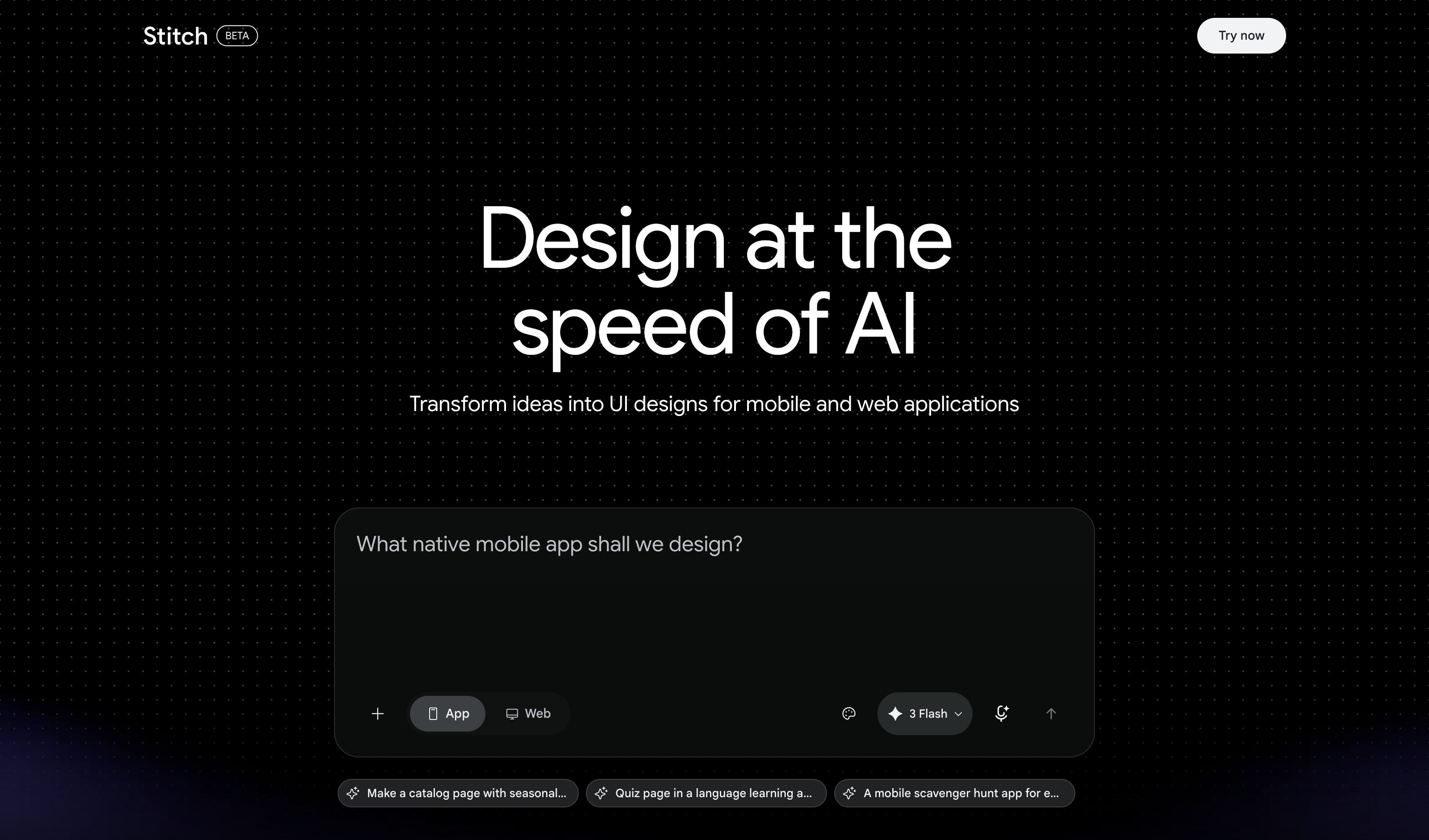
Google Stitch
Galileo AI's successor. The Mar 2026 canvas release takes sketches, screenshots and text on one AI-native infinite canvas, plus voice; May 2026 added the Stitch Agent, streaming edits to the canvas live. Screens generate and stitch into prototypes — but every input lands as undifferentiated context, with no per-modality weight.
Visit Google ↗
Leonardo.Ai Image Guidance
Leonardo.Ai
The typed route still ships in the Image Generation UI: each reference carries a strength (Style Low–Max, Content and Character Low–High), and multiple Style References get an Influence slider that sets their ratio. But Leonardo's own doc opens by saying you no longer need it — upload six images, describe how they combine, adjust no settings.
Visit Leonardo.Ai ↗
Research Frame
Why this pattern exists, and where it breaks.
Let text, sketch, and references combine as weighted inputs.
A single text channel forces premature translation of visual intent.
Multiple input modes can complicate attribution and onboarding.
Common questions
What people ask about this pattern.
When should I use the Multi-Modal Input pattern?
+
Users have visual or audio context that text alone forces them to translate prematurely.
When should I avoid the Multi-Modal Input pattern?
+
The task is purely textual and extra modalities add noise.
What problem does Multi-Modal Input solve?
+
Users often know something visually before they can phrase it.
Why is chat the wrong fit for this?
+
A single text channel forces premature translation of visual intent.
Related Patterns
Curated connections, not just neighbors.
Hand-picked relationships — what this pattern pairs with in practice, what it replaces, what it builds on, and what builds on it.
Often paired with
Visual Intent Expression
Multi-Modal Input's sketch sets where things go; Visual Intent Expression adds the palette and style a sketch can't carry.
Often paired with
Disambiguation Branch
When the sketch and a reference pull different ways, Disambiguation Branch shows each reading before generating.
Alternative to
Inline Prompt Controls
Multi-Modal Input adds sketch and reference channels beside the text; Inline Prompt Controls make one prompt's values clickable.