Plans go stale the moment execution starts — the user cannot intervene mid-run without aborting and re-prompting from scratch.
← Back to patterns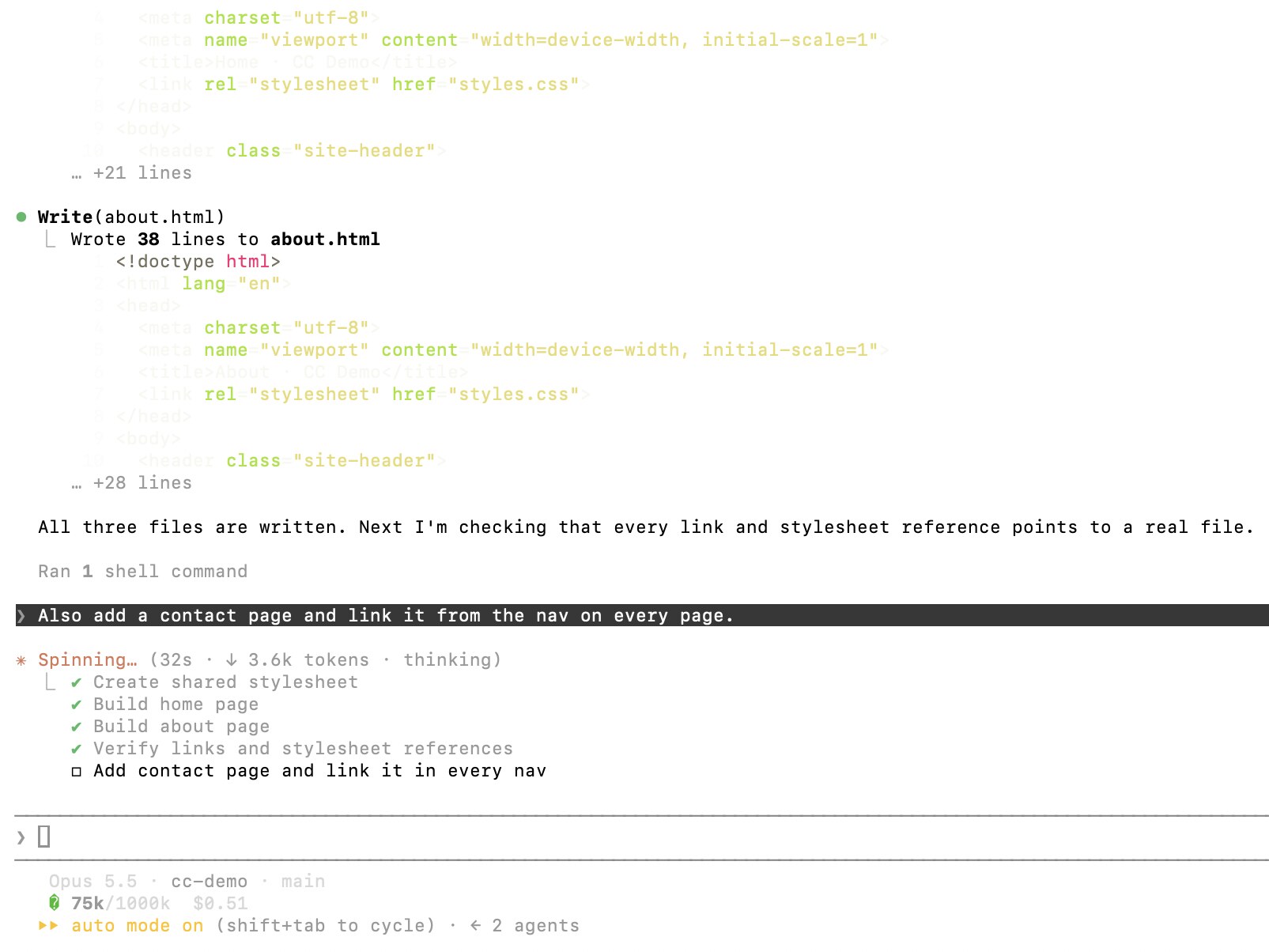
Cocoa: Co-Planning and Co-Execution with AI Agents Magentic-UI: Towards Human-in-the-Loop Agentic Systems
Agent Workflow
EmergingLive Plan Surface
The plan stays editable during execution — both human and AI can grab any step
Most plan UIs (Editable Plan, Intent Preview) are pre-execution: the user reviews the plan, edits it, and then hands off to the agent. Co-planning is different — the plan stays a live, editable surface *during* execution. Either side, human or agent, can take ownership of the next step, insert a new step, reorder, or hand back. The plan is the workspace, not just a contract. When the user grabs a step, the agent pauses on that branch. When the agent grabs the next step, it leaves a receipt the user can inspect. Adapted from Feng, Pu, Latzke, August, Siangliulue, Bragg, Weld, Zhang & Chang ("Cocoa: Co-Planning and Co-Execution with AI Agents", Allen AI + University of Washington, Dec 2024 / refined Feb 2026, CHI 2026), who showed that co-planning beats both full automation and full manual on outcome quality and user trust.
Metaphor
Shared Whiteboard with Live Cursors
Interaction
Step-Level Hand-Off, Mid-Run Plan Edit, Co-Execution
Use case
Interleaved Human-AI Workflows, Research Agents, Multi-Step Document Production
Control mechanisms
Step Ownership Toggle (AI / me) · Inline Step Insert · Live Reorder · Step Receipt Trail
Reference examples
Claude Code Live task list · Cursor Plan Mode · GitHub Copilot app canvases · Manus Plan Mode
Interactive Example
The live side-by-side is the comparison.
This prototype already contains the contrast between chat and the pattern response. It stands as the primary comparison surface for this page.
The plan is the workspace, not the contract.
Most plan UIs are pre-execution: review, edit, hand off. The moment the agent starts, the plan goes stale — and in chat it slides into transcript history, so the user cannot intervene mid-run without aborting and re-prompting from scratch. Any course correction means breaking the agent's state and rebuilding it.
Live Plan Surface keeps the plan editable during execution, with either side able to grab the next step, insert one, or reorder mid-run. Ownership is explicit per step — the agent never silently takes one marked human-only — and every completed step leaves a receipt the user can inspect. The plan stops being a one-time agreement and becomes a shared, live whiteboard.
A plan you can only edit before execution is a contract; a plan you can edit during it is a collaboration.
DOPE Lens
How this pattern improves AI interaction quality.
Observability
Each step shows its current owner (AI / human / unassigned) and the receipt for completed steps — what was done, by whom, with what evidence
Directability
Drag a step to a different owner, insert a new step inline, skip or reorder mid-run — the agent re-plans around the change
Predictability
Ownership is explicit per step; the agent never silently takes a step the user marked human-only, and vice versa
Explainability
Each ownership change is logged with reason; each completed step links to the receipt the executor produced
Fit
Where it earns its place.
Use it
when
when
Multi-step agent runs where the user wants to step in mid-flow without aborting — research, multi-document production, code reviews where intervention has to be cheap and surgical.
Avoid
when
when
The plan is short or low-stakes enough that pre-execution review (Editable Plan) is sufficient and live ownership transfer adds complexity for no gain.
In the wild
Where this pattern already ships.
The pattern is shipping but still maturing across products. Entries below show how different teams have approached it; expect variation as the space settles.
Claude Code · Live task list
Anthropic
Claude keeps a checklist of the steps it planned, each marked pending, in progress or complete; Ctrl+T toggles the view, up to five tasks at a time. You change it by asking, not by editing the list — here a message sent mid-run became a new task at the bottom. On any model except Opus 4.7, Sonnet 4.6, Haiku 4.5 and earlier, the list stays empty unless you opt in (e.g. CLAUDE_CODE_ENABLE_TODO_TOOLS=1); background and cloud sessions get it on every model.
Visit Anthropic ↗
Cursor · Plan Mode
Cursor
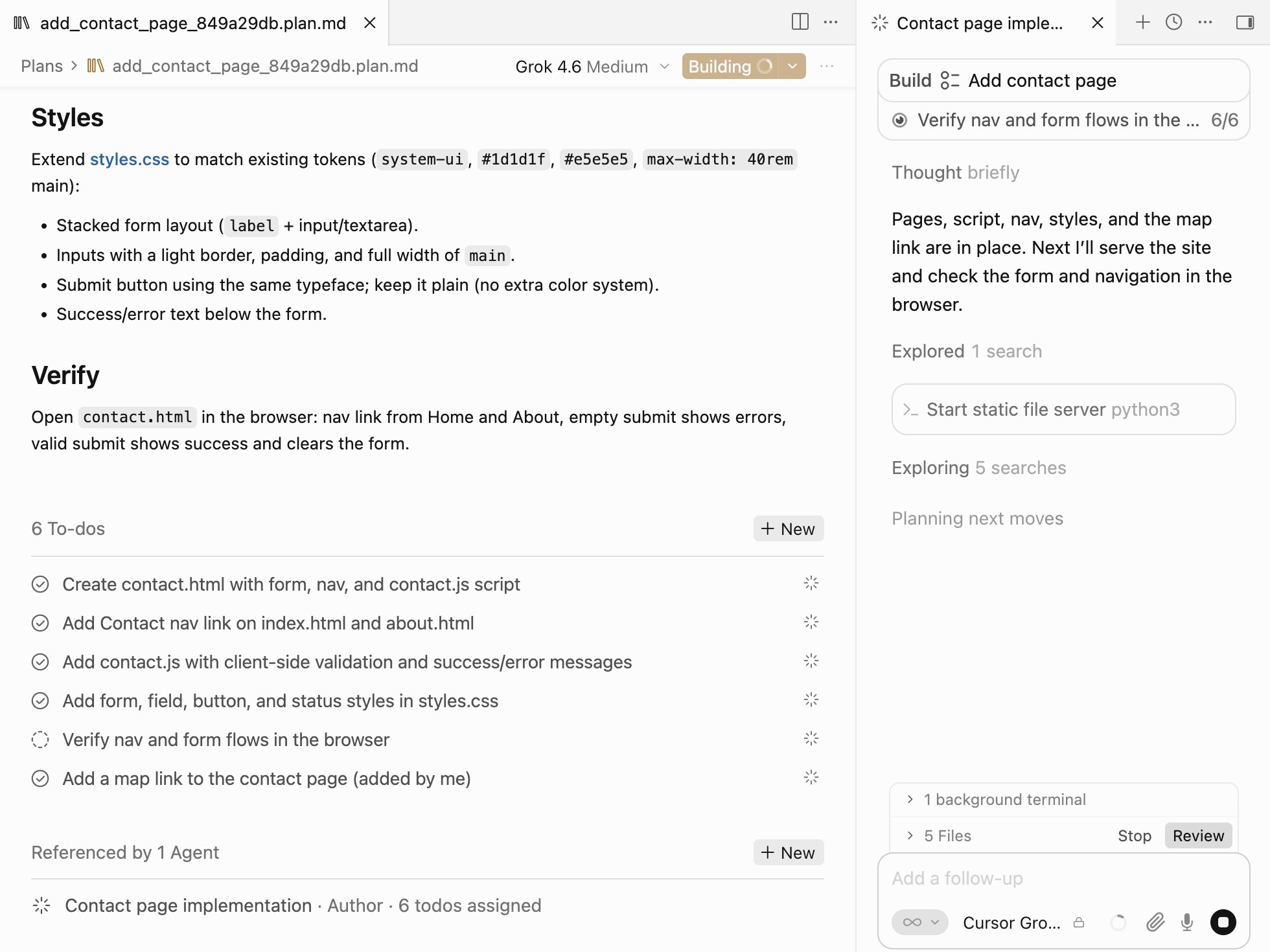
Plan Mode (Shift+Tab or the mode picker) writes a Markdown plan with a to-do list you can extend inline — here one to-do was added by hand. On Build the agent works down the list, ticking items off in the plan and in the chat, the added one included. Every edit Cursor describes happens before the build; when a run goes wrong, its docs say revert, refine the plan and run again.
Visit Cursor ↗
GitHub · Copilot app canvases
GitHub
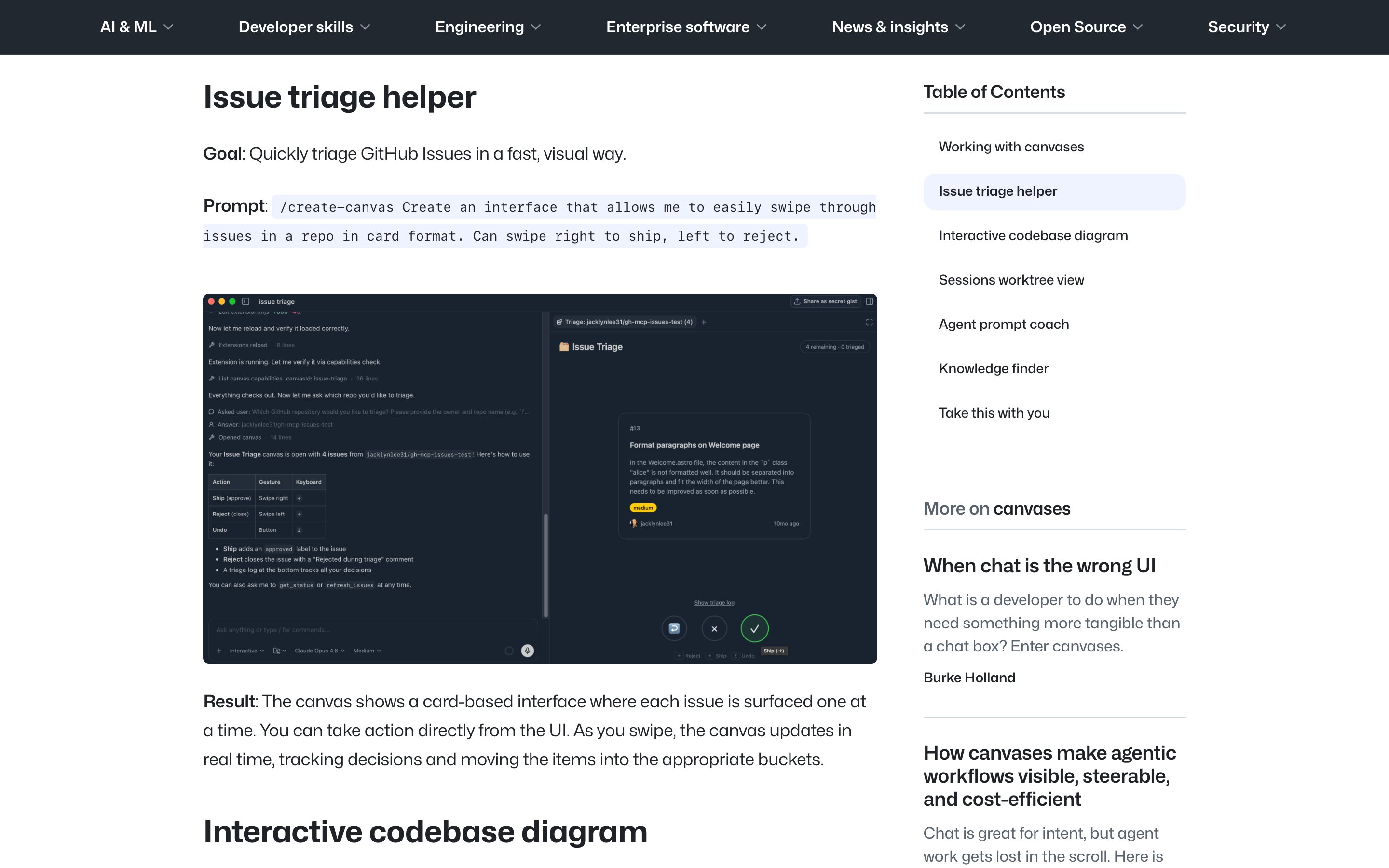
Canvases are bidirectional: one opens in a panel beside the chat, the agent updates it while it works, you edit the same surface, and the agent continues from your changes. GitHub names a plan among the artifacts a canvas can hold and suggests kanban and Markdown planning canvases, but documents no built-in plan view — you prompt one with /create-canvas or install one from Customize > Canvas. The co-owned plan is possible, but the user assembles it.
Visit GitHub ↗
Manus · Plan Mode
Manus AI
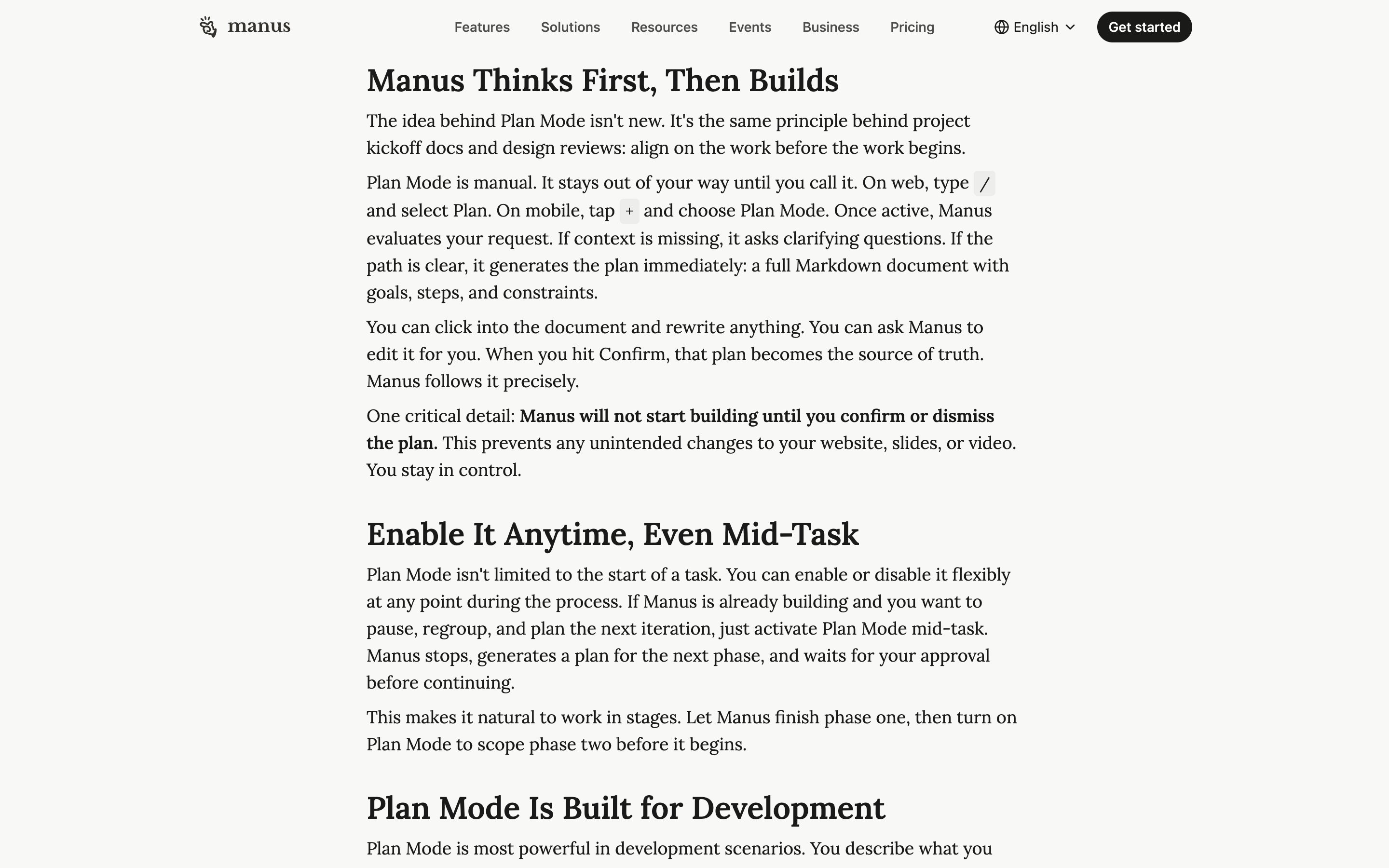
Type / and pick Plan: Manus writes a Markdown plan of goals, steps and constraints that you edit directly or ask it to revise, and builds nothing until you confirm. Switch it on mid-task and Manus stops, plans the next phase and waits for approval — co-ownership in phases, not a plan you edit while the run is live.
Visit Manus AI ↗
Research Frame
Why this pattern exists, and where it breaks.
Keep the plan editable during execution; let either side take ownership of any step at any time, with explicit ownership semantics and per-step receipts.
Chat moves the plan into the transcript history once execution starts — edits would have to be re-prompted from scratch, breaking the agent's state.
Without clear ownership semantics, human and agent can clash on the same step; without receipts, completed steps cannot be re-inspected after the fact.
Common questions
What people ask about this pattern.
When should I use the Live Plan Surface pattern?
+
Multi-step agent runs where the user wants to step in mid-flow without aborting — research, multi-document production, code reviews where intervention has to be cheap and surgical.
When should I avoid the Live Plan Surface pattern?
+
The plan is short or low-stakes enough that pre-execution review (Editable Plan) is sufficient and live ownership transfer adds complexity for no gain.
What problem does Live Plan Surface solve?
+
Plans go stale the moment execution starts — the user cannot intervene mid-run without aborting and re-prompting from scratch.
Why is chat the wrong fit for this?
+
Chat moves the plan into the transcript history once execution starts — edits would have to be re-prompted from scratch, breaking the agent's state.
Grounded in Research
Not just opinion.
The papers, guidelines, and usability studies this pattern rests on.
K. J. Kevin Feng, Kevin Pu, Matt Latzke, Tal August, Pao Siangliulue, Jonathan Bragg, Daniel S. Weld, Amy X. Zhang, Joseph Chee Chang
Allen Institute for AI + University of Washington · 2024 · refreshed 2026-02
Mixed-initiative framework where humans and AI flexibly share planning *and* execution. Co-planning beats both full automation and full manual on outcome quality and user trust.
Hussein Mozannar, Gagan Bansal, Cheng Tan, Adam Fourney, Victor Dibia, Jingya Chen et al.
Microsoft Research · 2025
Concrete system for human-in-the-loop agentic workflows: co-planning, per-action-class guardrails, intervention mechanisms. Practical UI patterns for agentic oversight.
Related Patterns
Curated connections, not just neighbors.
Hand-picked relationships — what this pattern pairs with in practice, what it replaces, what it builds on, and what builds on it.
Often paired with
Intent Preview
Intent Preview shows each step's risk and scope before kickoff; Live Plan Surface keeps the steps editable once the run starts.
Often paired with
Mid-Stream Steering
Mid-Stream Steering redirects the output as it streams; Live Plan Surface lets you reorder or take over steps without a restart.
Extends
Editable Plan
Editable Plan lets you edit the plan before kickoff; Live Plan Surface keeps it editable mid-run, so a fix never means aborting.