Action Audit gives each user a personal undo of their own agent, but no one can answer the org-level question of which AI touched what, for whom, and when, across every user at once.
← Back to patterns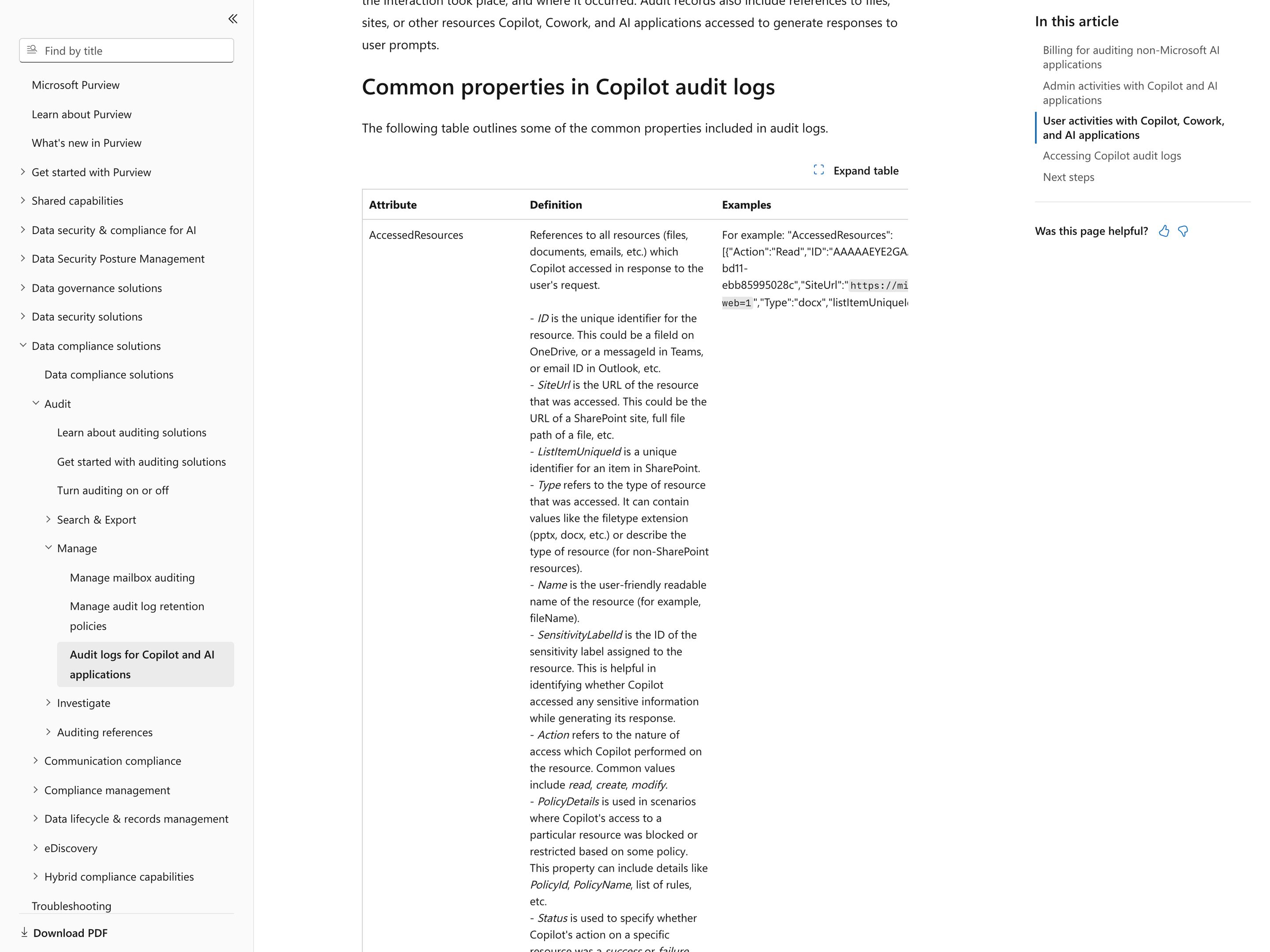
Human Oversight-by-Design for Accessible Generative IUIs The Design of Everyday Things
Trust & Verification
Footprints
The Org-Wide Record of Every AI Action
Action Audit gives one user a reversible undo of their own agent — but it can't answer who touched what, for whom, and when across everyone. Footprints is the operator's view: one searchable, exportable record of every AI action across all users, tools, and resources, so an admin scopes an incident review by query instead of stitching transcripts by hand.
Metaphor
Black Box Recorder
Interaction
Filterable Log, Cross-User Query
Use case
Incident review, Cross-user debugging, Compliance audit
Failure mode
No Org-Level Audit
Control mechanisms
Search · Filter · Date Range · Actor & Resource Filters · Export
Reference examples
Microsoft Purview Audit Copilot and AI applications · LangSmith · Datadog Agent Observability · Amazon Bedrock model invocation logs · OpenAI Audit Logs API
Interactive Example
The live side-by-side is the comparison.
This prototype already contains the contrast between chat and the pattern response. It stands as the primary comparison surface for this page.
A transcript remembers your session. An audit remembers everyone's.
Chat history is user-scoped and stack-shaped: it tells you what happened in your last conversation and nothing about the org around it. When an incident hits, that shape is useless for root-cause analysis — you cannot ask what every AI did, for whom, against which resource, across hundreds of separate sessions.
Footprints treats every AI action as persistent telemetry on a stable schema, not as conversation exhaust. Because the records are queryable across users, time, and resources, an investigator can filter by actor, tool, and outcome and trace each entry back to the prompt and plan that produced it — the difference between a chat log and a black-box recorder.
"You cannot investigate what was never recorded outside the session it happened in."
DOPE Lens
How this pattern improves AI interaction quality.
Observability
Every AI action across the org is queryable, not just user-scoped sessions
Directability
Investigators filter by actor, tool, resource, and outcome to scope a review
Predictability
Action records use a stable schema so cross-time and cross-user comparisons stay meaningful
Explainability
Each entry links back to the prompt, plan, and tool calls that produced the action
Fit
Where it earns its place.
Use it
when
when
When something goes wrong across a team's AI, one queryable record answers "who did what, to what, when" in seconds — a per-user undo timeline never can.
Avoid
when
when
A single user operates the agent and a personal undo timeline already answers every question — the org-wide record is overhead no one queries.
In the wild
Where this pattern already ships.
Real implementations from products users already know. Each entry shows how the pattern got applied — what shipped, where it sits in the product, what it traded off.
Microsoft Purview Audit · Copilot and AI applications
Microsoft
Microsoft 365 Copilot and Microsoft's other AI apps are logged in Audit (Standard), which is on by default and comes with Microsoft 365 business and E3 plans. Each CopilotInteraction record names the user, time, app, any agent and plugin, and every file, email or message Copilot read, created or modified, with success or failure and any policy that blocked it. Admins search all users by user, date, activity and workload and export CSV: 50,000 rows on Standard, 1,000,000 on Premium. In the portal, picking out one Copilot or agent happens after export; records hold message IDs, not prompt text, and no tool-call steps; retention is 180 days unless Premium extends it; auditing non-Microsoft AI apps is pay-as-you-go and off until enabled.
Visit Microsoft ↗
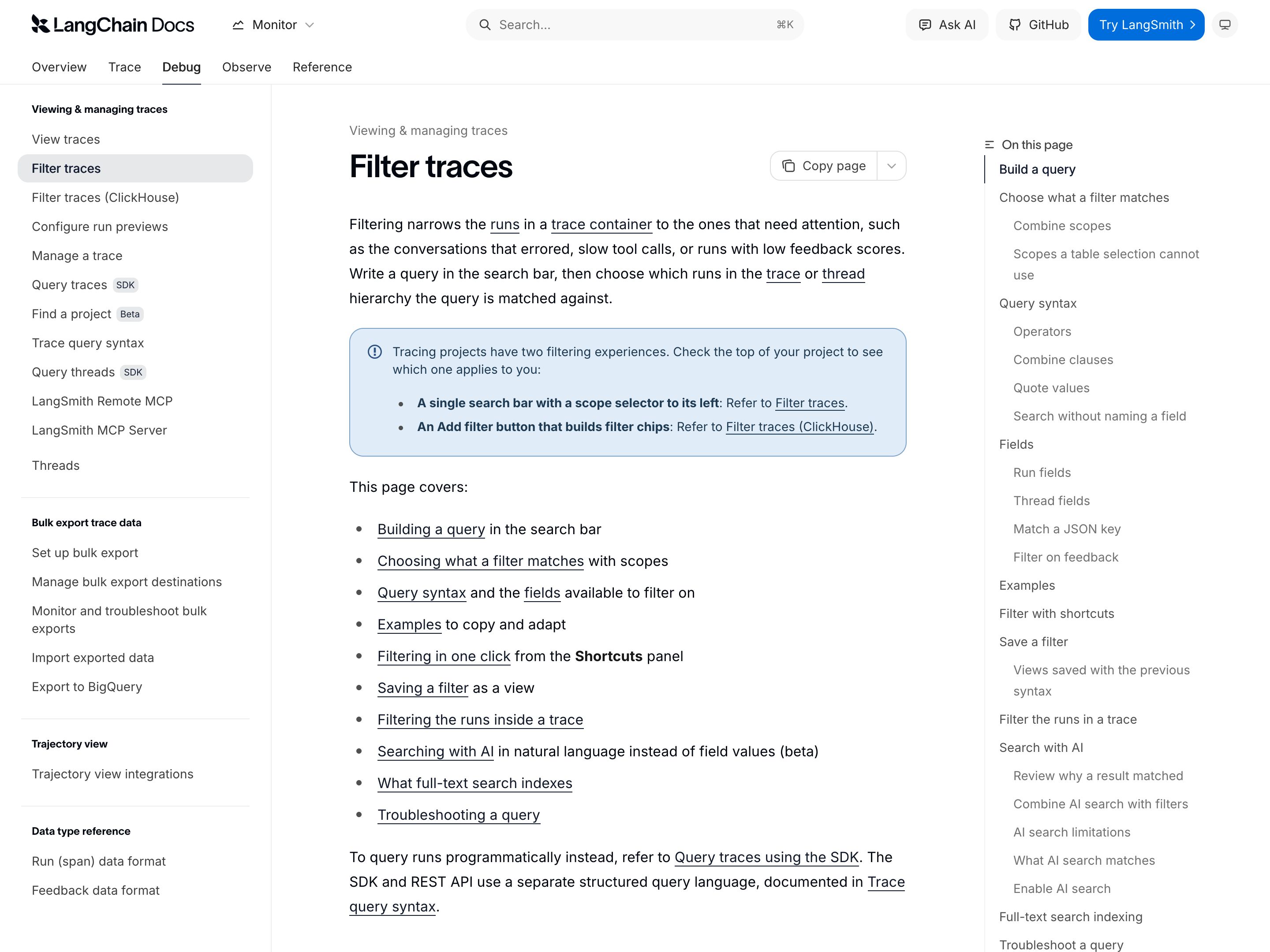
LangSmith
LangChain
Tracing for LLM apps and agents: opening a trace offers a Trajectory view (each model response with its tool calls and their results, plus tokens and cost) and a Details view (inputs, outputs, timing, token counts, errors and metadata per run). The trace table's filters match runs by tool name, status, latency, cost, a user ID the app writes into metadata, and a time range, but only inside one tracing project; the SDK and API can query a list of projects at once. Bulk export to an S3 bucket in Parquet, one project and date range per job, is Enterprise-only for customers who signed up after August 3, 2026. It sees only the apps a team has instrumented, so it is an engineering trace store, not an admin record of every AI action across the org.
Visit LangChain ↗
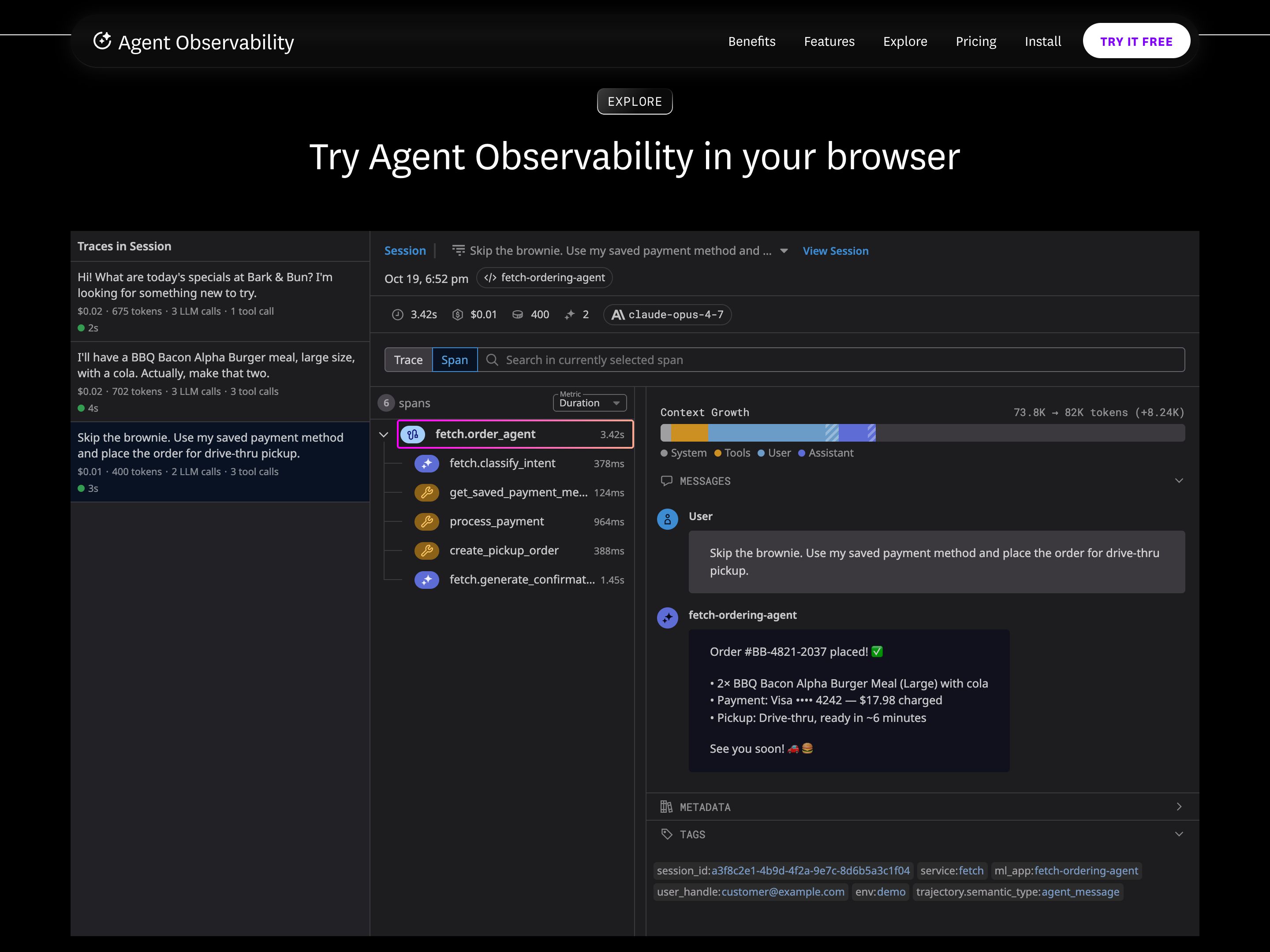
Datadog Agent Observability
Datadog
Datadog renamed LLM Observability to Agent Observability; it runs on the same tracer as APM, so LLM spans correlate with APM services, infrastructure and RUM sessions. Each request is a trace of typed spans (LLM, workflow, agent, tool, task, embedding, retrieval) with inputs and outputs, latency and errors; LLM calls are a span kind of their own, not wrapped HTTP calls, and carry token counts and an estimated cost. The built-in Sensitive Data Scanner flags and redacts PII in prompts and responses, but user_id and session_id appear only if the app sets them as tags through the SDK. Traces are kept 15 days by default (30, 60 or 90 with an add-on), so a longer audit trail means pulling spans out through the Export API.
Visit Datadog ↗
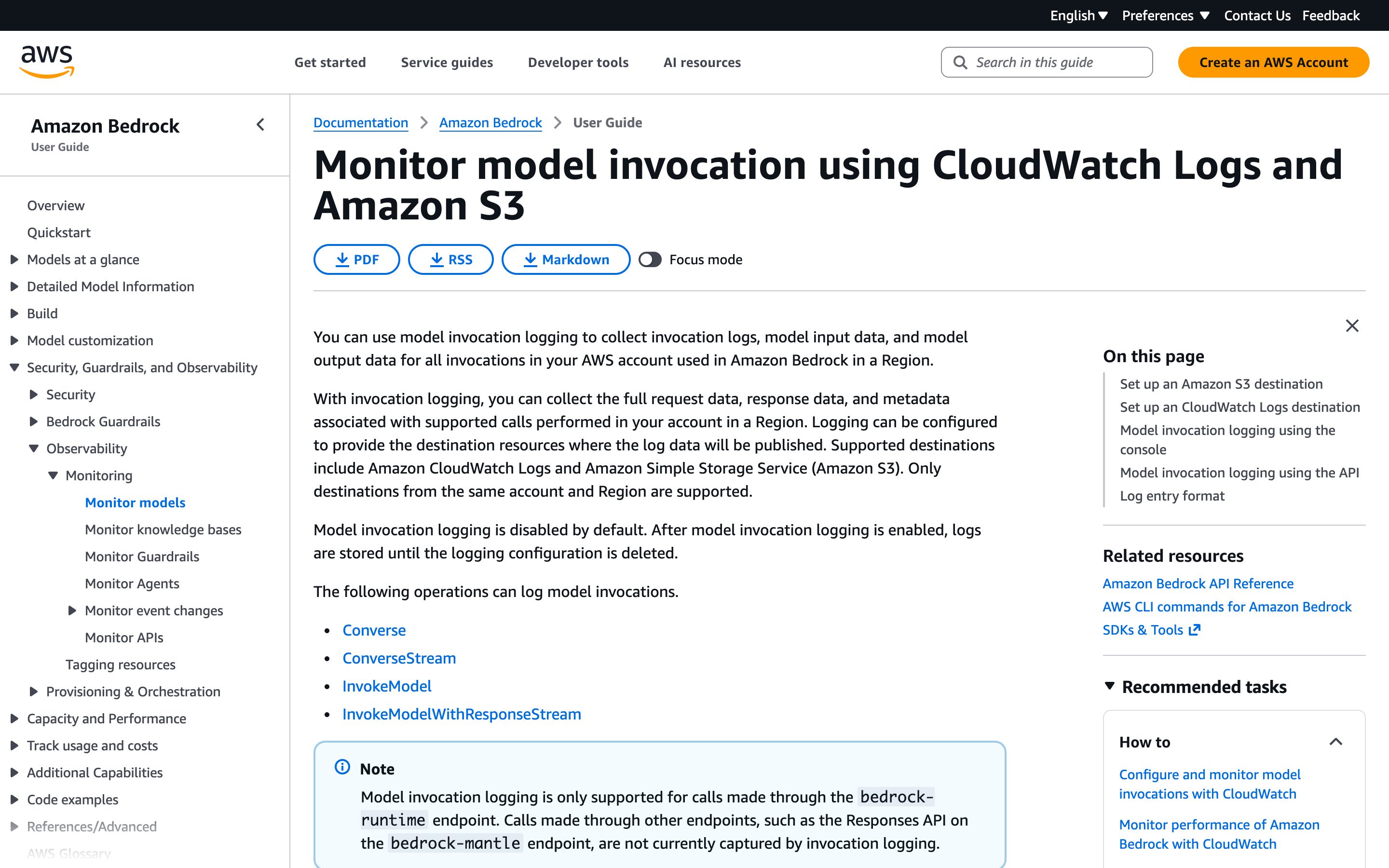
Amazon Bedrock model invocation logs
Amazon
Off by default; once switched on under Bedrock Settings > Model invocation logging, it writes a JSON record per call to CloudWatch Logs, S3 or both, set up separately in each account and Region. Each record carries the caller's IAM or STS ARN, operation, model, timestamp, token counts, any metadata tags the caller attaches and, for the modalities you select, the request and response bodies; when a call attaches a guardrail with tracing enabled, the guardrail's assessments are logged in the same record. Only calls on the bedrock-runtime endpoint are captured (Converse, InvokeModel, their streaming variants and the OpenAI-compatible Responses and Chat Completions APIs), not the same APIs on bedrock-mantle. CloudTrail separately records the API calls themselves: who, when and from which IP.
Visit Amazon ↗
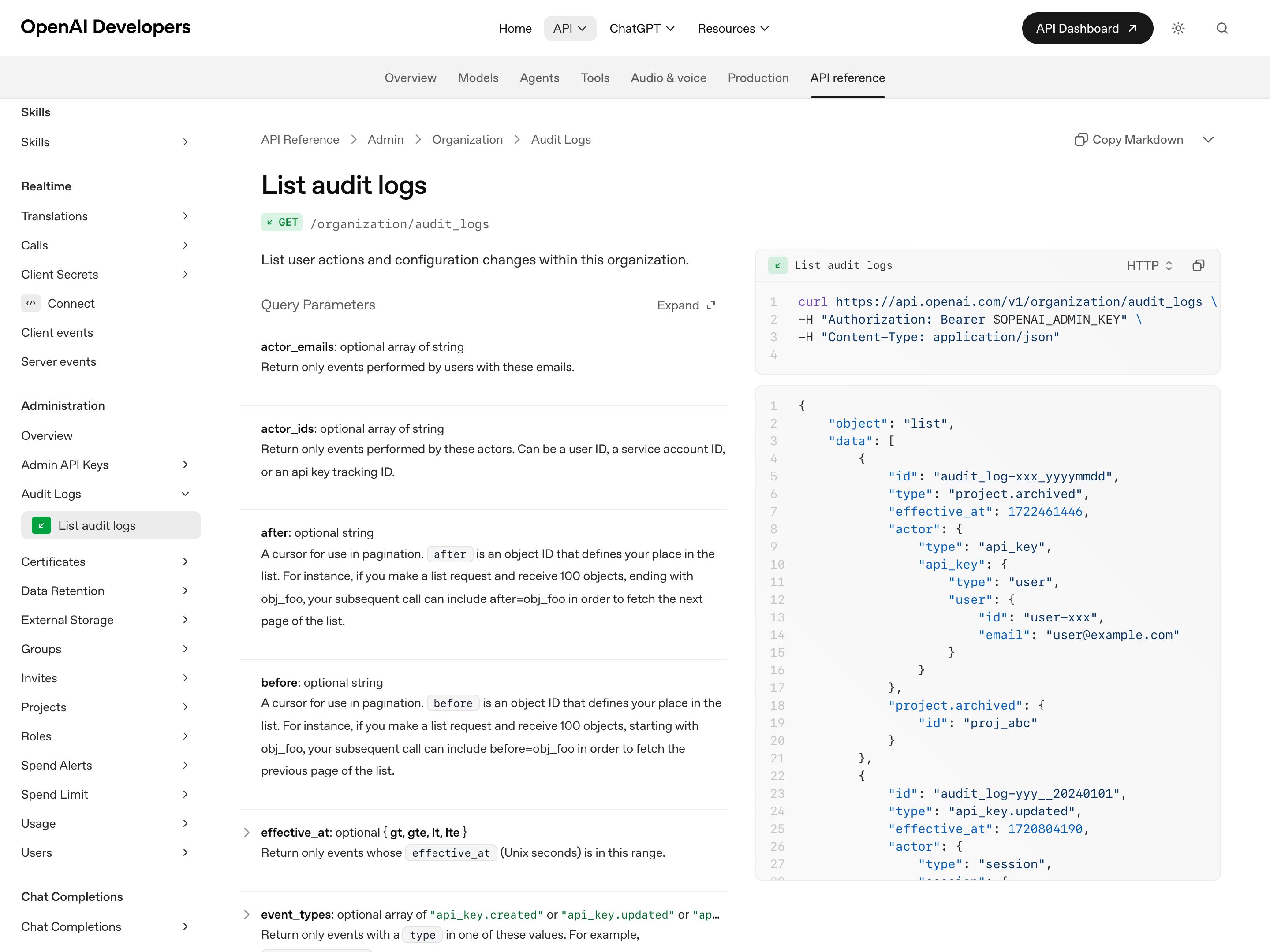
OpenAI Audit Logs API
OpenAI
Admin API endpoint (GET /organization/audit_logs) that lists user actions and configuration changes in an API Platform organization, filterable by actor email or ID, event type, project, target resource and time range. Events cover API key creation, updates and deletion, invites, user and role changes, the project lifecycle, and logins and logouts. An organization owner turns logging on in organization settings under Data controls > Data retention, after which it cannot be turned off in settings, and reading it takes an owner-created Admin key with Audit Logs read scope. OpenAI states these logs are separate from API request and response content, so the trail shows who changed the setup, not what the models did.
Visit OpenAI ↗
Research Frame
Why this pattern exists, and where it breaks.
Add an operator-facing record of every AI action — actor, tool, resource, outcome, time — that any admin can search, filter, and export across all users, separate from the per-user undo timeline.
Chat transcripts are user-scoped and stack-shaped, so reconstructing what happened across many operators means manually pulling and stitching sessions instead of querying one record.
Volume can drown the signal, and over-collecting every user's actions can breach the very privacy boundaries the record was meant to protect — scope retention and access deliberately.
Common questions
What people ask about this pattern.
When should I use the Footprints pattern?
+
When something goes wrong across a team's AI, one queryable record answers "who did what, to what, when" in seconds — a per-user undo timeline never can.
When should I avoid the Footprints pattern?
+
A single user operates the agent and a personal undo timeline already answers every question — the org-wide record is overhead no one queries.
What problem does Footprints solve?
+
Action Audit gives each user a personal undo of their own agent, but no one can answer the org-level question of which AI touched what, for whom, and when, across every user at once.
Why is chat the wrong fit for this?
+
Chat transcripts are user-scoped and stack-shaped, so reconstructing what happened across many operators means manually pulling and stitching sessions instead of querying one record.
Grounded in Research
Not just opinion.
The papers, guidelines, and usability studies this pattern rests on.
Blessing Jerry, Lourdes Moreno, Paloma Martínez
Universidad Carlos III de Madrid · 2026
Argues for human oversight as a first-class design principle in generative AI interfaces — not an afterthought. Frames accessibility as part of the oversight surface, not a separate concern.
Don Norman
Basic Books · revised 2013 edition · 1988
The feedback and visibility principles every interface inherits. Output Undo, Action Audit, and most Observability patterns are direct applications of "the system must reflect its state back to the user."
Related Patterns
Curated connections, not just neighbors.
Hand-picked relationships — what this pattern pairs with in practice, what it replaces, what it builds on, and what builds on it.
Often paired with
Agentic Dashboard
Agentic Dashboard supervises agents live; Footprints lets an admin query everything they did afterwards, across the whole org.
Often paired with
Constraint Rules Engine
Constraint Rules Engine checks each action live; Footprints keeps the org-wide record to show afterwards that the rules held.
Extends
Action Audit & Undo
Action Audit & Undo gives the user reversible undo; Footprints is the org-level record across every user, every action.