AI-generated content circulates outside the system as if it were human-authored — recipients cannot calibrate trust or detect synthetic provenance.
← Back to patterns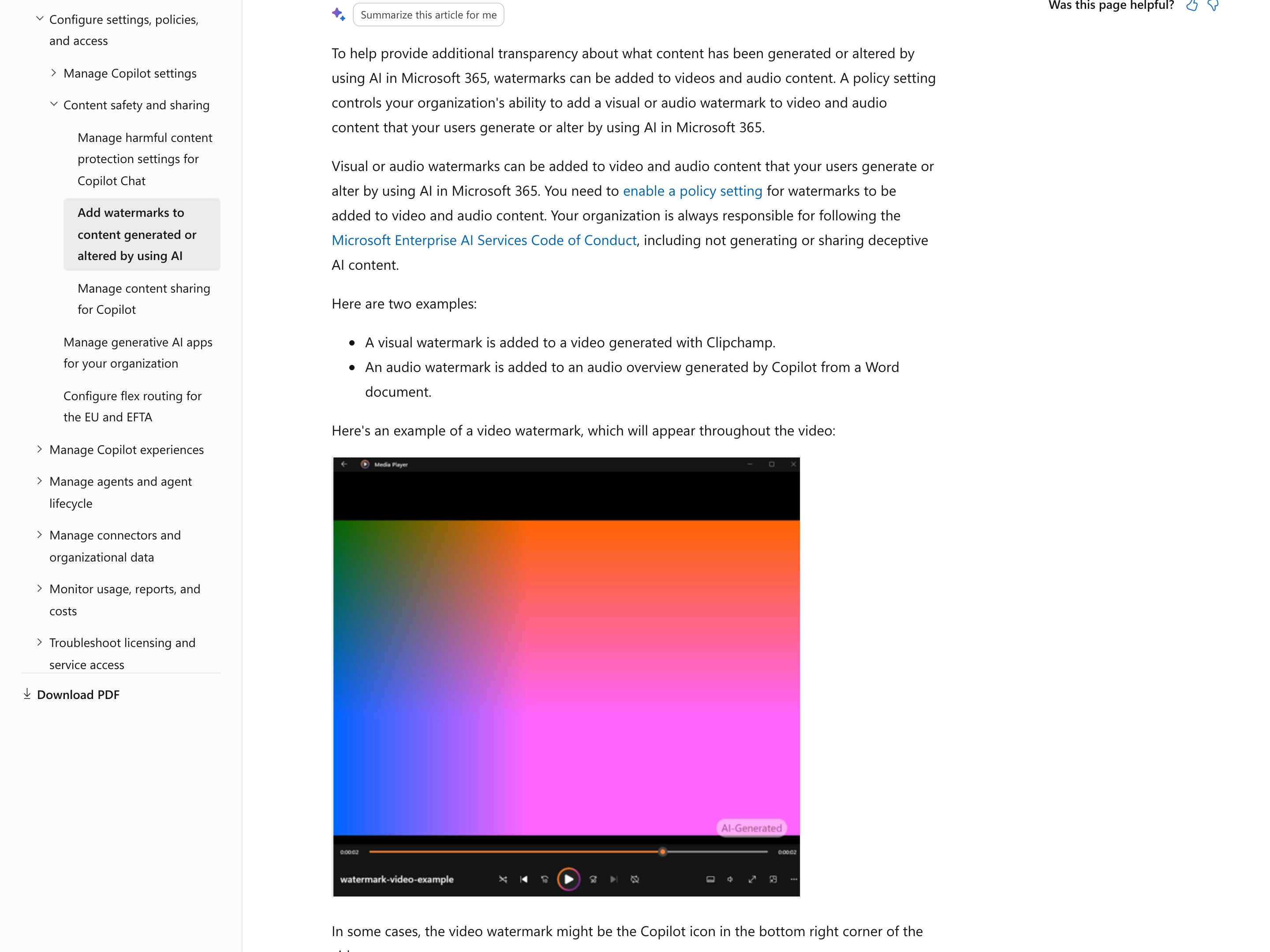
Trust & Verification
EmergingDisclosure
Make AI Presence Visible at a Glance
AI Provenance marks per-fragment authorship inside a document. Disclosure is the at-a-glance signal that this surface, session, or output involves AI — for the user, the recipient, the regulator. Banner-level, not span-level. Survives copy-paste, screenshot, and downstream sharing.
Metaphor
Hazard Sign
Interaction
Persistent Label, Optional Expansion
Use case
Mixed-AI Documents, AI-Drafted Content, Public-Facing Outputs
Failure mode
No At-A-Glance Signal
Control mechanisms
Banners · Badges · Watermarks · Footer Notes · Provenance Stamps
Reference examples
Microsoft 365 Watermarks for AI-generated content · Google SynthID · C2PA Content Credentials · Apple Intelligence Image Playground provenance metadata · TikTok AI-generated auto label
Interactive Example
The live side-by-side is the comparison.
This prototype already contains the contrast between chat and the pattern response. It stands as the primary comparison surface for this page.
A label that survives the document is the only label that counts.
AI-generated content leaves the system and circulates as if a human wrote it, stripping recipients of any way to calibrate trust. Per-span provenance helps inside the editor, but once an artifact is copied, screenshotted, or forwarded, span-level marking falls off and the downstream reader sees nothing.
Disclosure works at the banner level instead of the span level: a single, consistent signal that this surface or output involved AI, designed to persist through copy-paste and screenshot. It stays visible without a hover, expands to show what the model contributed, and reaches the recipient and the regulator — not just the author who already knew.
"Provenance that does not survive a screenshot is provenance only the author ever sees."
DOPE Lens
How this pattern improves AI interaction quality.
Observability
AI presence is visible without expansion or hover — recipients see it at a glance
Directability
Users can expand any disclosure to see what AI contributed to the artifact
Predictability
The disclosure surface is consistent across the product so users learn to recognise it
Explainability
Each disclosure links to the model, prompt context, and time that produced the contribution
Fit
Where it earns its place.
Use it
when
when
AI-touched outputs leave the system into untrusted contexts where recipients need to know AI was involved.
Avoid
when
when
The output is internal-only and disclosure adds friction without recipient value.
In the wild
Where this pattern already ships.
The pattern is shipping but still maturing across products. Entries below show how different teams have approached it; expect variation as the space settles.
Microsoft 365 · Watermarks for AI-generated content
Microsoft
In work and school accounts, video and audio generated or altered with AI in Microsoft 365, such as a Clipchamp video or a Copilot audio overview of a Word document, carry a visible "AI-Generated" mark or Copilot icon, or a spoken "This audio is generated by AI", only after an admin enables a Cloud Policy; images get the same visible mark only after each user turns on Watermarks for AI-generated content in My Account. Wording and placement can't be customized. Either way, details such as the model, the app and the creation time can go into an image's metadata. Microsoft documents no such mark for the text and documents Copilot drafts.
Visit Microsoft ↗
Google SynthID
Google DeepMind
Imperceptible watermark Google embeds in images, video, audio and Gemini app text as they are generated; for images and video it is designed to survive cropping, filters and lossy compression. The mark itself is invisible: to check an image, video or audio file, a recipient uploads it to Gemini, Search or Chrome and asks, or uses the SynthID Detector, which Google opened to everyone worldwide in English on 7 October 2026 and which also finds SynthID in media from partners including OpenAI, NVIDIA and Kakao. Disclosure built to survive sharing, without the at-a-glance label.
Visit Google DeepMind ↗
C2PA Content Credentials
C2PA · Adobe / OpenAI / Leica
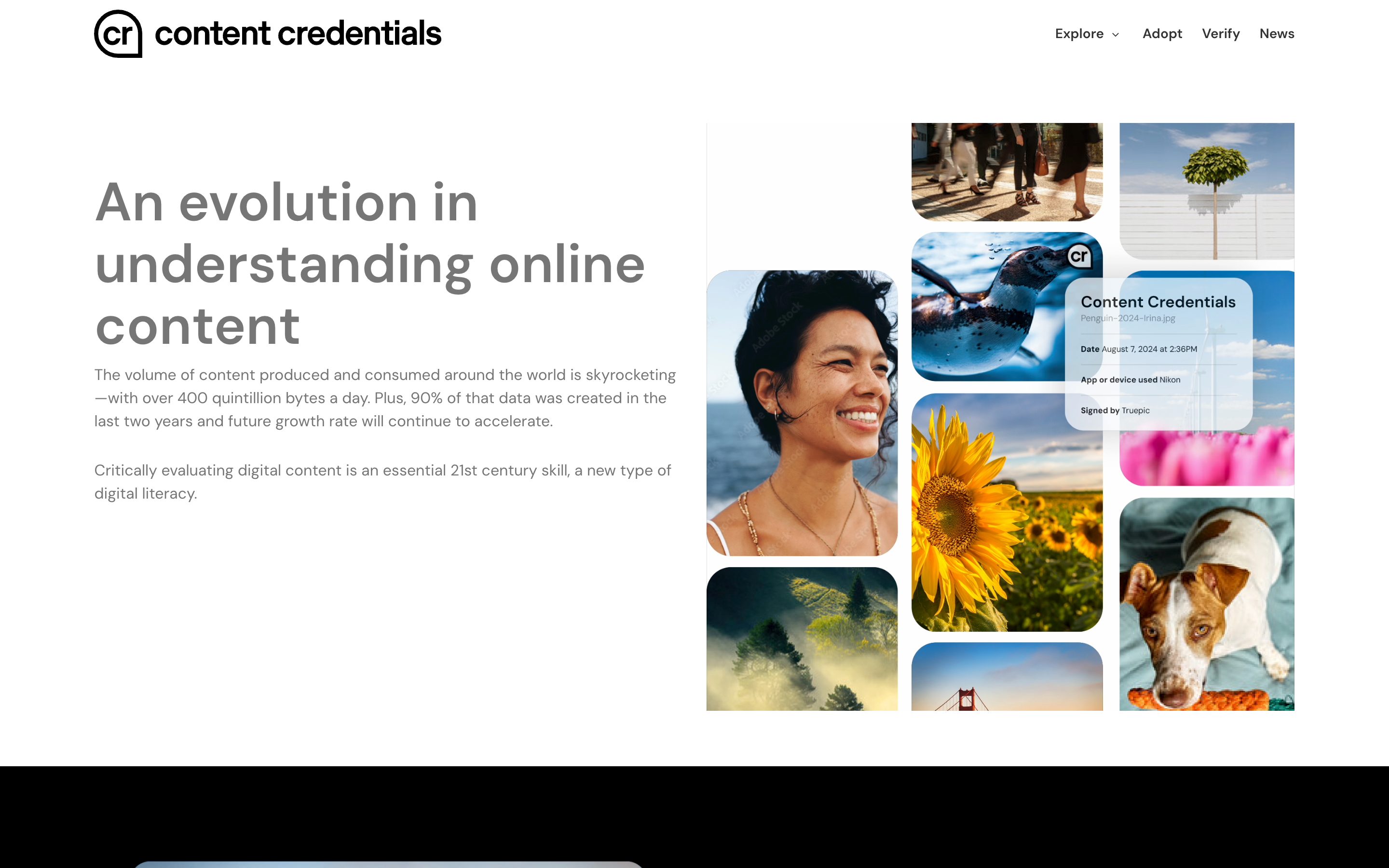
Open standard for signed, tamper-evident provenance metadata attached when a file is created or edited. Adobe Firefly applies it automatically to assets whose pixels are 100% Firefly-generated, images generated in ChatGPT carry it, and several Leica cameras, starting with the M11-P, can sign photos at capture once the Content Credentials function is on. Anyone can inspect a file at verify.contentauthenticity.org, outside the product that made it, and where a site displays the "cr" pin, the pin reveals key details such as date, app or device, and signer. A screenshot or file conversion can strip the metadata, which is why OpenAI pairs it with a SynthID watermark.
Visit C2PA · Adobe / OpenAI / Leica ↗
Apple Intelligence · Image Playground provenance metadata
Apple
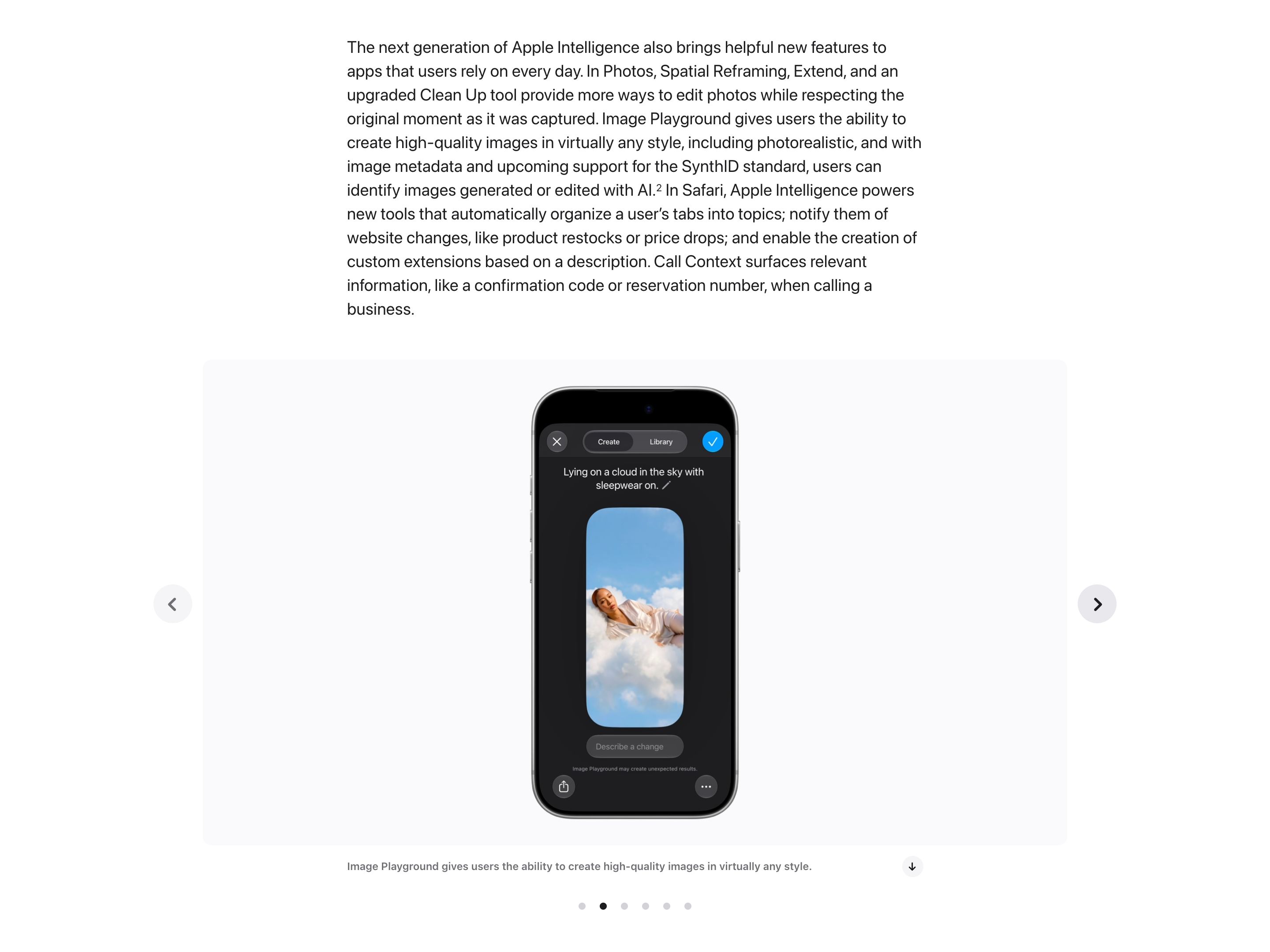
Apple says Image Playground, photorealistic since iOS 27, writes image metadata so people can identify images generated or edited with AI. Apple has announced a hidden SynthID watermark for generated images and most Apple Intelligence photo edits in a software update later in 2026. Neither signal shows on the image itself, and a screenshot leaves the metadata behind.
Visit Apple ↗
TikTok · AI-generated auto label
TikTok
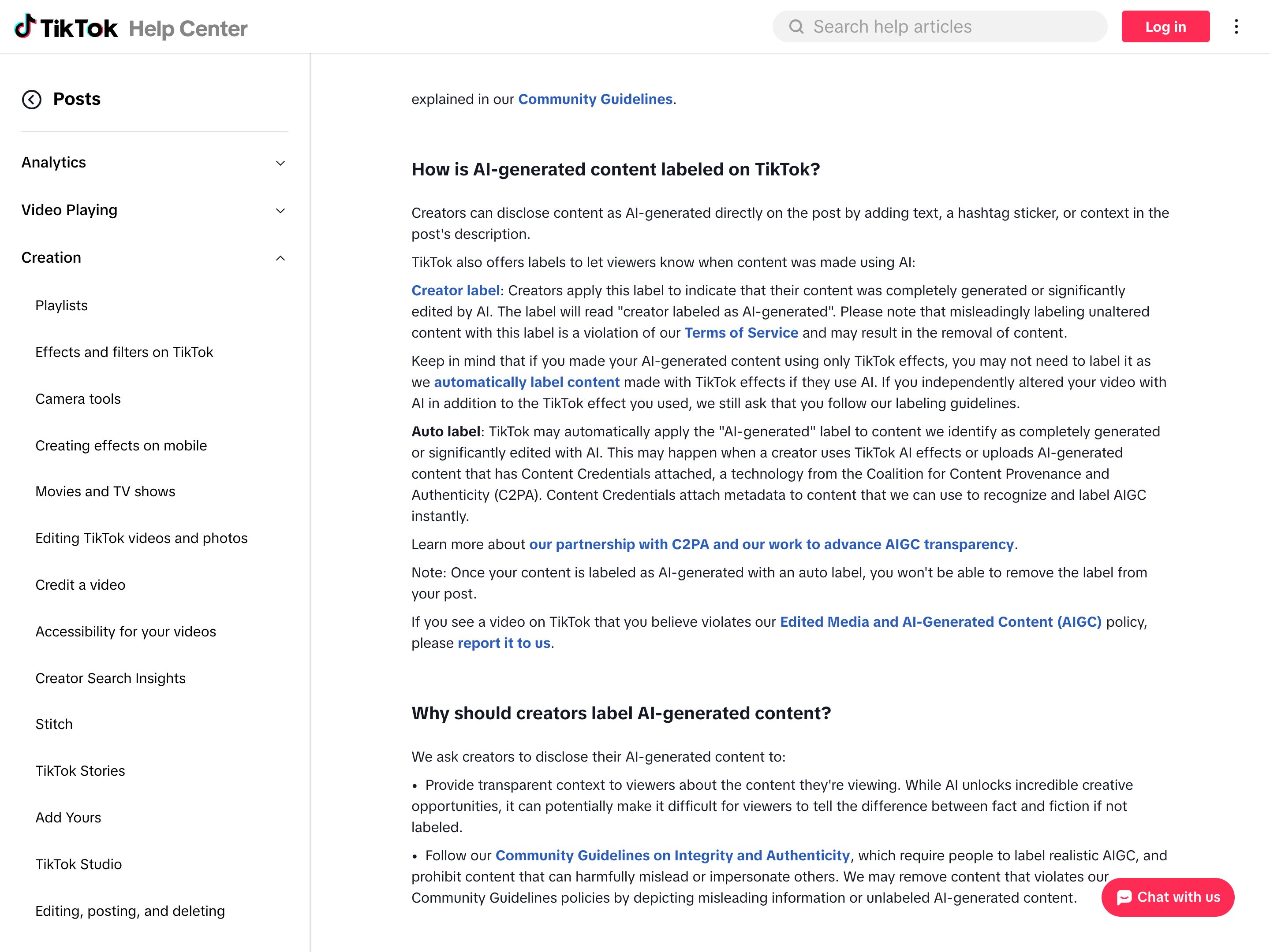
When an upload carries C2PA Content Credentials from another tool, or was made with TikTok's own AI effects, TikTok can apply an "AI-generated" label to the post that viewers see, and the creator cannot remove it. The disclosure is read from a portable signal and shown at a glance on a different platform from the one that made the file. Uploads without that metadata rely on the creator's own "creator labeled as AI-generated" toggle or on TikTok's detection models. TikTok also embeds an invisible watermark in content from its AI tools and in C2PA uploads to keep labels on re-uploads, but only TikTok can read it, so that layer does not travel to other platforms.
Visit TikTok ↗
Research Frame
Why this pattern exists, and where it breaks.
Mark every AI-touched surface or output with a visible, persistent disclosure that survives copy-paste, screenshot, and downstream sharing.
Chat transcripts have no surface for marking the assistant contribution once it leaves the chat — the labelling has to come at the artifact level.
Heavy-handed disclosure becomes legal-disclaimer noise users learn to tune out; weak disclosure satisfies regulators without informing recipients.
Common questions
What people ask about this pattern.
When should I use the Disclosure pattern?
+
AI-touched outputs leave the system into untrusted contexts where recipients need to know AI was involved.
When should I avoid the Disclosure pattern?
+
The output is internal-only and disclosure adds friction without recipient value.
What problem does Disclosure solve?
+
AI-generated content circulates outside the system as if it were human-authored — recipients cannot calibrate trust or detect synthetic provenance.
Why is chat the wrong fit for this?
+
Chat transcripts have no surface for marking the assistant contribution once it leaves the chat — the labelling has to come at the artifact level.
Related Patterns
Curated connections, not just neighbors.
Hand-picked relationships — what this pattern pairs with in practice, what it replaces, what it builds on, and what builds on it.
Often paired with
AI Provenance
Disclosure labels the whole output as AI-touched; AI Provenance marks the AI-drafted spans in it no human has reviewed.
Often paired with
Confidence Signals
Disclosure says the output is AI; Confidence Signals add how sure it is of each claim, so recipients can calibrate trust.
Often paired with
Footprints
Disclosure tells the reader an output involved AI; Footprints gives an admin a searchable record of the action behind it.