A multi-agent dashboard surfaces every running agent at once, but a person can only watch a few, so attention saturates silently until they start missing things.
← Back to patterns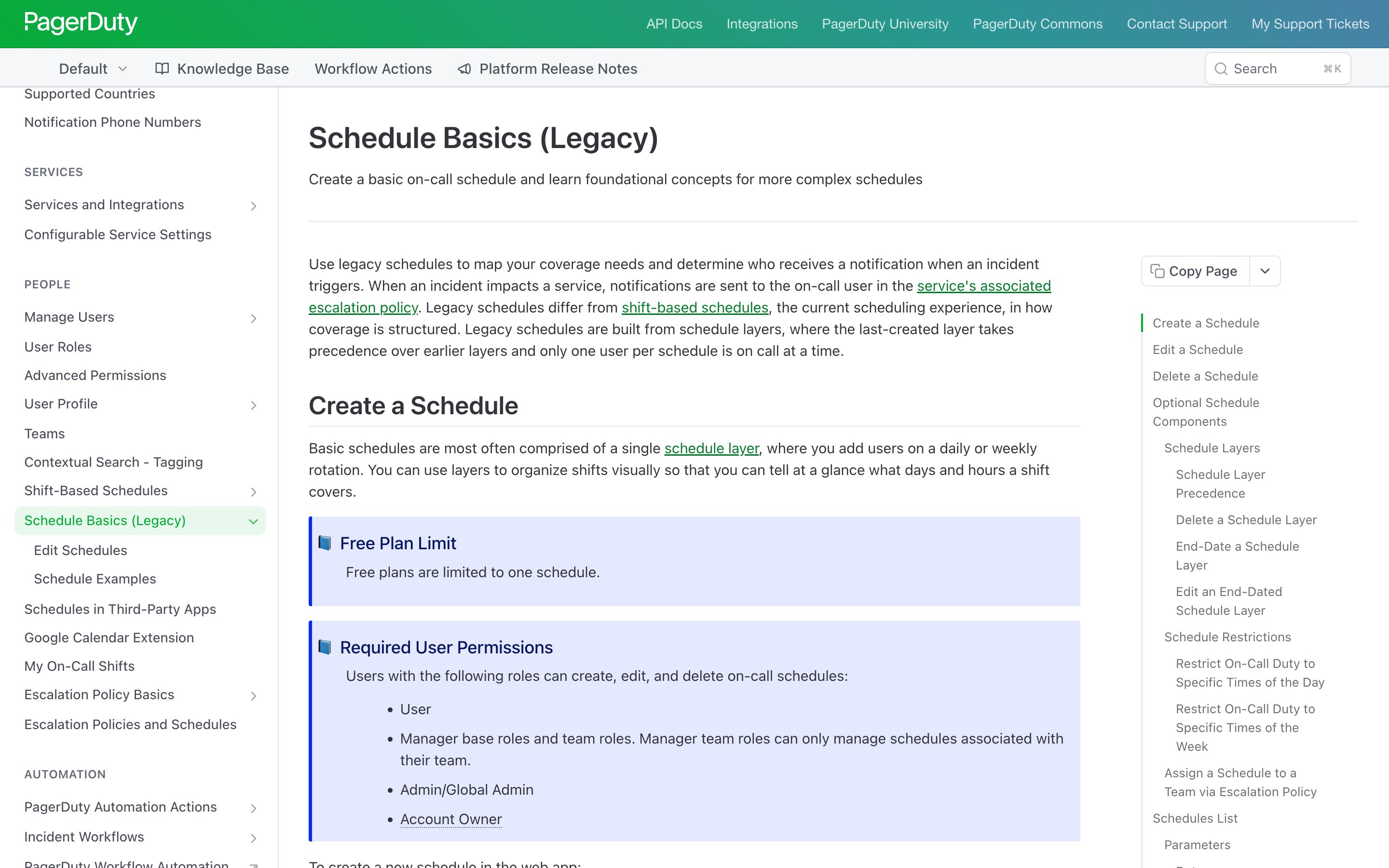
Overseeing Agents Without Constant Oversight: Challenges and Opportunities
Agent Workflow
Research PatternConcurrency Dial
Cap the agents you can actually watch
A multi-agent dashboard shows every running agent at once, but a person can only meaningfully watch a few — so saturation stays silent until things start slipping. The Concurrency Dial makes attention a setting: a slider for how many agents you oversee right now. Agents over the cap wait in a queue (still running), and the next is promoted into a free lane when you finish one.
Metaphor
Air Traffic Lanes
Interaction
Concurrency Slider, Attention Budget Meter, Lane Promotion
Use case
Multi-agent dashboards, Agent ops consoles, Attention-limited oversight
Control mechanisms
Active-Lane Cap (1-N) · Pending Queue · Cognitive Load Indicator · Manual Pin / Defer
Reference examples
PagerDuty On-call schedules · Slack Huddle participant cap · GitHub Draft pull requests · Businessmap Per-user WIP limits
Interactive Example
The live side-by-side is the comparison.
This prototype already contains the contrast between the status-quo approach and the pattern response. The left column names the failure mode of the naive baseline (fixed dispatch, label-as-done, hidden hierarchy, uniform friction); the right column is the move.
More agents on screen, less actually overseen.
Agentic dashboards surface every running agent at once, but a person can only meaningfully attend to a few. The gap is invisible: saturation stays silent until the user starts missing things, and by then oversight has already scaled past the point where it means anything. Showing twenty streams is not the same as watching twenty.
Concurrency Dial makes attention an explicit, dial-able parameter — declare how many agents you'll actively oversee right now, and the rest go into a still-running pending queue that promotes the next agent when a lane frees up. A live load indicator reads back low, medium, or approaching saturation, so the cap is tuned against real cognitive load, not guessed.
Oversight that scales linearly with agent count breaks the human — capping concurrency is what keeps attention from going bankrupt.
DOPE Lens
How this pattern improves AI interaction quality.
Observability
The dial reads back current cognitive load — active lanes, pending queue depth, saturation indicator — so the user sees attention budget in real time
Directability
Slider chooses the concurrency limit; users can pin specific agents to a lane or defer others into the queue manually
Predictability
The user sets the cap; the system never demands attention from more than N agents simultaneously
Explainability
Promotions out of the queue are named — "agent X promoted because Y completed" — so the user knows why an agent is now front-and-center
Fit
Where it earns its place.
Use it
when
when
A dashboard that shows every agent at once makes oversight cost grow with agent count until the user breaks; a concurrency cap holds active attention fixed no matter how many agents are running.
Avoid
when
when
Only one or two agents ever run at once, so there is nothing to ration and the dial is pure overhead.
Closest neighbours
No product ships this exactly — these come closest.
This is a research pattern — we describe a UX move that no shipping product implements cleanly today. The entries below are adjacent: they share the spirit of the pattern even if they take a different shape.
PagerDuty · On-call schedules
PagerDuty
In PagerDuty's original schedules — now labelled legacy — only one user per schedule is on call at a time, and the rotation promotes the next person when a shift ends. The newer shift-based schedules turn that cap into a setting: rotate through members one by one, or put all of them on call at once. The attention cap the dial generalises, enforced by the system rather than by discipline.
Visit PagerDuty ↗
Slack · Huddle participant cap
Slack
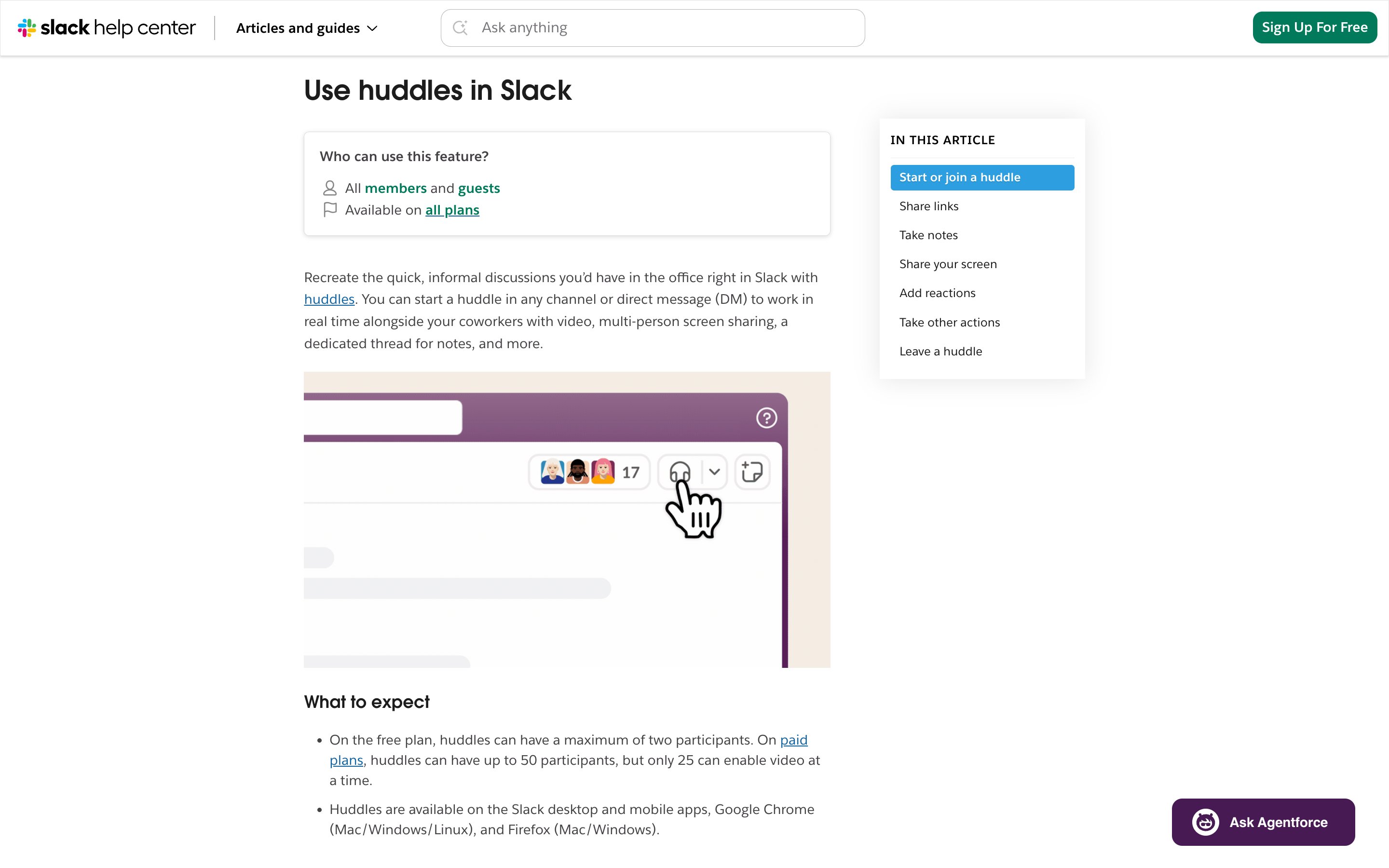
A hard ceiling on simultaneous presence: 50 participants on paid plans, but only 25 with video on at once (the free plan caps at 2). A capacity limit on shared attention — though the help page names no queue, and says nothing of what happens to whoever arrives over the cap.
Visit Slack ↗
GitHub · Draft pull requests
GitHub
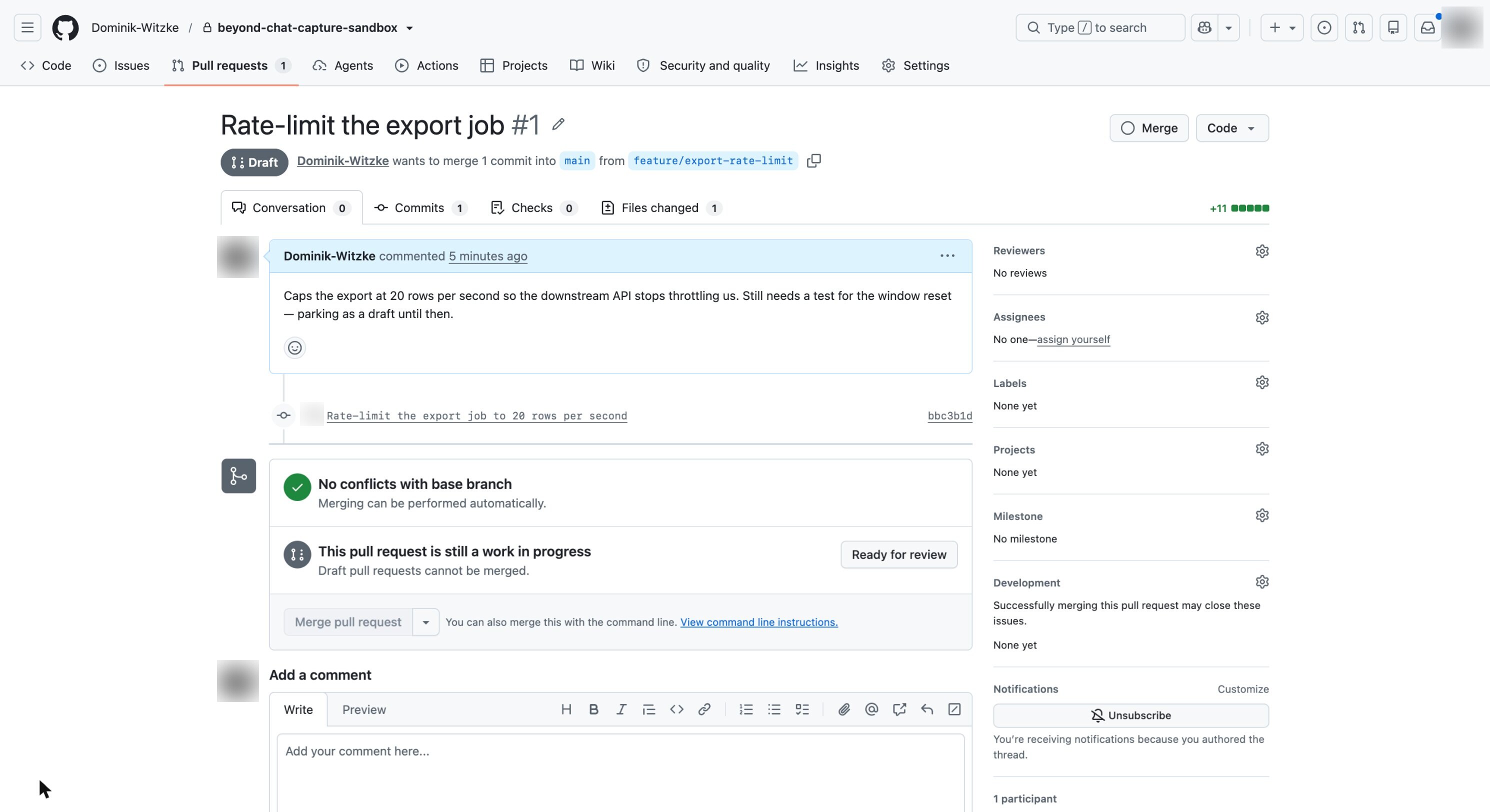
A draft PR suppresses review requests and notifications until the author flips it to "Ready for review", and cannot merge before then. Work keeps moving without demanding attention — the defer-then-promote half of the dial.
Visit GitHub ↗
Businessmap · Per-user WIP limits
Businessmap (Kanbanize)
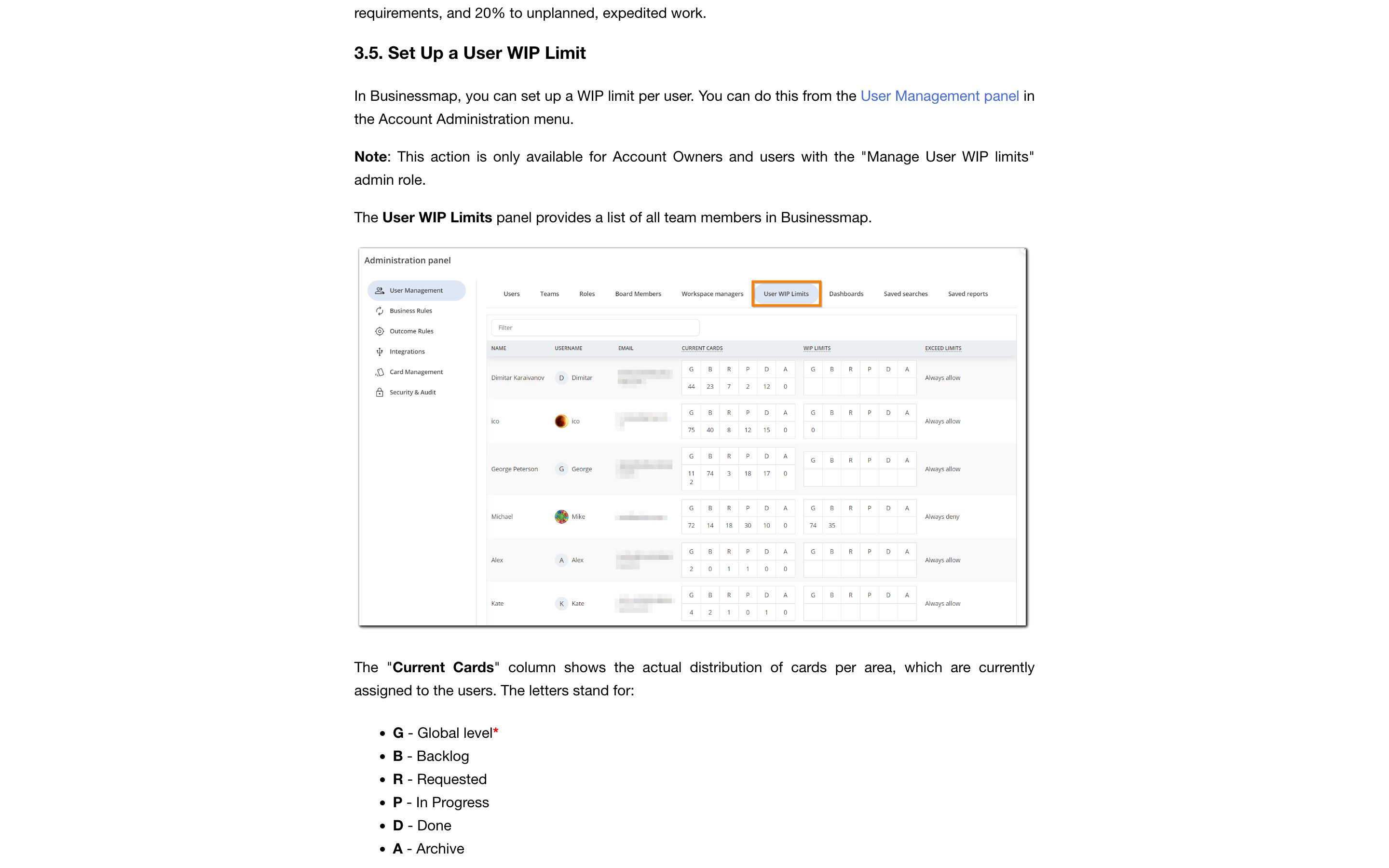
An admin sets a numeric cap on the cards assigned to each person — a global ceiling plus limits per board area — and decides what happens at the cap: always allow, or always deny. The closest shipping version of attention as an enforced budget — in project management, not yet in agent consoles.
Visit Businessmap (Kanbanize) ↗
Research Frame
Why this pattern exists, and where it breaks.
Let the user cap how many agents they actively watch at once, and route the rest into a queue that promotes the next agent into a lane the moment one frees up.
Chat shows one stream, then five, then twenty, all competing for the same attention, with no surface to say "I can only watch three of you right now".
Set the cap too low and work stalls behind the queue; set it too high and you rebuild the saturation the dial was meant to prevent.
Common questions
What people ask about this pattern.
When should I use the Concurrency Dial pattern?
+
A dashboard that shows every agent at once makes oversight cost grow with agent count until the user breaks; a concurrency cap holds active attention fixed no matter how many agents are running.
When should I avoid the Concurrency Dial pattern?
+
Only one or two agents ever run at once, so there is nothing to ration and the dial is pure overhead.
What problem does Concurrency Dial solve?
+
A multi-agent dashboard surfaces every running agent at once, but a person can only watch a few, so attention saturates silently until they start missing things.
Why is chat the wrong fit for this?
+
Chat shows one stream, then five, then twenty, all competing for the same attention, with no surface to say "I can only watch three of you right now".
Grounded in Research
Not just opinion.
The papers, guidelines, and usability studies this pattern rests on.
Madeleine Grunde-McLaughlin, Hussein Mozannar, Maya Murad, Jingya Chen, Saleema Amershi, Adam Fourney
University of Washington + Microsoft Research · 2026
Argues for rhythm-driven over interrupt-driven oversight, and treats concurrency as a designed parameter rather than an emergent property. Source for two patterns in the archive.
Related Patterns
Curated connections, not just neighbors.
Hand-picked relationships — what this pattern pairs with in practice, what it replaces, what it builds on, and what builds on it.
Often paired with
Supervisor-Worker
Supervisor-Worker splits the job across workers; Concurrency Dial caps how many of them you have to watch at once.
Often paired with
Oversight Rhythm
Concurrency Dial limits how many agents need you at once; Oversight Rhythm limits how often they get your attention.
Extends
Agentic Dashboard
Agentic Dashboard gives every agent a lane; Concurrency Dial caps how many you watch and queues the rest, still running.