Agent runs can spend tokens, time, and money invisibly — users only learn the cost after the bill arrives.
← Back to patterns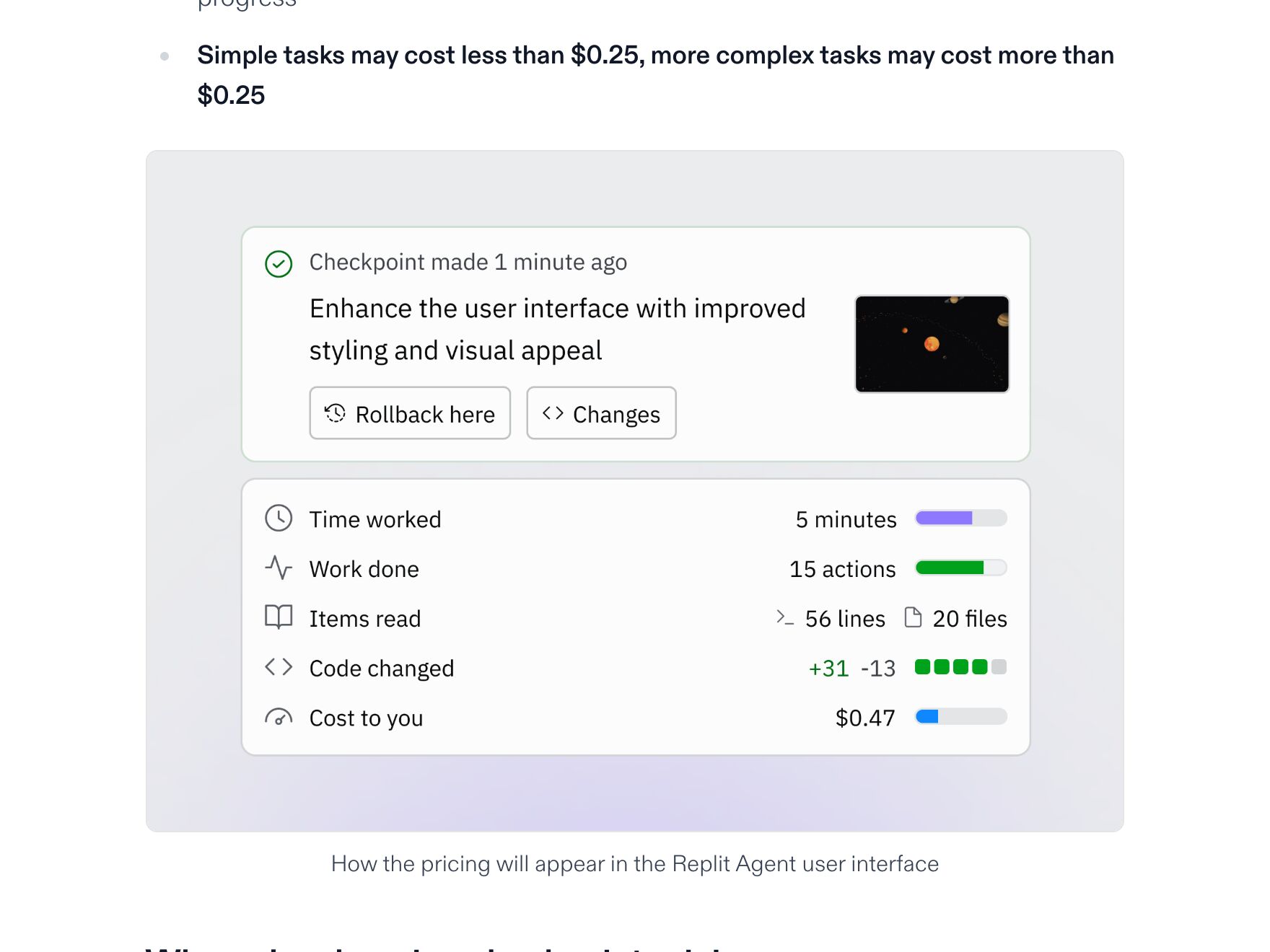
Memory, Context & Boundary
EmergingCompute Budget
See the cost before you spend it
Before an agent runs, surface its expected token, time, and dollar cost. Pick a mode (Quick / Standard / Deep) that scales the budget. Mid-flight, a meter shows what you are actually spending — and pauses the run when it crosses the cap so you can decide whether to keep going.
Metaphor
Spending Budget
Interaction
Pre-flight Estimate, Live Meter
Use case
Agent Runs, Deep Research, Tool-Heavy Workflows
Failure mode
Hidden Cost
Control mechanisms
Mode Selector · Token & Cost Estimate · Hard Cap · Pause-at-Threshold
Reference examples
Replit Effort-Based Pricing · Devin ACUs · Claude Code /usage · Cursor Spend Limits · ElevenLabs Studio
Concept Frame
Cost is a control surface, not a footnote.
Agent runs spend tokens, time, and money — usually invisibly. Compute Budget reframes the contract: the user picks a mode that signals depth, sets a cap that signals patience, and watches a meter that turns spend from afterthought into ambient signal. Predictability is not just about what an agent does next; it is also about how much it intends to consume to do it.
Interactive Example
The live side-by-side is the comparison.
This prototype already contains the contrast between chat and the pattern response. It stands as the primary comparison surface for this page.
You see the bill after the bill arrives.
Chat runs an agent as a black box: tokens, time, and dollars drain without a meter, a ceiling, or a checkpoint. You only learn what a run cost when it is already spent — too late to decide whether the answer was worth it. There is no surface to say "this much, and no more."
Compute Budget puts the spend in front of the decision instead of behind it. A pre-flight estimate, a Quick / Standard / Deep mode, and a hard cap make the ceiling explicit before the run starts; a live meter then pauses at the threshold so you choose to keep going rather than discover the cost in hindsight.
"A spend you can see and cap is a decision; a spend you discover later is just a bill."
DOPE Lens
How this pattern improves AI interaction quality.
Observability
Live meter shows tokens, time, and dollars consumed against the budget
Directability
Raise the cap, switch mode, or stop and pocket partial output any time
Predictability
Mode and cap are explicit upfront — no runaway spend hidden in a long run
Explainability
Estimate breakdown shows which steps and tools drive the cost
Fit
Where it earns its place.
Use it
when
when
Agent runs spend tokens, time, or money in ways users cannot see or limit at the start.
Avoid
when
when
The task is cheap enough end-to-end that a budget interface costs more attention than it saves money.
In the wild
Where this pattern already ships.
The pattern is shipping but still maturing across products. Entries below show how different teams have approached it; expect variation as the space settles.
Replit Effort-Based Pricing
Replit
Effort-based pricing since July 2025: a checkpoint costs what the work cost, and hovering the usage icon in the Agent tab shows the figure for each one. Account → Billing adds threshold alerts and a hard budget cap. The $0.25 in the old note was the previous flat rate — under effort-based pricing simple changes typically land under it.
Visit Replit ↗
Devin ACUs
Cognition
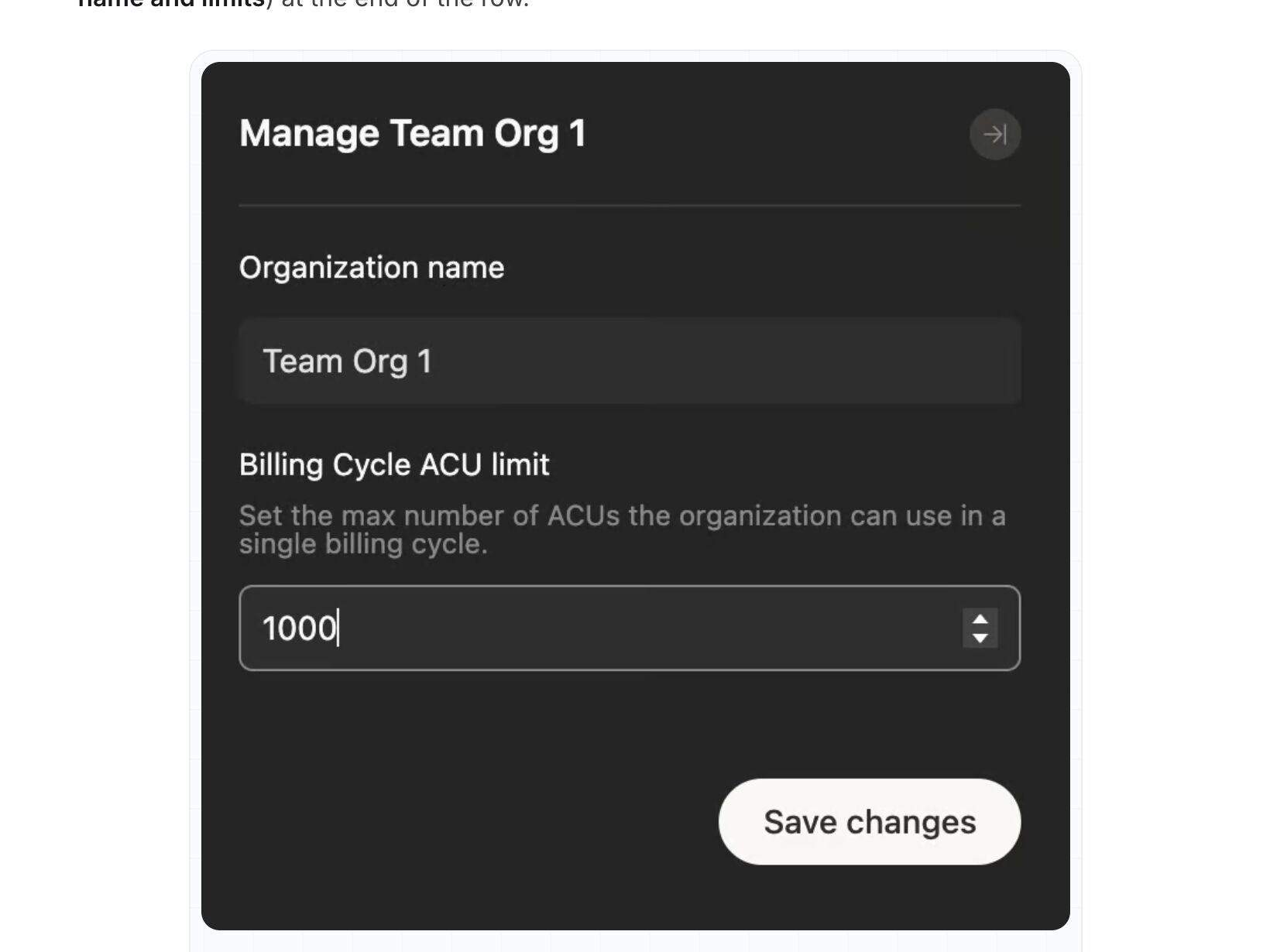
ACUs are now Enterprise only: admins set a billing-cycle ACU limit per organization, which blocks new work once it is hit, plus monthly caps per member, and Session Insights shows the ACU cost of any session. Self-serve plans swapped ACUs for a daily and weekly quota plus on-demand credits, tracked under Settings → Usage & limits. Caps and after-the-fact totals, no estimate before a run.
Visit Cognition ↗
Claude Code /usage
Anthropic
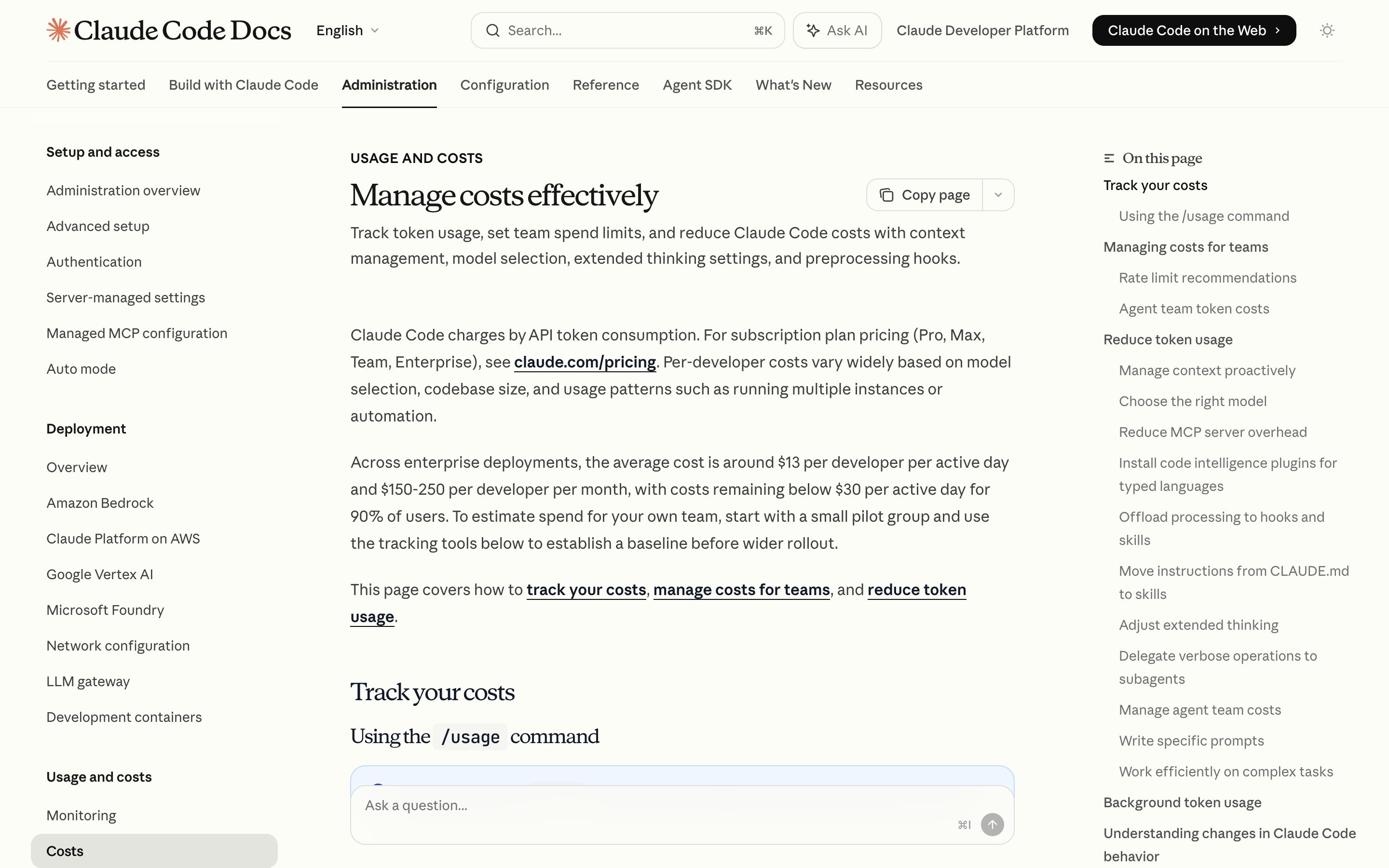
/usage prints the session's token counts and a dollar figure, plan usage bars, and a 24h/7d breakdown attributing spend to skills, subagents, plugins and individual MCP servers — the closest thing in this set to an explainable cost breakdown. /cost survives only as an alias. The dollar figure is computed locally at list rates, so it may not match the bill.
Visit Anthropic ↗
Cursor Spend Limits
Cursor
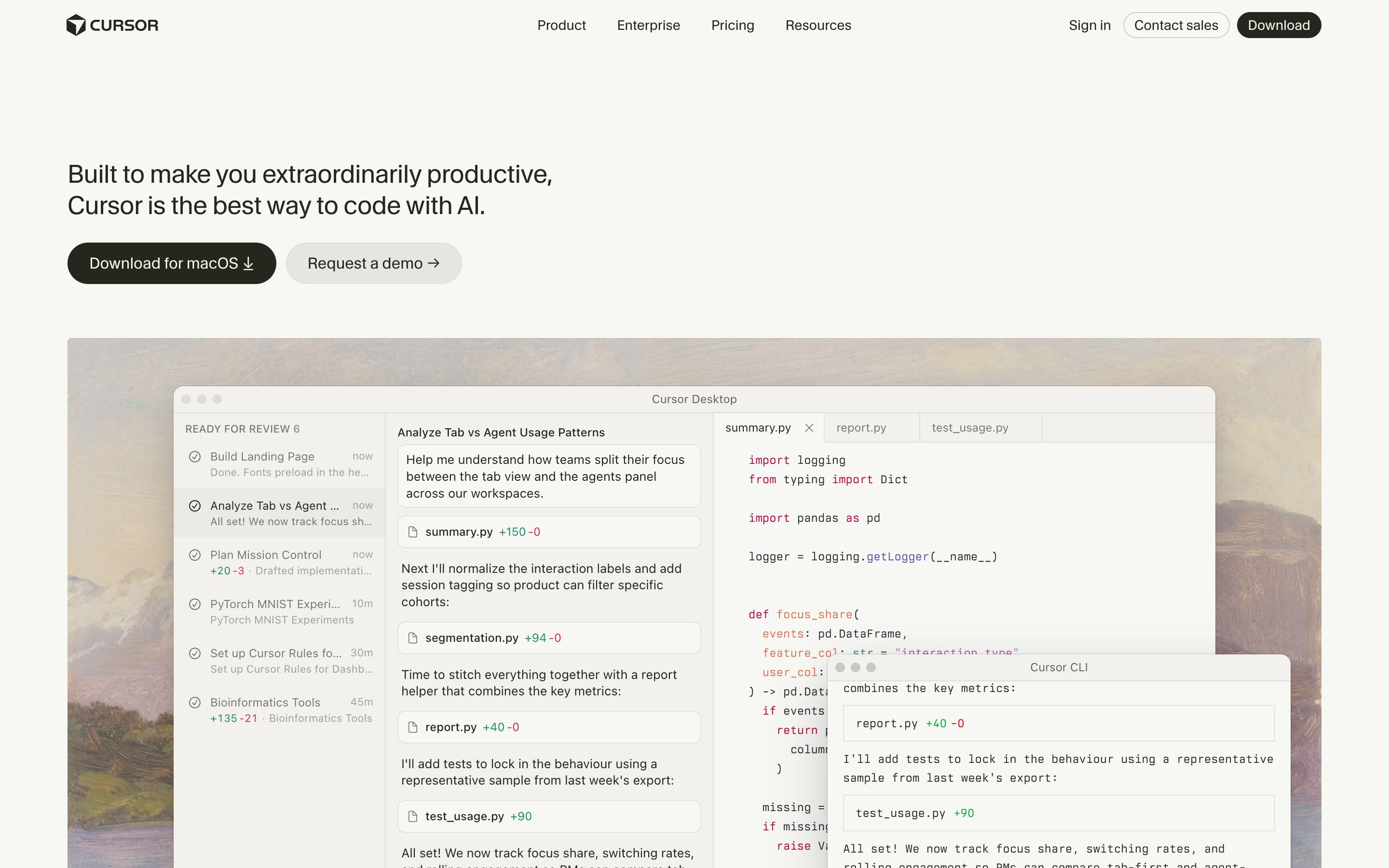
The dashboard's Spending tab shows real-time usage across both model pools, remaining allowance, and request-level cost; a monthly spend limit hard-stops AI features until the next billing cycle, and May 2026 added dollar-threshold alerts to Slack or email. All of it sits outside the editor — in there you get a notification only once the limit is already hit.
Visit Cursor ↗
ElevenLabs Studio
ElevenLabs
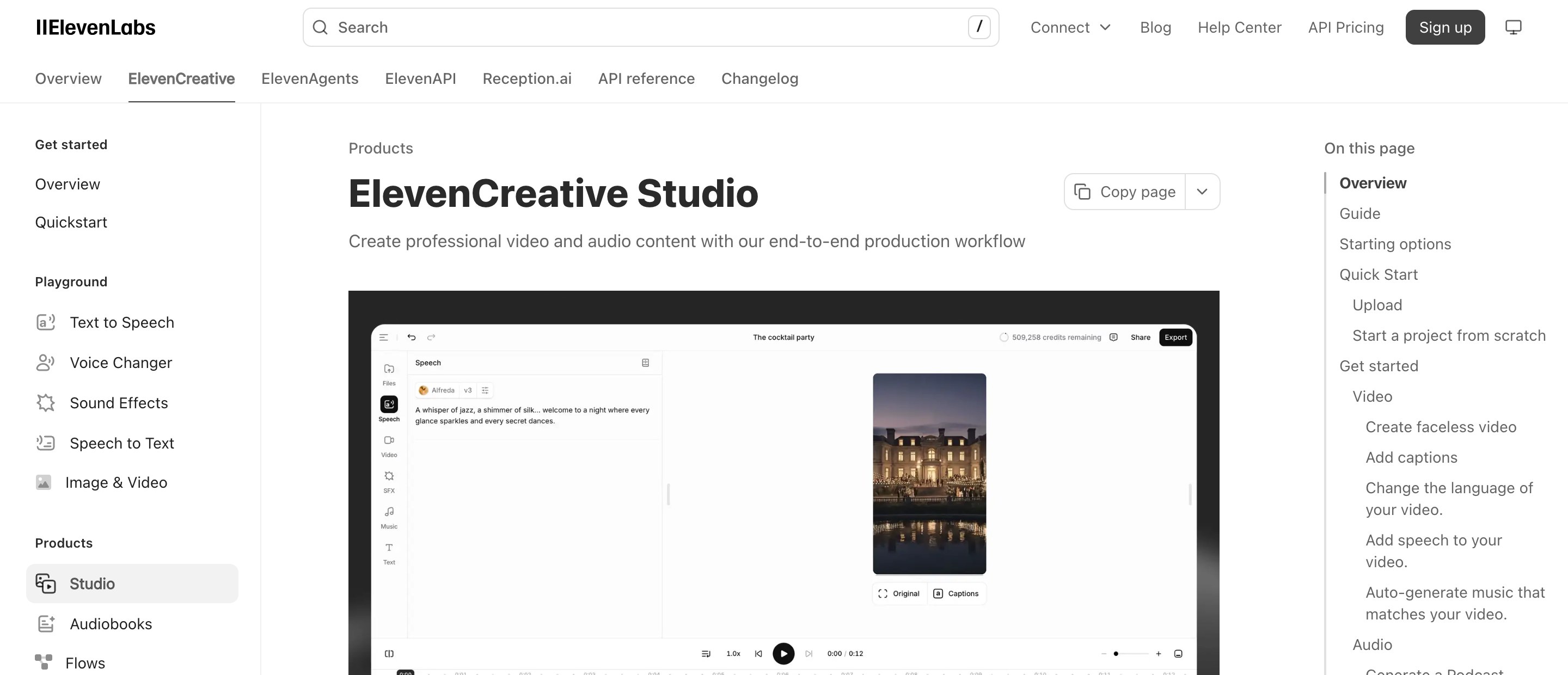
The one row that carries the pre-flight half: Studio tells you how many credits generating the selected text will cost before you commit, and warns what an export will cost when paragraphs still need converting. Credits rather than dollars, and there is no ceiling that stops a job once it is running.
Visit ElevenLabs ↗
Research Frame
Why this pattern exists, and where it breaks.
Show pre-flight cost estimates with mode selection and a hard cap; meter the live spend and pause at threshold.
Chat hides compute as a black box — there is no surface to set a ceiling, see live spend, or decide mid-run whether the answer is worth more.
Cost meters can become anxiety theatre if they are imprecise, distracting, or punish exploration.
Common questions
What people ask about this pattern.
When should I use the Compute Budget pattern?
+
Agent runs spend tokens, time, or money in ways users cannot see or limit at the start.
When should I avoid the Compute Budget pattern?
+
The task is cheap enough end-to-end that a budget interface costs more attention than it saves money.
What problem does Compute Budget solve?
+
Agent runs can spend tokens, time, and money invisibly — users only learn the cost after the bill arrives.
Why is chat the wrong fit for this?
+
Chat hides compute as a black box — there is no surface to set a ceiling, see live spend, or decide mid-run whether the answer is worth more.
Related Patterns
Curated connections, not just neighbors.
Hand-picked relationships — what this pattern pairs with in practice, what it replaces, what it builds on, and what builds on it.
Often paired with
Draft Mode
Draft Mode keeps exploration cheap and side-effect free; Compute Budget caps what the Live run can spend.
Often paired with
Approval Gates
Compute Budget pauses when spend crosses the cap; Approval Gates add pauses at set steps for sign-off.
Often paired with
Autonomy Dial
Set how much autonomy the agent has, then bound how much it can spend exercising it.