In a document you co-write with AI, machine-drafted and human-written text read identically — so you cannot tell which parts still need a human to check them.
← Back to patterns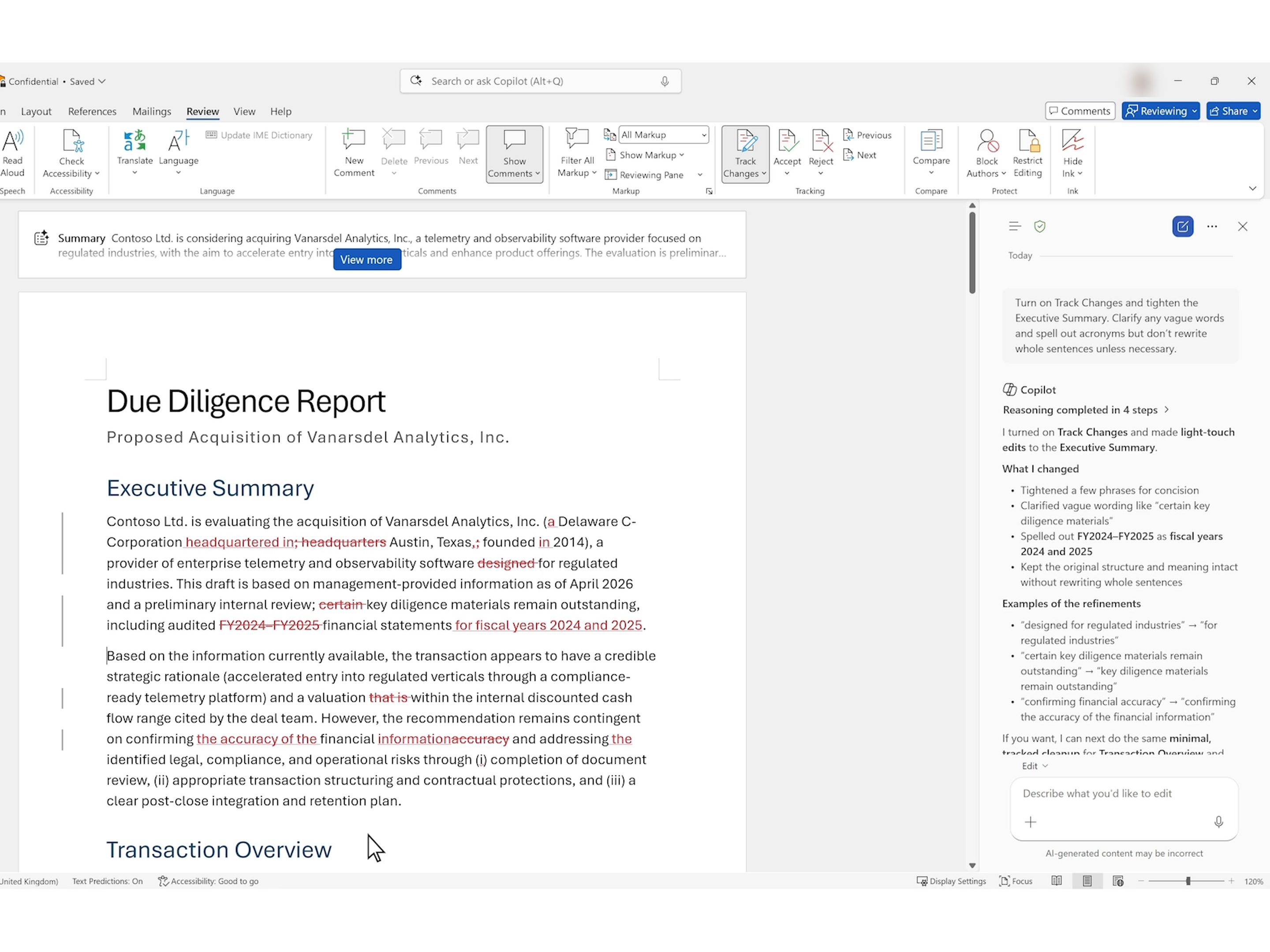
Google
Trust & Verification
EmergingAI Provenance
Track changes, for AI-drafted text
A document you co-write with AI is a blend of machine-drafted and human-written text — but the two read identically, so nothing tells you which parts still need a human eye. Provenance marks the AI-drafted spans a human has not reviewed yet, lets you accept or edit them span by span, and keeps that review state attached so the next reader can see what has been vetted and what is still raw — the same instinct behind content credentials, applied to the text you co-author.
Metaphor
Track Changes
Interaction
Review Layer, Per-span Accept, Inspect on Click
Use case
Co-writing with AI, Doc & Code Review, Mixed Human-AI Drafts
Failure mode
Review Blindness
Control mechanisms
Draft Markers · Accept / Edit per Span · Review State · Drift Flags
Reference examples
Copilot in Word Track Changes · C2PA Content Credentials · Adobe Firefly Content Credentials · Microsoft 365 AI Watermarks · Google SynthID · OpenAI Image Provenance
Interactive Example
The live side-by-side is the comparison.
This prototype already contains the contrast between chat and the pattern response. It stands as the primary comparison surface for this page.
Your doc is a mix. Nothing shows you which parts.
Co-write with AI and the page becomes a blend of machine-drafted and human-written text — but the two read identically. Marking every sentence “AI” doesn't help; what you actually need is narrower: which spans no human has read yet, and which claims have quietly drifted from their source.
So treat AI like tracked changes. Mark the AI-drafted spans nobody has reviewed, let a person accept or edit them one at a time — the marker clears the moment a human touches it — and keep that review state attached to the document, so the next reader can tell what's vetted from what's still raw.
The useful question isn't “is this AI?” — much of it is — it's “has a human actually checked this part yet?”
DOPE Lens
How this pattern improves AI interaction quality.
Observability
At a glance: which spans are AI-drafted and unreviewed vs. which a human has vetted — not a wall of identical "AI" markers
Directability
Read, accept, or edit any AI-drafted span — the marker clears the moment a human has touched it
Predictability
Consistent everywhere: vetted text reads clean, unreviewed is marked, a claim that drifts from its source is flagged
Explainability
Open any marked span for what produced it — model, prompt, source-match — so you can vet it, not just trust it
Fit
Where it earns its place.
Use it
when
when
When you co-write with AI, machine-drafted and human-written text read the same — so the useful signal is which parts a human has actually reviewed.
Avoid
when
when
Throwaway or low-stakes text where no one will ever need to tell an AI draft from vetted prose.
In the wild
Where this pattern already ships.
The pattern is shipping but still maturing across products. Entries below show how different teams have approached it; expect variation as the space settles.
Copilot in Word Track Changes
Microsoft
Ask Copilot in Word to "Turn on Track Changes and tighten the Executive Summary" and it switches Track Changes on and lands its edits as word-level revisions. Each one is a pending insertion or deletion that stays in the .docx, where the next reader sees it too, until someone accepts or rejects it on the Review tab, though Accept All Changes still clears them in one click. Announced in April 2026 for Frontier users on Windows, it reached Microsoft 365 Copilot users in Word for Windows and Mac between early June and early July 2026 (Message Center MC1384426): this pattern's review-state half, shipping. The authorship half is missing. In Microsoft's own demo the comments Copilot adds are signed with the user's name, and Microsoft does not say whose name its revisions carry; if they carry the user's, the next reader sees that a change is pending, not that AI drafted it.
Visit Microsoft ↗
C2PA Content Credentials
C2PA · Content Authenticity Initiative
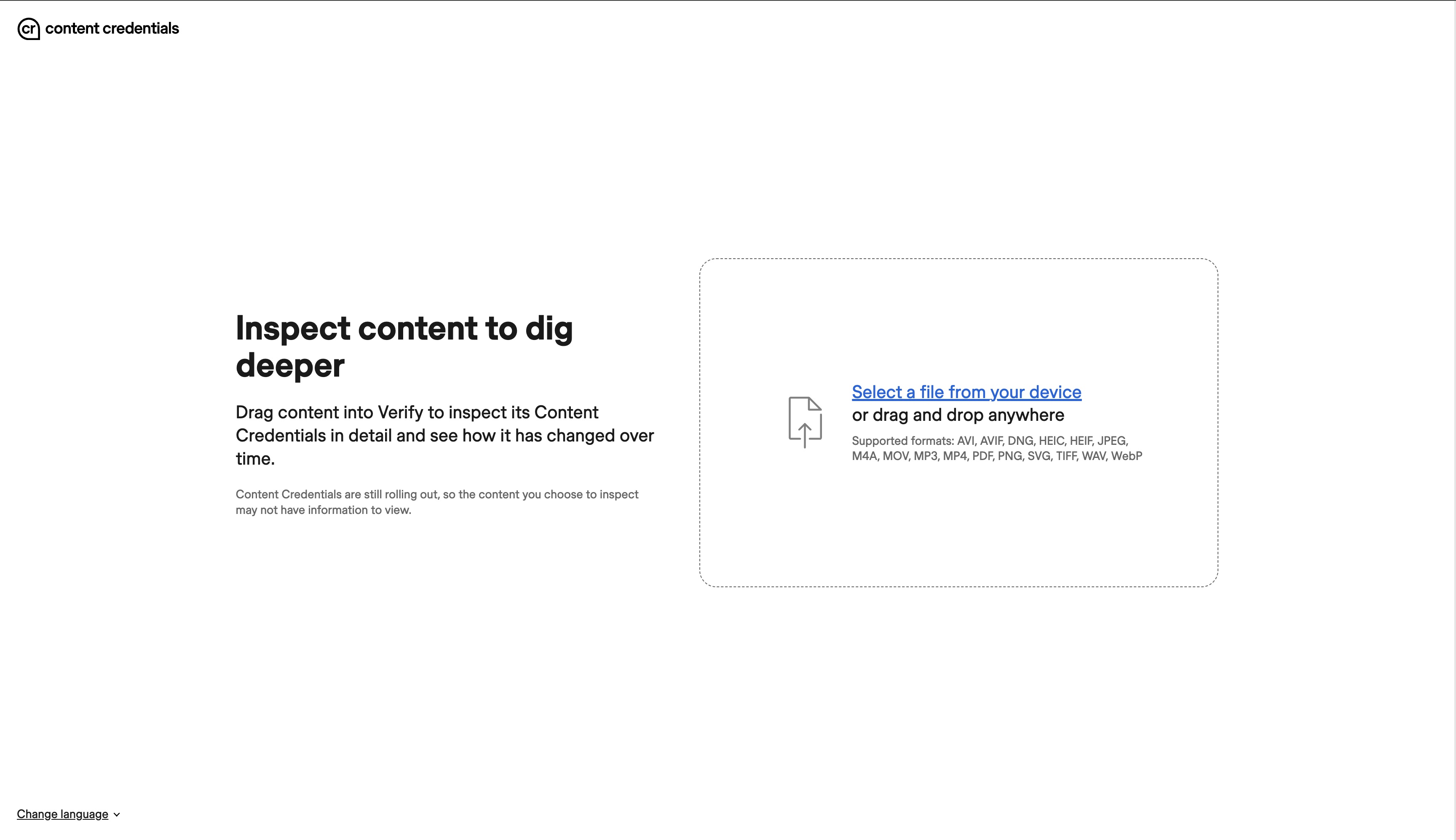
Content Credentials are a signed C2PA manifest, usually embedded in the file, recording what made it (a camera, an editing app or an AI model) and how it was edited since; Verify, shown here, reads that record back from an image, video, audio file or PDF you drop in. Pixel 10's Pixel Camera signs every JPEG it captures, and ChatGPT, Codex and fully generated Adobe Firefly images carry them too. Spec 2.4 (April 2026) lets a manifest sit inside Markdown or HTML, mark the text ranges an edit changed and say whether a human approved the AI output, but the signers above label whole files, not reviewed spans.
Visit C2PA · Content Authenticity Initiative ↗
Adobe Firefly · Content Credentials
Adobe
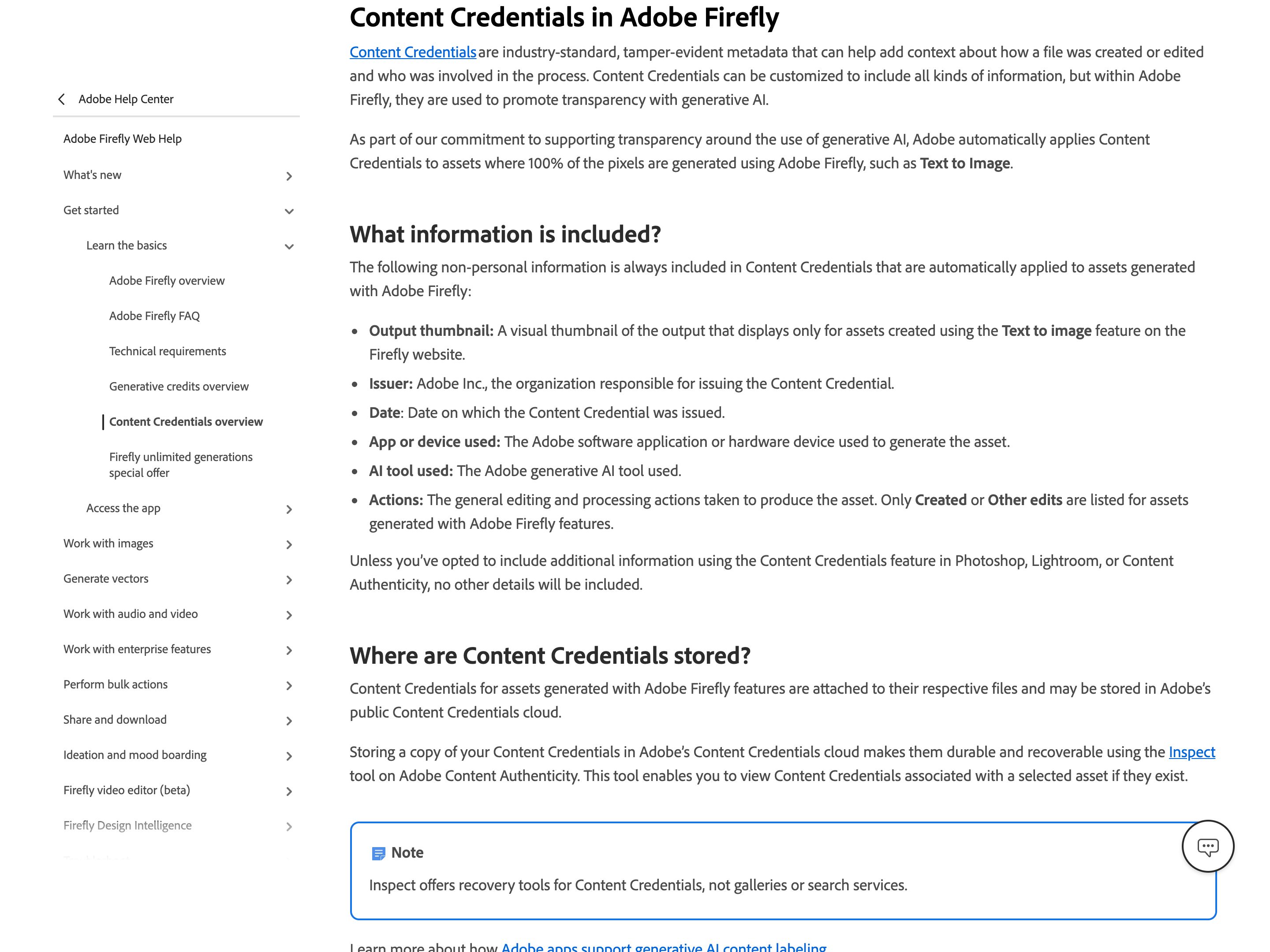
Firefly attaches Content Credentials automatically to assets whose pixels it wholly generated, partner-model images included: issuer (Adobe Inc.), date, app, the generative AI tool or model used, and a generic action (Created or Other edits) rather than an edit history. Under the California AI Transparency Act and the EU AI Act, Adobe apps now also attach this metadata, with no off switch, when a qualifying generative AI tool only modifies a file. Nothing visible is added to the image; you see the credentials only in a viewer such as Adobe's Inspect tool, its Chrome extension, or the cr icon that platforms like LinkedIn and Behance show. File-level: they record that AI made or changed the file, not which part, and nothing about whether a person reviewed it.
Visit Adobe ↗
Microsoft 365 AI Watermarks
Microsoft
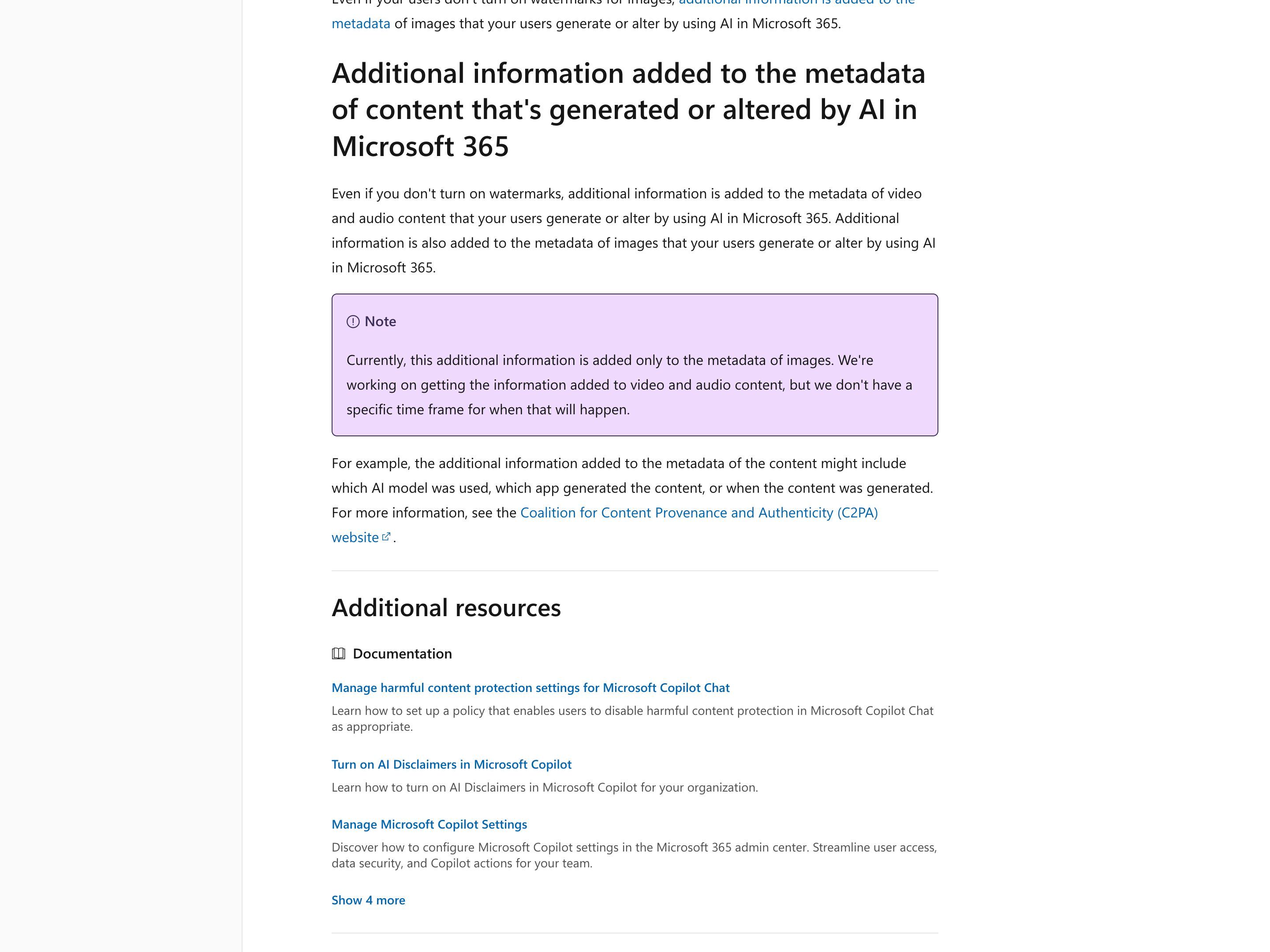
An admin turns this on with the Cloud Policy setting "Include a watermark when content from Microsoft 365 is generated or altered by AI", which is off until set to Enabled (rolled out between April and late June 2026). AI-made video, such as Clipchamp output, then carries an "AI-Generated" mark or the Copilot icon in the bottom-right corner, and audio, such as a Copilot audio overview of a Word document, says "This audio is generated by AI." Image watermarks are a per-user setting, Watermarks for AI-generated content under My Account > Data and Privacy > Data options, and Microsoft's admin doc says metadata that can name the model, app and time is so far written to images only. It labels whole media files; text is not covered.
Visit Microsoft ↗
Google SynthID
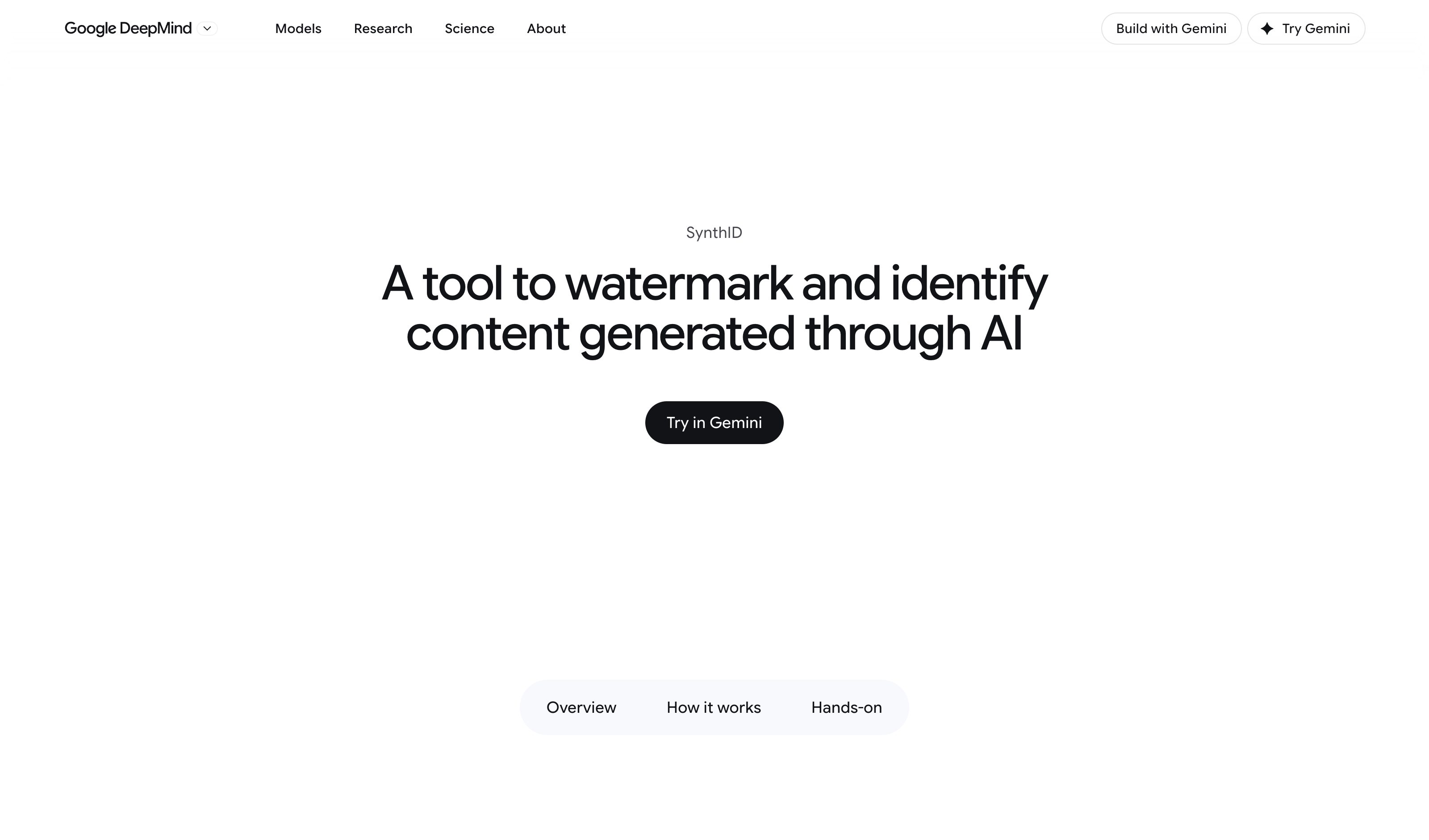
SynthID embeds an imperceptible watermark in images and video from Google's generative AI products, in Lyria music, NotebookLM podcasts and Gemini app text, and NVIDIA, OpenAI and Kakao have adopted it for their own products. The SynthID Detector, now open to everyone, checks an uploaded image, video or audio file for the mark and, for video and audio, flags which segments carry it; Gemini, Search and Chrome also check uploads. Google says the mark is designed to withstand cropping, filters and lossy compression but is not infallible. A hit says a SynthID-enabled model likely made or edited the file, not which parts a person has reviewed.
Visit Google ↗
OpenAI Image Provenance
OpenAI
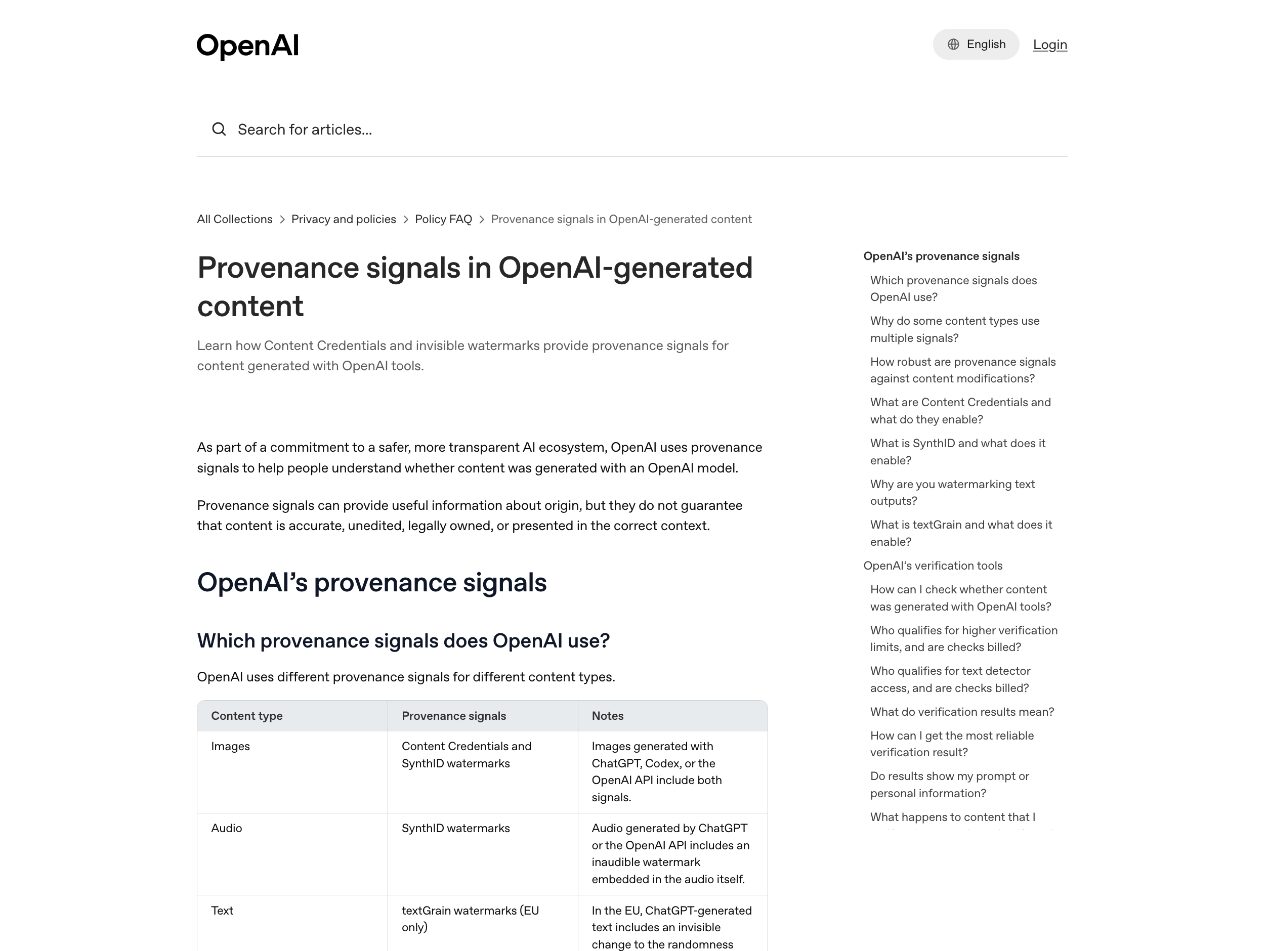
Images from ChatGPT, Codex and the API carry Content Credentials (C2PA) plus an invisible SynthID watermark, with exceptions OpenAI names (API models due for deprecation such as gpt-image-1, and coverage that varies by export path and file type); openai.com/verify checks an uploaded file for either. In the EU, ChatGPT text carries an invisible watermark too. All of it says where a whole file or passage came from — OpenAI notes a detected watermark does not show how much the model wrote. Marking which spans of co-authored text are machine-drafted, as the prototype does, is still emerging.
Visit OpenAI ↗
Research Frame
Why this pattern exists, and where it breaks.
Treat AI like tracked changes: mark the AI-drafted spans no human has reviewed, let the user accept or edit them span by span, and keep that review state attached to the document.
Chat hands back one finished block with no record of what was reviewed; once it leaves the chat, AI-drafted and human-vetted text look exactly the same.
If everything is marked it is noise (the original mistake); if accepting is one bulk click it becomes rubber-stamping — the signal only works when unreviewed is the exception, not the default.
Common questions
What people ask about this pattern.
When should I use the AI Provenance pattern?
+
When you co-write with AI, machine-drafted and human-written text read the same — so the useful signal is which parts a human has actually reviewed.
When should I avoid the AI Provenance pattern?
+
Throwaway or low-stakes text where no one will ever need to tell an AI draft from vetted prose.
What problem does AI Provenance solve?
+
In a document you co-write with AI, machine-drafted and human-written text read identically — so you cannot tell which parts still need a human to check them.
Why is chat the wrong fit for this?
+
Chat hands back one finished block with no record of what was reviewed; once it leaves the chat, AI-drafted and human-vetted text look exactly the same.
Related Patterns
Curated connections, not just neighbors.
Hand-picked relationships — what this pattern pairs with in practice, what it replaces, what it builds on, and what builds on it.
Often paired with
Disclosure
Disclosure tells recipients AI was involved; AI Provenance tells co-authors which AI-drafted spans still need review.
Often paired with
Citation Trail
Citation Trail shows the source behind each claim; AI Provenance shows which AI-drafted spans a human still has to check.
Often paired with
Action Audit & Undo
Action Audit & Undo records and reverses agent actions; AI Provenance tracks which AI-drafted text a human has reviewed.