Persistent context is useful but risky when it is hidden from users.
← Back to patterns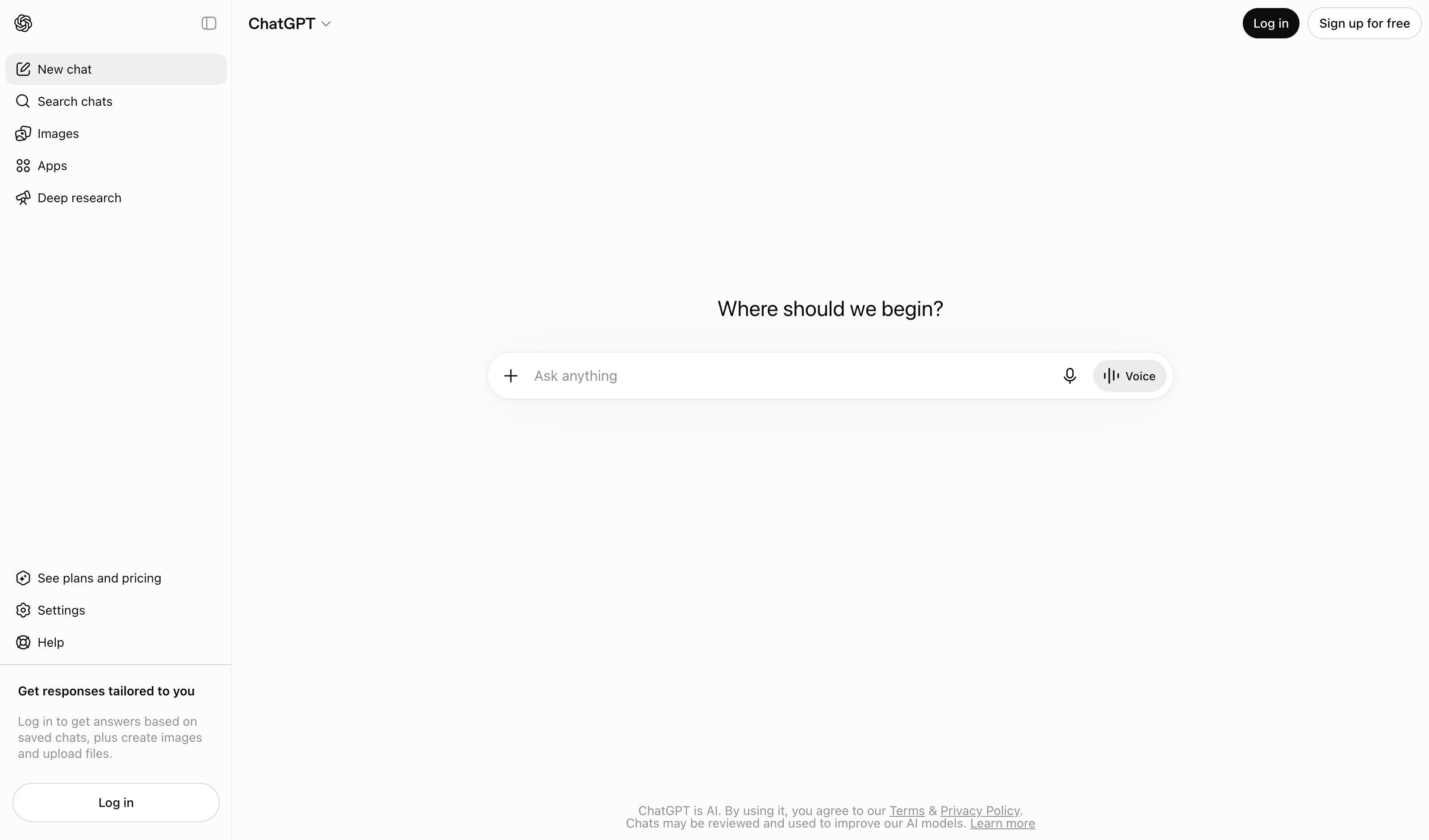
Guidelines for Human-AI Interaction (HAX Toolkit, G1-G18)
Memory, Context & Boundary
AI Memory
Persistent Context Users Can See and Control
Instead of re-explaining context every conversation, AI maintains a visible, editable memory. Users see what the AI "knows" about them and can correct, delete, or add memories. Memory becomes a first-class UI element, not a hidden system prompt.
Metaphor
Personal Dossier
Interaction
Toggle, Edit, Categorize
Use case
AI Assistants, Personalization, Long-Term Collaboration
Failure mode
Hidden State
Control mechanisms
Memory Cards · Toggle Switches · Inline Edit · Category Tabs
Reference examples
ChatGPT Memory · Claude Memory · Claude Code auto-memory
Interactive Example
The live side-by-side is the comparison.
This prototype already contains the contrast between chat and the pattern response. It stands as the primary comparison surface for this page.
Hidden memory shapes the answer. Visible memory earns the trust.
Persistent context is genuinely useful — and genuinely unsettling when it's buried in a system prompt. Memory you can't see still steers every output silently, with no way to inspect what the AI thinks it knows, correct what it got wrong, or notice when something has quietly gone stale or creepy.
This pattern promotes memory to a first-class UI element: every entry visible, categorised, and stamped with when and why it was stored. Toggle, edit, or delete one and the AI adapts instantly — so personalisation becomes a thing the user operates rather than a thing that happens to them. Continuity stops being surveillance the moment it becomes inspectable.
Memory the user can see and edit is a feature; memory they can't is just a profile they never consented to.
DOPE Lens
How this pattern improves AI interaction quality.
Observability
Every memory is a card with its provenance ("Source: 12 conversations"), a staleness dot, and an on/off state — plus a running "8 of 9 active" count, not a hidden system prompt
Directability
Context is curated per card — switch, inline-edit, delete, or add a memory — not wiped or kept wholesale
Predictability
Each toggle maps to a specific output change — flip "avoids buzzwords" off and the headline goes hype, flip the format preference on and prose becomes bullets
Explainability
The response preview names which memories shaped it as chips — active ones lit, disabled ones struck through — so influence is attributed, not assumed
Fit
Where it earns its place.
Use it
when
when
Continuity across sessions creates real user value — and silent memory would feel intrusive.
Avoid
when
when
The product does not need cross-session continuity or personalization.
In the wild
Where this pattern already ships.
Real implementations from products users already know. Each entry shows how the pattern got applied — what shipped, where it sits in the product, what it traded off.
ChatGPT Memory
OpenAI
Settings → Personalization → Manage memories. Apr 2025 added memory-source visibility ("which memory was used"); Oct 2025 added auto-management with prioritize/deprioritize. Flagship example.
Visit OpenAI ↗
Claude Memory
Anthropic
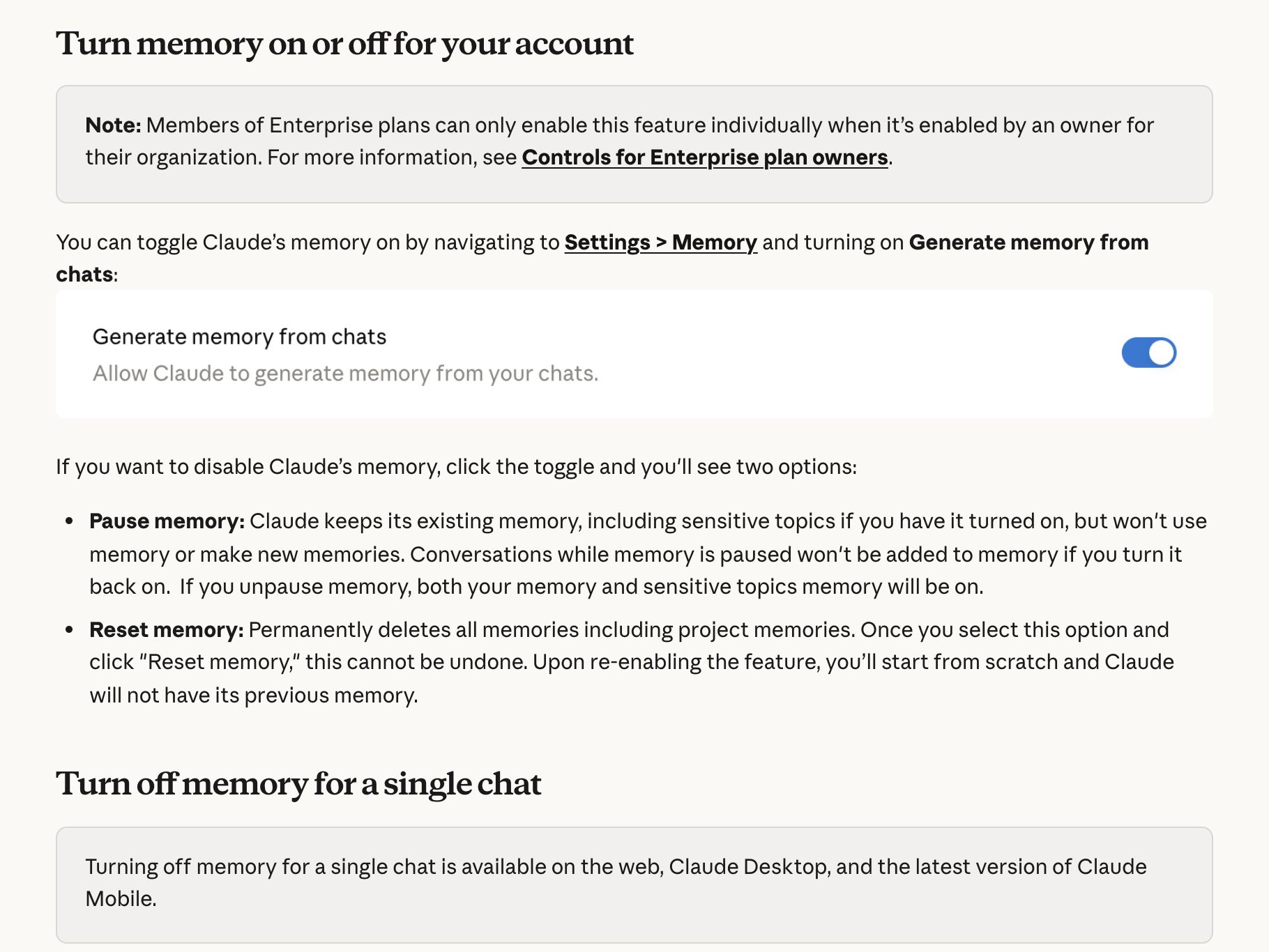
Settings → Memory holds the "Generate memory from chats" toggle and lists everything Claude remembers as individual Topics to open, edit or delete. Switching memory off offers Pause (keep it, stop using it) or Reset (wipe it, project memories included), and the "+" menu turns it off for a single chat. On by default for Free, Pro and Max; on Team and Enterprise, owners decide and members opt in.
Visit Anthropic ↗
Claude Code auto-memory
Anthropic
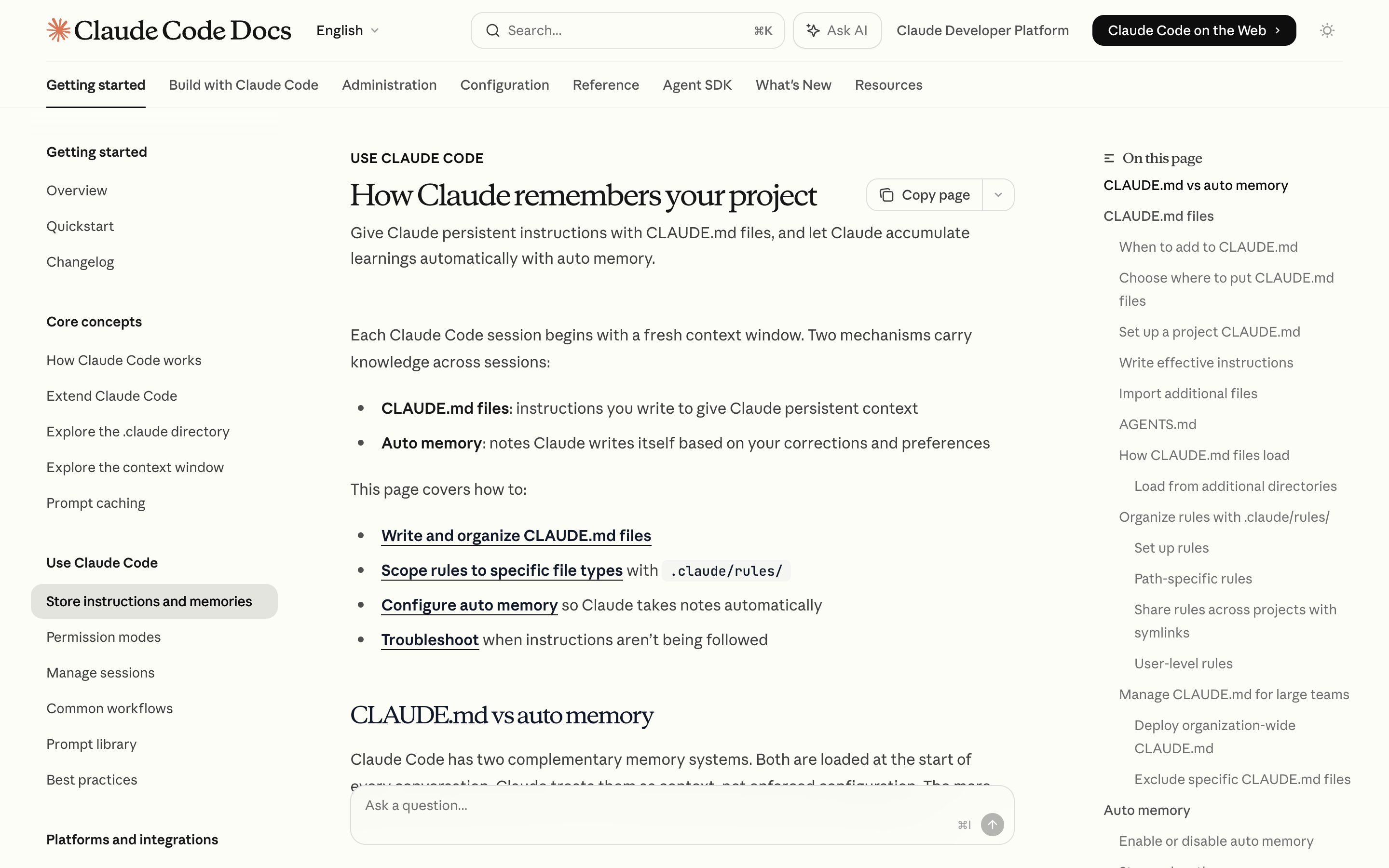
v2.1.59+ writes memory to CLAUDE.md files Claude shows you and lets you edit. Tier hierarchy (~/.claude, project, subdirectory) is unusually transparent — the file IS the memory.
Visit Anthropic ↗
Research Frame
Why this pattern exists, and where it breaks.
Expose memory as a visible, editable user-facing artifact.
Hidden memory silently shapes outputs without inspection or correction.
Stored memories can become creepy, stale, or over-personalized.
Common questions
What people ask about this pattern.
When should I use the AI Memory pattern?
+
Continuity across sessions creates real user value — and silent memory would feel intrusive.
When should I avoid the AI Memory pattern?
+
The product does not need cross-session continuity or personalization.
What problem does AI Memory solve?
+
Persistent context is useful but risky when it is hidden from users.
Why is chat the wrong fit for this?
+
Hidden memory silently shapes outputs without inspection or correction.
Grounded in Research
Not just opinion.
The papers, guidelines, and usability studies this pattern rests on.
Saleema Amershi et al.
Microsoft Research · 2019 · refreshed 2026-07
The canonical 18-guideline taxonomy for human-AI interaction. Strongest anchors: G9 efficient correction, G11 why-did-it-do-that, G17 global controls. Its three zero-coverage guidelines — G6 bias mitigation, G14 cautious updates, G18 change notification — became this library's Bias Flag and Model Changelog patterns in July 2026. Nearly the whole Agent Workflow category sits outside its 2019 single-assistant frame.
Related Patterns
Curated connections, not just neighbors.
Hand-picked relationships — what this pattern pairs with in practice, what it replaces, what it builds on, and what builds on it.
Often paired with
Constraint Rules Engine
AI Memory holds preferences that shape answers; Constraint Rules Engine holds rules every agent action is checked against.
Often paired with
Confidence Signals
AI Memory names which memories shaped an answer; Confidence Signals rate how well-evidenced each claim in that answer is.
Often paired with
Autonomy Dial
AI Memory holds what the assistant knows about you; Autonomy Dial sets which tools it may run without asking.